1
English
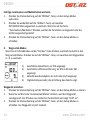
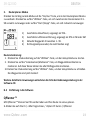
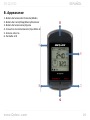
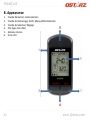
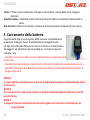
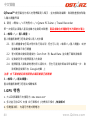
……………………………………………..………………………………………………………………………………………………………………………………….……………………………………………………………………………. 1) Estimated time of arrival shown as TOA. 2) Estimated direct line distance shown as DTG in MI or KM. 3) Current waypoint ID between 1~99. 4) Directional Compass arrow pointing north. Mark Route: 1. Pressing the "Select" button for 3 seconds to open Setup mode. 2. Pressing the "Reset/Mark" button to mark waypoint coordinates. Use this method to mark all 99 waypoints. 3. Pressing the “Select” buttons for 3 seconds to close the Setup mode, the waypoint has now been marked For more detail instruction, please refer to the user manual in software CD. H‐5 Software Introduction QPlanner ™ QPlanner ™ supports organizing preloading POIs and plan your route in advance. You can edit and upload up to 4 POIs from Google map for Location back mode or 99 waypoints for Route Plan mode. 1. Click from <Start> / <All Programs> / <Qstarz PC Suite (2100)> / QPlanner (2100) Users have to input product key at the first time of use. The product key is located on the cover of the software CD. Important: Do not lose your Product Key. Please write the number down and keep it in a safe place. ……………………………………………..………………………………………………………………………………………………………………………………….……………………………………………………………………………. 10
www.Qstarz.com