1
Data image editor
The first step in constructing a CD or DVD is to create an image file. Image
files may be made by reading in a physical master, or by pre-mastering the
disc in the Data or Audio Imager Editors. The Scribe creates industry
standard data (Mode 1 ISO 9660 level 2 with Joliet extensions) and audio
(Red Book) CDs from scratch as well as duplicates of existing CDs
authored in most formats.
Creating a data disc image
To create a data disc image:
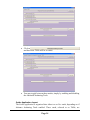
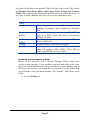
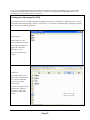
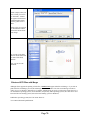
• Click the Data Image Editor tab. The screen will now read:
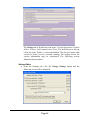
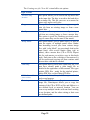
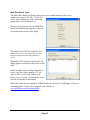
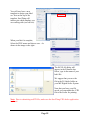
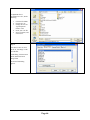
The Data Image Editor tab is divided into four panes. The top left pane
lists all of the names and icons of the resources (drives, files and
folders) available to the computer. The top right pane displays the
contents of any item you click on in the top left pane along with its
icon. The bottom left pane lists all the names and icons of files and
folders on the disc that is being created. The bottom right pane displays
the contents of any item you click on in the bottom left pane, along
with its icon.
Page 20