1
Quick Start
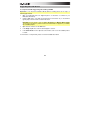
1. Download and Install the Software
We highly recommend downloading and installing the included software applications and their
sound content: Arsenal, AIR Drums, and Hybrid 3.0.
Windows users: The download package will include a Windows driver for use with Arsenal.
1.
Go to m-audio.com/softwaredownload and download the installation files for the
software applications (for your computer's operating system) and sound content. These
files may be large, so this may take a while!
2.
Open the first file and double-click the .exe (Windows) or .dmg (Mac OS X).
3.
Follow the on-screen instructions to complete the installation.
4.
Repeat Steps 2-3 for the remaining files.
2. Connect
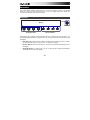
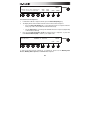
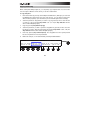
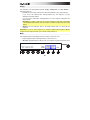
Here is just an example of how to use Trigger Finger Pro to your setup:
Wall Power
(optional,
power adapter
sold separately)
MIDI
PATCH
PERFORM
RHYTHM
GM
Computer
PIANO
ORGAN
GUITAR/BASS
BRASS/ORCH
SYNTH/PAD
RHYTHM
SPECIAL FX
External MIDI Sound Module
(optional)
Items not listed under in the Box Contents section are sold separately.
12