1
10 MODE SELECT (15h) and MODE SENSE (1Ah)
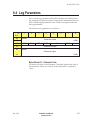
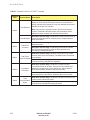
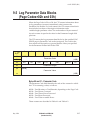
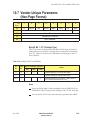
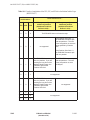
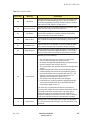
For the long form, specify either 00h or 01h. Specify 00h to define
no additional partitions (that is, the tape will have only one
partition). Specify 01h to define one additional partition (the tape
will have two partitions).
Notes:
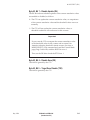
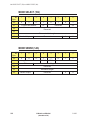
If you are using the long form and specify 00h for Additional
Partitions Defined, the CTS ignores bytes 08 and 09 of the
Medium Partition Page (Partition Size field).
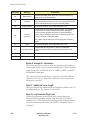
In the MODE SENSE data, the Additional Partitions Defined byte
indicates the number of partitions defined on the currently loaded
tape in addition to the original partition (the entire tape).
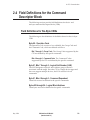
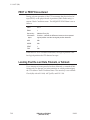
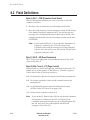
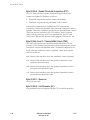
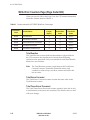
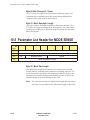
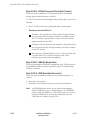
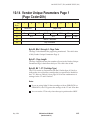
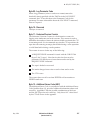
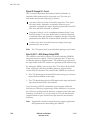
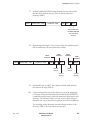
Byte 04, Bit 7 - FDP (Fixed Data Partitions)
The FDP bit tells the EXB-8505 to format the tape based on its “fixed”
definition of partitions. The fixed definition is a single partition
encompassing the entire tape. The values for FDP are as follows:
0 – Do not format the tape. (A value of 0 is always returned in the
MODE SENSE data.)
1 – Format the tape with a single partition encompassing the entire
tape.
Note:
If Additional Partitions Defined (byte 03) is 01h, FDP must
be 0.
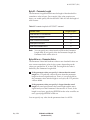
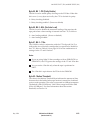
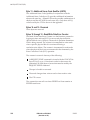
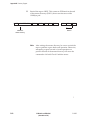
Byte 04, Bit 6 - SDP (Select Data Partitions)
The SDP bit tells the EXB-8505 to format the first partition on the tape
based on a predefined size. This size is “hard coded” in the EXB-8505
as 15 MBytes and cannot be changed. The values for SDP are as
follows:
0 – Do not format the tape. (A value of 0 is always returned in the
MODE SENSE data.)
1 – If Additional Partitions Defined is 01h, format the tape with two
partitions and set the size of the first partition to 15 MBytes. (The
EXB-8505 ignores the partition size specified in the Partition Size
field.) If Additional Partitions Defined is 00h, format the tape with
a single partition encompassing the entire tape.
10-46
EXB-8205 and EXB-8505
(Standard and XL)
510503