1
21 SEND DIAGNOSTIC (1Dh)
21.3 Diagnostic Tests
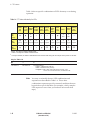
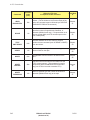
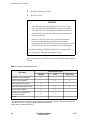
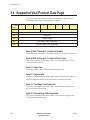
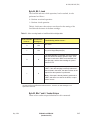
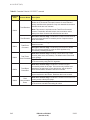
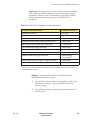
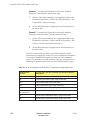
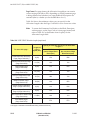
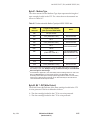
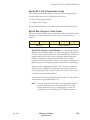
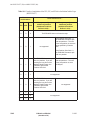
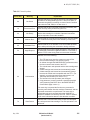
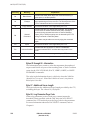
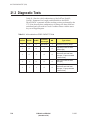
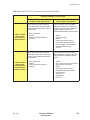
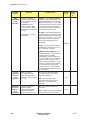
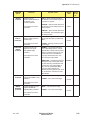
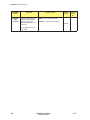
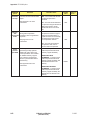
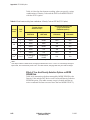
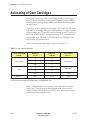
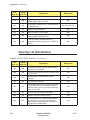
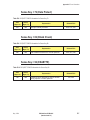
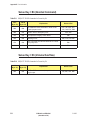
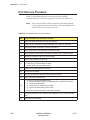
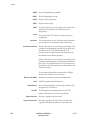
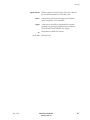
Table 21-1 lists the valid combinations of the SelfTest, DevOfL,
UntOfL, Parameter List Length, and MD fields in the SEND
DIAGNOSTIC command and the resulting actions performed by the
CTS. Note that all other combinations of settings for these fields are
undefined and will result in Check Condition status with the sense
key set to Illegal Request.
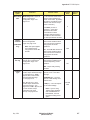
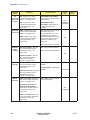
Table 21-1 Valid combinations of SEND DIAGNOSTIC fields
SelfTest
DevOfL
UntOfL
Parameter
List Length
MD
0
0
0
0 to 97FFh
1
Processor memory dump
1
0
0
0
0
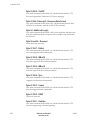
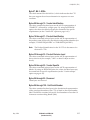
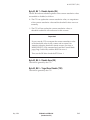
Test 100 (Power-on tests
without tape)
1
0
1
0
0
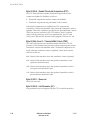
Test 101 (Power-on,
write/read, and load tests
with tape—Tape not loaded
at start of test)
1
1
0
0
0
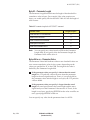
Test 110 (Power-on tests
with tape)
0
Test 111 (Power-on,
write/read, and load tests
with tape—Tape preloaded
at start of test)
1
21-4
Type of test
1
1
0
EXB-8205 and EXB-8505
(Standard and XL)
510503