1
3 Implementing CTS Operations
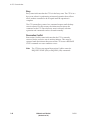
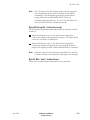
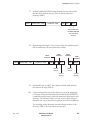
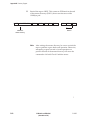
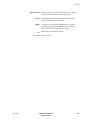
Note: The short filemark in 8200 format is equivalent to the alternate
short filemark written by the EXB-8200SX. Refer to the
EXB-8200SX 8mm Cartridge Tape Subsystem Product
Specification and User’s Manual for more information.
Summary of Filemark Sizes
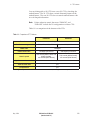
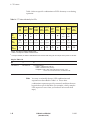
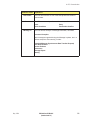
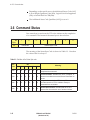
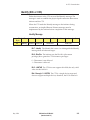
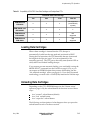
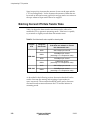
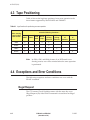
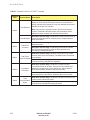
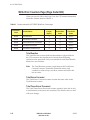
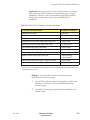
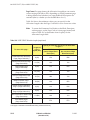
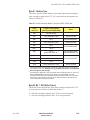
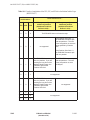
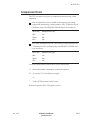
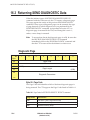
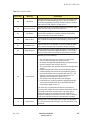
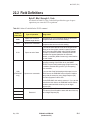
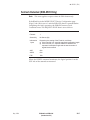
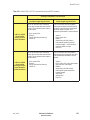
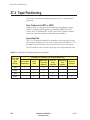
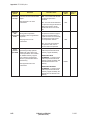
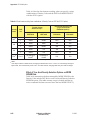
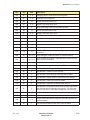
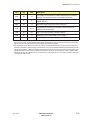
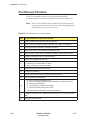
As described in Table 3-3, the size of the filemarks that can be written
depend on the format of the tape and on the setting of the Short bit in
the WRITE FILEMARKS (10h) command (see Chapter 27).
Table 3-3 Types and sizes of filemarks
Type and size of filemarks
Tape
written by
CTS in...
Long
(Short bit = 0)
Short
(Short bit = 1)
KBytes
Tracks
KBytes
Tracks
8500c format*
(EXB-8505)
48
6
1
<1
8500 format
(EXB-8505)
48
6
1
<1
8200c format*
2,160
270
1
<1
8200 format
2,160
270
184
23
* Filemarks are not compressed.
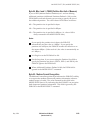
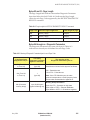
Setmarks (EXB-8505 Writing in 8500c Format Only)
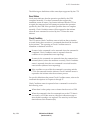
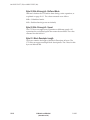
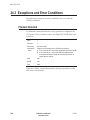
When you use the EXB-8505 to write in 8500c format, you can issue a
WRITE FILEMARKS command to write one or more setmarks to tape.
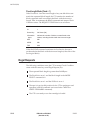
Setmarks function similarly to the long filemark in 8500c format. You
can issue a SPACE (11h) command to space to setmarks in the same
way you space to filemarks; however, you can also use a MODE
SELECT (15h) command to suppress setmark detection during read,
verify, space block, and space filemark operations. Like the 8500c
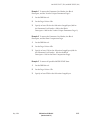
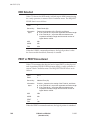
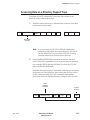
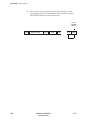
long filemark, each setmark occupies six tracks of information:
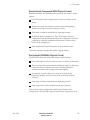
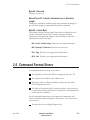
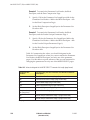
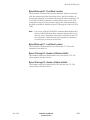
Two tracks of erase gap at the beginning
Two tracks of setmark physical blocks
Two tracks of erase gap at the end
For additional information about using setmarks, refer to Chapter 27.
3-16
EXB-8205 and EXB-8505
(Standard and XL)
510503