1
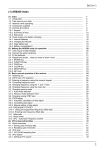
7-9-4 Editing the contents of the select scan list ...............................................................
7-9-5 Deleting all select scan channels .............................................................................
(8) Search mode ...............................................................................................................
8-1 Search types ................................................................................................................
8-1-1 Program search overview .........................................................................................
8-2 Starting program search ..............................................................................................
8-2-1 Reversing the direction of search .............................................................................
8-2-2 Forcing the search to resume ...................................................................................
8-2-3 Stopping the search .................................................................................................
8-2-4 Copying an active frequency to the VFO or memory location ..................................
8-3 Selection of search bank .............................................................................................
8-4 Programming a search bank .......................................................................................
8-5 Locking out unwanted active frequencies (PASS) ......................................................
8-5-1 Search pass menu ...................................................................................................
8-6 Search bank link ..........................................................................................................
8-7 Additional search facilities ...........................................................................................
8-7-1 Search DELAY .........................................................................................................
8-7-2 Search LEVEL ..........................................................................................................
8-7-3 Search VOICE ..........................................................................................................
8-7-4 Search FREE ............................................................................................................
8-7-5 AUTO STORE ..........................................................................................................
8-7-6 DELETE bank “J” .....................................................................................................
8-7-7 Deleting search banks ..............................................................................................
8-7-8 Write protect and copying search banks ..................................................................
(9) EDIT menu ...................................................................................................................
9-1 EDIT COPY memory channel ......................................................................................
9-2 EDIT COPY memory bank ...........................................................................................
9-3 EDIT COPY search bank .............................................................................................
9-4 EDIT MOVE memory channel ......................................................................................
9-5 EDIT SWAP memory channel .....................................................................................
9-6 EDIT memory channel .................................................................................................
9-7 EDIT Search protect ....................................................................................................
(10) DELETE menu facilities ............................................................................................
10-1 DELETE search banks and search PASS frequencies .............................................
10-2 DELETE VFO PASS ..................................................................................................
10-3 DELETE memory bank ..............................................................................................
10-4 DELETE select scan channels ..................................................................................
10-5 DELETE memory channel protect .............................................................................
10-6 DELETE memory channel pass ................................................................................
(11) Write protect .............................................................................................................
11-1 Memory CHANNEL write protect ...............................................................................
11-2 Write protect during memory input ............................................................................
11-3 Channel protect status for existing memory channels ...............................................
11-4 Channel protect delete ...............................................................................................
11-5 Memory BANK write protect ......................................................................................
11-6 Search bank write protect ..........................................................................................
11-7 Global write protect ....................................................................................................
(12) TEXT search and input .............................................................................................
12-1 Text input menus .......................................................................................................
12-2 Text search ................................................................................................................
(13) SHORT CUT keys ......................................................................................................
13-1 Short cut menu access ..............................................................................................
13-2 Short cut text entry ....................................................................................................
13-3 Short cut text entry, keypad with ïðñò keys ..........................................................
72
73
74
74
74
75
75
75
75
76
76
78
80
80
81
82
83
84
84
85
86
86
87
87
88
88
89
90
90
91
92
93
94
94
95
95
96
96
97
98
98
98
98
99
99
100
100
101
101
102
103
103
104
105
3