1
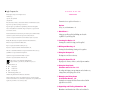
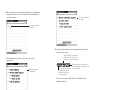
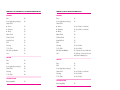
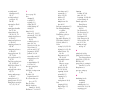
NEWTON 2.0 OS TO NEWTON 2.0 OS FEATURE COMPATIBILITY
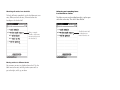
NEWTON 2.0 OS TO AN EARLIER NEWTON OS
BEAMING
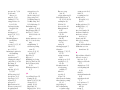
BEAMING
Faxes
Icons (application packages)
Name Cards
m Person
m Company
m Group
Owner Cards
Worksite Cards
Beam My Card
Calls
Meetings
To Do Tasks
Checklists and Outlines
Notes
Yes
Yes
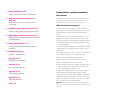
Faxes
Icons (application packages)
Name Cards
m Person
m Company
m Group
Owner Cards
Worksite Cards
Beam My Card
Calls
Meetings
To Do Tasks
Checklists and Outlines
Notes
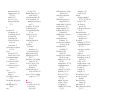
Yes
Yes
Yes
Yes
Yes
Yes
Yes
Yes
Yes
Yes
Yes
No
No
Yes (no 2.0 info, no ink text)
Yes (no 2.0 info, no ink text)
No
Yes
No
No
No
Yes (no 2.0 info)
Yes (no 2.0 info)
Yes (converted to note with tabs)
Yes (ink text converted to sketch
with some formatting loss)
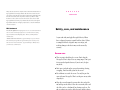
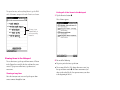
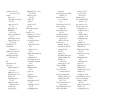
MAILING
Faxes
Calls
Icons (application packages)
Name Cards
Meetings
To Do Tasks
No
Yes
Yes
Yes
Yes
Yes
MAILING
Yes
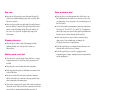
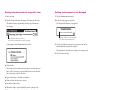
STORAGE CARDS
Faxes
Calls
Icons (application packages)
Name Cards
Meetings
To Do Tasks
No
No
No
Yes (no 2.0 info, no ink text)
Yes (no 2.0 info)
Yes (no 2.0 info)
STORAGE CARDS
Interchangability
Interchangability
328
Appendix D
Compatibility Information
No
329