1
Contents
Introducing microStealth ................................................................ 7
Introduction................................................................................ 7
Measurement Logging .............................................................. 8
Auto Tests .................................................................................. 8
Multiple Channel Plans ............................................................ 10
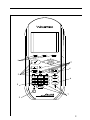
Getting Acquinted with the Keypad ....................................... 10
Getting Acquinted with the Screen ......................................... 12
The Navigator............................................................................ 15
Configuring microStealth.......................................................... 16
Global Configuration ................................................................. 17
Measurements Configuration ................................................... 20
Channel Plan Configuration ..................................................... 23
Using microStealth ........................................................................... 31
Introduction................................................................................ 31
Installation.................................................................................. 31
Selecting Channel Packages ............................................. 32
Selecting the Test Point .................................................... 32
Installation Results Summary ........................................... 33
The Channel List ............................................................... 34
The Pass/Fail Indicator ..................................................... 34
Channel Measurement ...................................................... 35
Printing an Installation Report ......................................... 36
Storing Installation Results ............................................... 36
Level ........................................................................................... 36
Adjusting the Reference Level ......................................... 37
Tuning by Channel ............................................................ 37
Tuning by Frequency ........................................................ 37
Measurement Hold ............................................................ 38
Printing the Screen ............................................................ 38
Warning Indicators ............................................................. 39
Full Scan..................................................................................... 39
Moving the Marker ............................................................ 40
Adjusting the Reference Level ......................................... 40
Adjusting the Scale ............................................................ 40
Zooming In and Out .......................................................... 41
Checking Limits ................................................................. 41
3