1
Important
You can choose which carriers appear on this screen when you
configure your channel plan (see SELECT TILT CHANNELS).
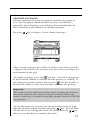
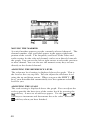
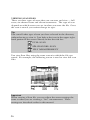
MOVING THE MARKER
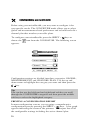
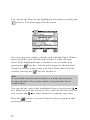
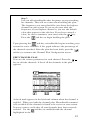
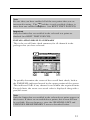
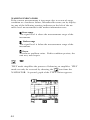
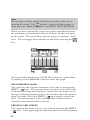
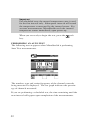
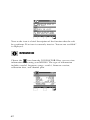
You can view up to six carriers. A vertical marker appears over the
currently selected carrier. The channel number, type and label
appear in the upper right-hand portion of the screen. The frequency and level of the selected carrier can be seen directly beneath the graph. You can use the left or right arrows to select the
previous or next carrier.
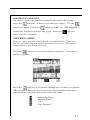
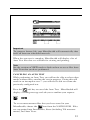
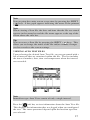
SELECTING THE LOW AND HIGH CARRIERS
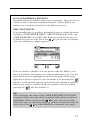
Notice that the bars representing the low and high pilots are solid
and all others are dim. You can select which carriers are used for
the tilt measurement. To select the low pilot carrier, move the
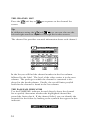
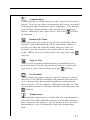
cursor to the desired carrier and press the
soft key. To select
the high pilot carrier, move the cursor to the desired carrier and
press the
soft key. The tilt measurement is calculated from
the low and high pilot carriers that you have selected.
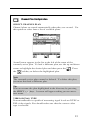
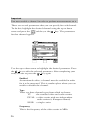
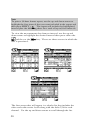
ADJUSTING THE REFERENCE LEVEL
The reference level setting is displayed above the graph. This is
the level at the very top line. You can adjust the reference level
using the up and down arrows. When you press the SHIFT +
keys, your microStealth automatically sets the optimum reference
level for you.
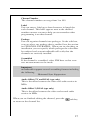
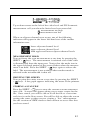
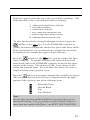
ADJUSTING THE SCALE
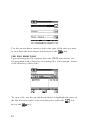
The scale setting is displayed above the graph. You can adjust the
scale to provide the best view of the carrier levels by pressing the
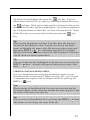
soft key. A new set of soft keys appears. Use the
and
soft keys to increment and decrement the scale value. Press the
soft key when you have finished.
45