1
Model MY-2009 unit is shown here.
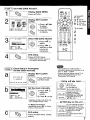
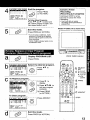
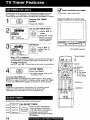
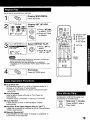
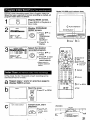
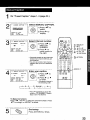
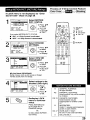
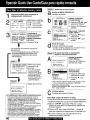
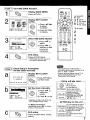
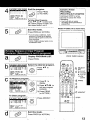
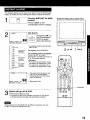
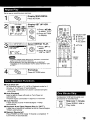
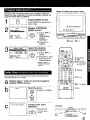
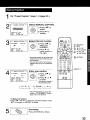
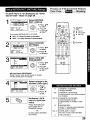
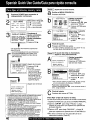
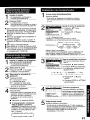
Choose a timer recorded program from a Program index List,
When the tape is ejected or normal recording is started, all
program index data are deleted.
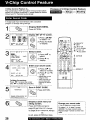
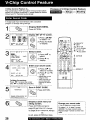
Display INDEX screen.
Press INDEX in Playback or
Stop mode.
C PLAYIREPEAT
2
Display PROGRAM
INDEX screen.
INDEX
@
SELECT:A
• KEY
SET
:b KEY
END
:INDEX
KEY
STOP/EJ ECT
1) Press _,'t' to
select
"PROGRAM
INDEX
SEARCH."
iiiiiiiii_iiiiiiiiii!it
I
---
,_
I
P_._
t!
4
_NOEX
12:30P
MOVIE
SELECT:&
•
I
SEARCH:I_
KEY
!
END
:INDEX
KEY
KEY
NBC /
t) Press AT
select.
t
Q@O
to
2) Press b, to start
the forward or
rewind search.
• When search is
finished,playback
begins,
I
SELECTI
SET
& :CH UP
• :CH DOWN
I_ :VOL UP
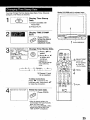
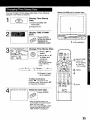
Repeat steps 1 and 2 on previous
display INDEX screen.
_
C PLAY
page to
b
;tart the scan.
FF/_
1 INDEX
®®
@®®
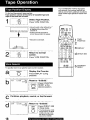
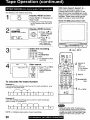
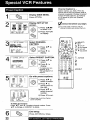
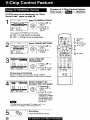
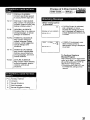
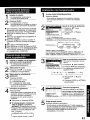
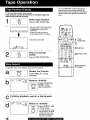
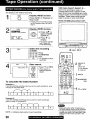
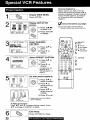
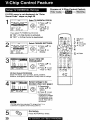
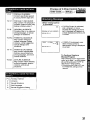
In Play mode, the first 10 seconds of each recording can be
scanned (forward or reverse.)
b
I , \
Select the desired
1 recorded program.
O_
INDEX
_=BitiiiiWiiiil;iiiil
b .EVVb FF
2) Press b. to
display.
1"
.....
FF or REW
STOP
Press FF or REW.
or
REWI_
®
C
AUTO
INDEX
SEARCH
Cancel scan, start
playback.
PLAY
<Example>
Start
|
Press PLAY.
" TO stop,press
STOP.
1
l °°-_°°J
I STC,_
I I
, ,_ PrayIt_ about10 secor,ds}
i
,
--
Ft=_t FO_aKI
o_ Rewir<l
21
I