1
USER'S GUIDE____________________________________________________________________
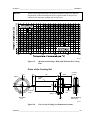
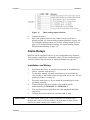
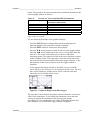
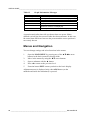
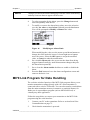
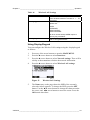
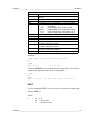
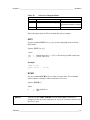
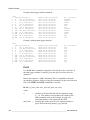
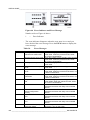
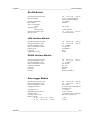
Table 12
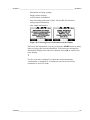
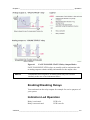
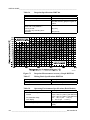
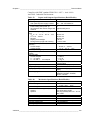
Graph Information Messages
Failure Message
Power outage
No data
Device failure
T meas. failure
RH meas. failure
Adj. mode active
Autocal
Interpretation
Power failure (marked also with dashed vertical line)
Quantity has not been selected for the display
General device failure.
Temperature measurement/sensor failure
Humidity measurement/sensor failure
Adjustment mode active (data recorded in the
adjustment mode is not displayed)
AutoCal performed (only shown in 3 h graphs)
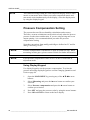
A question mark after time tells you that at least one power failure
(dashed vertical line) has occurred after the chosen moment. In this case,
the actual time difference between the present and the cursor position is
not exactly known.
Menus and Navigation
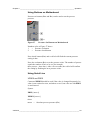
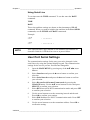
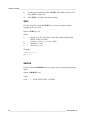
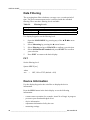
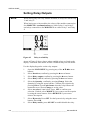
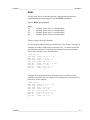
You can change settings and select functions in the menus.
1.
2.
3.
4.
5.
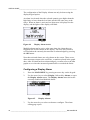
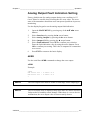
Open the MAIN MENU by pressing any of the ▲▼◄► arrow
buttons in the basic (numeric) display mode.
Move in the menus by using the ▲▼ arrow buttons.
Open a submenu with the ► button.
Press ◄ to return to the previous level.
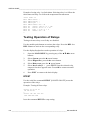
Function button EXIT returns you back to the basic display.
Adjustment menu is displayed only when ADJ button (on the
motherboard inside the transmitter) is pressed.
66 __________________________________________________________________ M210762EN-D