1
Chapter 4 ________________________________________________________________ Operation
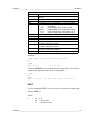
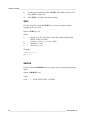
WLAN [SSID TYPE]
Where
SSID
TYPE
=
=
The network name in 1 … 32 characters
The security type of the wireless network. The
options are:
OPEN
OPEN/WEP
WPA-PSK/TKIP
WPA-PSK/CCMP
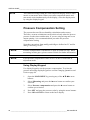
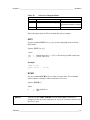
Examples:
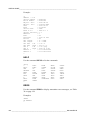
>wlan ?
Network SSID
Type
>
: WLAN-AP
: OPEN
>wlan accesspoint wpa-psk/tkip
Network SSID
: accesspoint
Type
: WPA-PSK/TKIP
WPA-PSK phrase ? thequickbrownfox
Warning: Active connection will be disconnected.
Save changes (Y/N) ? y
OK
>
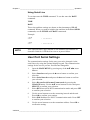
Telnet Settings
When a telnet connection is established via the LAN or WLAN interface,
the session has the same communication mode, run interval, poll address
and echo settings as the serial port (user port) session would have.
These settings can be changed using the display/keypad, using the serial
line (user port or service port), or on-the-fly during the telnet session.
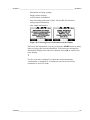
The display menu path to the telnet settings is:
Main menu ► Interfaces ► Network Interface ► Telnet settings.
The commands for changing the settings are SMODE, INTV, ADDR,
and ECHO.
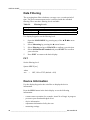
Web Configuration for LAN and WLAN
The LAN and WLAN interfaces both have a web configuration page that
is accessible using a browser. If you have not disabled the page from the
network settings, you can access it with a web browser at the IP address
of the interface.
VAISALA _______________________________________________________________________ 81