1
Configuring Legato NetWorker Backup Software
Using the Fast
Incremental Option
for Backup
The Fast Incremental option reduces the backup time and makes it
easy to manage and move files. The Fast Incremental option allows
the IP4700 file system to retain a file that describes which files have
changed. It uses this file to determine which files to back up rather
than requiring meta-data for each file be read to determine when it
was last modified. Thus, backups can be much faster, especially when
few files have changed.
Fast incremental backups require space. As with defining snap space,
you can create the Fast Incremental space initially or later. If you want
to add more space later, you can dynamically add it the same way
you add snap space. (See the section above.)
We recommend doing the Fast Incremental backup in an “off time” so
as not to affect snap copy.
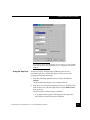
To use the Fast Incremental feature, turn on the Fast Incremental
option in the IP4700 volume, and add the following directive before
the files to back up in the class’ file list:
SET FAST_INCREMENTAL=T
Be sure to spell “FAST_INCREMENTAL” correctly. If NDMP variables are
misspelled, you will not receive any error message; the backup simply will
not run as you expect.
For more information about Fast Incremental backup, see the IP4700
Administrator’s Guide.
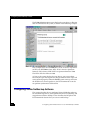
Configuring Legato NetWorker Backup Software
This section describes how to configure the Legato NetWorker
backup software for standalone tape drives, local tape libraries,
three-way backup, and remote backup. It explains how to configure
the client resource and the pool resource and how to test the backup.
It also describes how to use the SnapView and Fast Incremental
options in your backup strategy.
Configuring
Standalone Tape
Drives
40
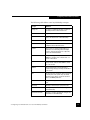
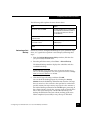
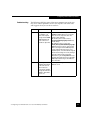
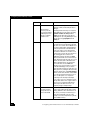
For every standalone tape drive (not in a jukebox) that will receive a
backup from the IP4700, create a device resource with the following
values:
Configuring Your IP4700 Device for Use with Backup Software