1
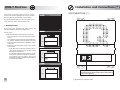
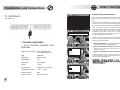
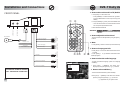
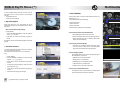
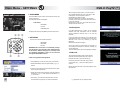
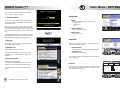
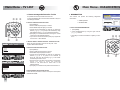
Installation and Connections (*) DVB-T First Use Q100 series is an automotive grade set top box - able to receive multi-standard DVB digital TV: DVB-T in standard definition (SD) and high definition (HD) and DVB-H. SIM INSERTION (*) SCAN [OK] to start search - [EXIT] to quit By pressing the [Red] button on the remote control, one could switch from DVB-T mode to DVB-H mode. v Getting started Be sure that every connection has been correctly set following installation instructions on pages 19-22 SCAN Turn the unit on [OK] to stop - [EXIT] to continue • Please wait until frame will be shown on the screen . › press [OK] button to start the automatic channel search. 0% TV 12 It's possible to stop the search by pressing EXIT button. Frame will be shown on the screen. Press [OK] button to confirm stop searching or the [EXIT] button to resume it. › press [OK] button to save the channels in the TV LIST. The first channel in the up-to-date TV LIST will be shown on the screen. If at the end of the scan phase, frame is shown on the screen check the connections and the overall installation of the receiver ; then press sequentially the [EXIT], [SCAN] and [OK] buttons to restart the scan phase. 100% 50% 100% RADIO RADIO SCAN [OK] to save - [EXIT] to quit 0% TV 44 RADIO 3 TV 1 TV 2 TV 3 TV 4 SIM At the end of the scan phase, frame will be shown on the screen. RADIO 2 50% TV TV TV TV RADIO 1 RADIO 2 RADIO 3 RADIO 4 SCAN No services found - [EXIT] to quit 0% TV 0 RADIO 0 6 50% 100% In the case of an existing DVB-H PayTV subscription SIM based, please insert SIM card as shown in the picture (*) applicable only to Q100TH model 23