1
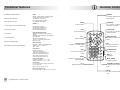
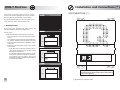
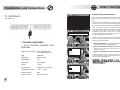
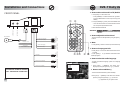
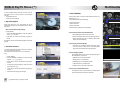
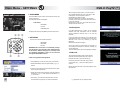
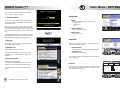
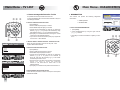
DVB-T First Use Installation and Connections v Autotracking and Autosearch TUNING TV ANTENNAS [OK] to start search - [EXIT] to quit This innovative automatic function allows the receiver to follow the selected channel while moving from place to place. Specifications Typical DTT Networks are Multi Frequency Network (MFN) that is, each TV channel may be transmitted on different frequencies depending on the specific geographical area. TV LIST CREATE SETTINGS SORT DIAGNOSTICS DEL.CHAN ADD FAVOURITE: [OK] to confirm - [EXIT] to quit DEL.LIST Once a specific TV channel has been selected the, Autotracking and Autosearch functions have the purpose of tuning, tracking and in some cases automatically searching for the channel where there is a frequency change or signal loss due to movement in location, without the need to start a new search manually.. In order to have the Autotracking and Autosearch function perform in the best possible way, it is recommended to carefully the instructions below: v TECHNICAL FEATURES + 5V DC PHANTOM POWERED DVB-T ANTENNAS 1.Start an AUTOSCAN - Tune the available channels in that specific area by pressing [SCAN] button FAVOURITE TV TV LIST 1 Channel TV 2 Channel TV 3 Channel TV Operation frequencies: 174 - 230 (band III) 470 - 866 (bands IV - V) 22 Gain: 18 dB Max Cable type: coaxial 75 ohm Cable lenght: 5m Connector: type FAKRA Power: +5 Vcc Consumption: 25mA min - 35 mA max Temperature range : - 40° <> +85° C Protection class: IP40 Size (L x B x H): 28 x 2,5 x 1,5 cm 4 Channel TV 2.Create a FAVOURITE TV LIST (from menu) - This enables you to define and organize the list of your favourite channels 3. Select the FAVOURITE TV LIST as default 5 Channel TV 6 Channel TV 7 Channel TV If autosearch does not allow the tuning into of all the favourite channels, re-start operations by doing point 1 and 2 in an other geographic area. [GREEN] to change list FAVOURITE TV TV LIST WARNING: channels marked in red are temporarily not available due to the lack of network coverage . 1 Channel TV 2 Channel TV 3 Channel TV 4 Channel TV 1 5 Channel TV 1 6 Channel TV 7 Channel TV [GREEN] to change list 7