1
Page 48
SIMPLEX 4100 FIRE INDICATOR PANEL
OPERATOR MANUAL
The points to be turned ON must first be identified to the system. This is
accomplished by selecting/entering the identity of the required point on the
alphanumeric display, and pressing the <ON> key. If the <ON> key is passcode
protected, perform the system Log In Procedures.
To turn a point ON, perform the following procedures.
1.
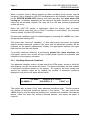
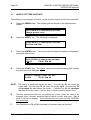
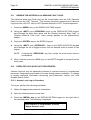
Ensure the point to be turned ON is shown on the alphanumeric display. A
typical point (SIG2) is shown below.
MASTER SIGNAL POINT 2, SIG2
SIGNAL CIRCUIT
OFF
2.
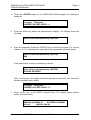
Press the <ON> key. A typical display is shown below.
Press <ENTER> to force ON
SIGNAL CIRCUIT: SIG2
3.
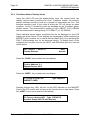
Press the <ENTER> key. A typical display is shown below.
MASTER SIGNAL POINT 2, SIG2
SIGNAL CIRCUIT
4.
ON
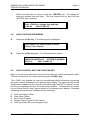
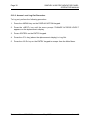
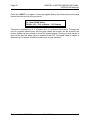
Press the <CLR> key. The display shows the following message.
** FAULT **
FIRE = 0
PRI2 = 0
Press <ACK> to review
SUPV = 0
FLT = 1
7.9.6 How to Return a Point to Auto
The <AUTO> key press leaves a point in its current state (ON or OFF), but allows
the system program to control it. AUTO is the normal state for all control points. A
fault exists if any control point is taken out of the AUTO state.
The point to be turned to AUTO must first be identified to the system. This is
accomplished by selecting/entering the required point on the alphanumeric display,
and then pressing the <AUTO> key. If the <AUTO> key is passcode protected,
perform the Log In Procedures.
To return a point to AUTO, perform the following procedures.
Document No.: 4100-M001
May 1997
Issue 1.0