1
Introducing Corporate Call
1
GCA70–363
Introducing Corporate Call
This guide was developed based on the use of Corporate Call with a Comdial digital
communications system. Use of Corporate Call with another manufacturer’s
TAPI-compliant system may cause the information in this guide to be inconsistent with
your experience.
Describing Corporate Call
Corporate Call is a software program that serves as an extension to Microsoft® Outlook.
It becomes part of the email/scheduler/calendar program and adds call control to a
desktop PC that interfaces with a digital communications system.
Corporate Call runs on Microsoft® Windows 95, 98, 2000, and Windows NT 4.0. It is a
32-bit application designed to take advantage of newer operating systems.
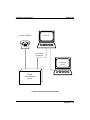
Corporate Call is a Telephony Application Programming Interface (TAPI) application. It
uses Impact Integrator to connect to Comdial’s DXP, DXP Plus, FXT, and FXS digital
communications systems. Corporate Call version 2A requires active seats of Impact
Integrator. Corporate Call for Microsoft Outlook can be used with a variety of
manufacturer’s TAPI-compliant digital communications systems. Call Comdial for a
complete list of approved systems and supported features.
Some of the features Corporate Call provides include the following:
• provides screen pops using information from the Outlook Contacts and MS Exchange
server address books. Corporate Call also supports local .myd files and, if there is no
contact information available, it shows caller ID information (Caller ID or ANI is
required for external caller information),
• pages users by integrating the Comdial QuikTrak pager system, an external paging
service, or message-ready cell phone service with the Outlook calendar and mailbox,
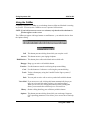
• has a separate floating CallBar to access telephone functions,
• allows dialing from the PC keyboard while on a call,
• provides easy access to communications system features, such as park orbits,
Introducing Corporate Call – 1