1
Introduction
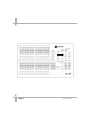
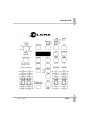
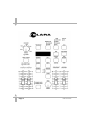
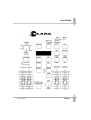
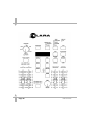
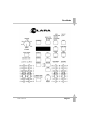
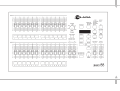
Master Controls and Displays
These controls set the general operating
conditions for the desk.
l MODE
The MODE button is used to select the
operational mode of the desk. The red
lights above the button show the current
operating mode (SUPER USER,
PRESET, PROGRAM, RUN).
l GRAND MASTER
The GRAND MASTER fader is used for
overall control of the maximum output
levels from all channels of the desk.
l DBO
The DBO button makes all the desk
outputs zero and operates in all modes
except SUPER USER. Pressing the DBO
button switches between DBO active
(Dead Black Out - all channels at zero)
and DBO not active (normal desk
outputs). The red light in the DBO button
indicates the current state (Flashing =
DBO active, Off = DBO not active).
l DMX OUT OK
This light is illuminated when the desk is
transmitting digital data.
l WIDE
The WIDE button is used to
select/deselect WIDE operation. When in
WIDE, the desk is a single preset 24
channel desk, rather than a two preset 12
channel desk. With WIDE selected it is
still possible to crossfade between two
scenes (see section on Preset Mode for
details). When WIDE is selected the red
light in the button is illuminated.
Page 6
l FLASH ON/OFF
The FLASH ON/OFF button is used to
enable/disable the CHANNEL FLASH
buttons. When the FLASH FUNCTION is
active, the red light in the button is
illuminated and the CHANNEL FLASH
buttons are enabled.
Turning on the Desk
1.
Connect the DMX cable.
2.
Connect the power supply to the desk
and switch on at the mains.
3.
Ensure that DBO is not active (the red
light in the DBO button is off).
Set the GRAND MASTER fader to
full.
Set the A MASTER and B MASTER
faders to zero.
Set the CROSSFADE control to
manual.
4.
5.
6.
Default State
When the desk is first switched on, or is
subsequently switched on and Recovery
Mode is off, the following default state is
entered:
MODE
DBO
DISPLAY
WIDE MODE
FLASH ON/OFF
SOUND
All other lights
PRESET
Not active
Not active
Not active
Active
Not active
Off
ELARA 7371000 25.9.98