1
Installation Steps
Note: If installed next to other
equipment, including the
PagePac Plus Controller and
Zone Expansion Units, leave
at least four inches space
above and below for proper
ventilation.
1.
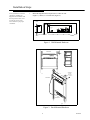
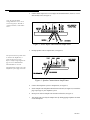
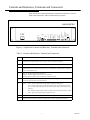
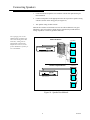
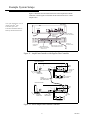
Mount the PagePac® Plus AmpliCenter to either the wall
(Figure 1), cabinet, or a 19 inch rack (Figure 2).
SIDE VIEW
105 - 120 VAC
210 - 240 VAC
50 - 60 Hz
Figure 1. Wall Mounted Hardware
FRONT DETAIL
1.750
TYPICAL
PagePac Plus
R
PagePac Plus
R
Ampli Cen ter D300
AmpliCenter D300
19''
COMBINATION
PAN HEAD
PILOT POINT
# 10 - 32 (TYPICAL)
REAR DETAIL
POWER STRIP
Figure 2. Rack Mounted Hardware
2
947169