1
Automated Security Manager Help
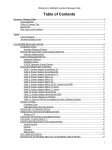
Table of Contents
How to Configure and Manage the NetSight Server
Changing the Database Password....................................................................................................43
Changing the Database Connection URL.......................................................................................43
Performing a Database Backup.......................................................................................................43
Restoring the Initial Database.........................................................................................................44
Restoring a Saved Database............................................................................................................44
Viewing Client Connections..................................................................................................................44
Disconnecting a Client....................................................................................................................44
Viewing Licenses...................................................................................................................................45
Changing a License.........................................................................................................................45
Upgrading a Console License..........................................................................................................46
Viewing Locks.......................................................................................................................................46
Revoking a Lock.............................................................................................................................47
Viewing the Server Log.........................................................................................................................47
Viewing Server Statistics.......................................................................................................................47
How To Configure Profiles and Credentials..................................................................................................48
Instructions for:......................................................................................................................................48
Managing Credentials............................................................................................................................48
Managing Profiles..................................................................................................................................50
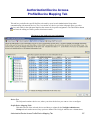
How To Configure Profile/Device Mapping...................................................................................................52
Instructions for:......................................................................................................................................52
Assigning Profiles to Devices................................................................................................................52
How to Configure the SNMPTrap Service.....................................................................................................53
Using the Trap Receiver Configuration Window..................................................................................53
Restarting snmptrapd Service................................................................................................................54
Restarting the snmptrapd service locally on the NetSight Server host system:..............................54
How to Manage Users and Groups..................................................................................................................56
Instructions for:......................................................................................................................................56
Managing Authorization Groups...........................................................................................................56
Managing Users.....................................................................................................................................57
How to Create and Edit Automated Security Manager Rules.....................................................................59
Editing a Rule........................................................................................................................................59
Creating a Rule......................................................................................................................................59
How to Import a Database...............................................................................................................................66
Importing a Database.............................................................................................................................66
How to Manage SNMP Passwords..................................................................................................................67
Instructions for:......................................................................................................................................67
Setting SNMPv1/2 Credentials..............................................................................................................67
Setting SNMPv3 Credentials.................................................................................................................67
iii