1
Call Handling
1-88
Chapter 1: Basic System Features
OPERATION / SETUP
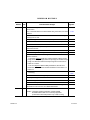
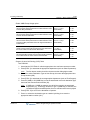
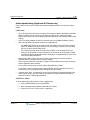
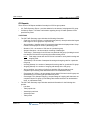
To register a wake-up time alarm from the Attendant Station:
1. Press [TRANS/PGM], then 042.
2. Enter the station range (or station number) to be alerted.
NOTE:
If a single station is to receive the alarm, press * instead of a second
station number.
3. Enter the appropriate time the alert should display (using the 24-hour mode: 2-digit
hour and 2-digit).
NOTE:
Also refer to “LCD Date/Time Display” on page 1-11 for more information about
time formats.
4. Press # to set a one-time only alarm.
-orGo to step 5 to set the alarm for a daily alert.
5. Press [HOLD/SAVE] to store the setting.
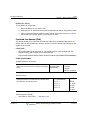
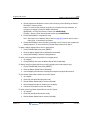
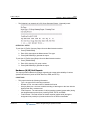
To cancel a wake-up alarm from the Attendant Station:
1. Press [TRANS/PGM], then 043.
2. Enter the station range (or station number) for cancellation of the alarm alert.
NOTE:
If an alarm alert is to be cancelled for only a single station, press * instead of a
second station number.
3. Press [HOLD/SAVE] to complete the cancellation.
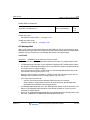
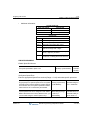
To set wake-up time alarm at a user station:
1. Press [TRANS/PGM], then 41.
2. Enter the appropriate time the alert should display (using the 24-hour mode: 2-digit
hour and 2-digit)
NOTE:
Also refer to “LCD Date/Time Display” on page 1-11 for more information about
time formats.
3. Press # to set a one-time only alarm.
-orGo to step 5 to set the alarm for a daily alert.
4. Press [HOLD/SAVE] to store the setting.
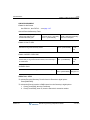
To cancel a wake-up time from a station:
1. Press [TRANS/PGM], then 42.
2. Press [HOLD/SAVE] to complete the cancellation.
Release 3.5
SBX IP Programming & Operations Guide
June 2010