1
Rerouting
1-182
Chapter 1: Basic System Features
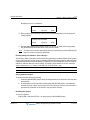
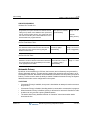
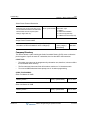
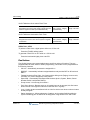
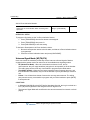
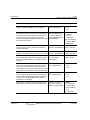
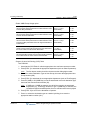
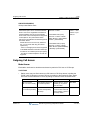
4. Seize a CO Line (may be required for off-network forwards).
-and/orEnter the station, hunt group, or VMIB to which calls will be forwarded.
5. Go on-hook.
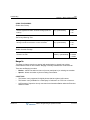
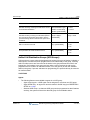
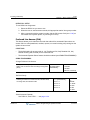
To deactivate Call Forward:
1. Go off-hook.
2. Press [DND/FWD], then # (the Call Forward cancel code).
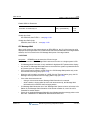
SLT Phone Call Forward
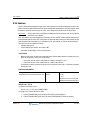
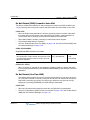
Calls to an SLT phone can be forwarded to other stations, CO Lines, or the system VMIB.
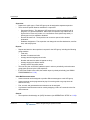
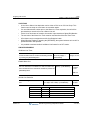
CONDITIONS
•
Call forward remains in effect until it is deactivated.
•
A call cannot be forwarded to any station in DND mode. If an attempt is made to forward to
such a station, an error tone will sound.
•
A call forwarding station cannot leave a VMIB message.
•
Calls to a dial pulse SLT phone cannot be forwarded to VMIB.
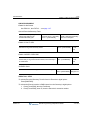
ADMIN PROGRAMMING
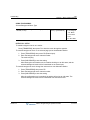
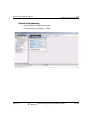
Enable Call Forward
Use PGM 111, then FLEX 2 … see page 1-177.
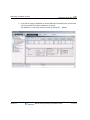
Enable VMIB Access
Use PGM 113, then FLEX 2 … see page C-11.
OPERATION / SETUP
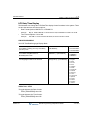
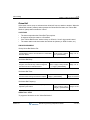
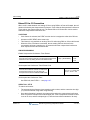
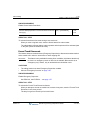
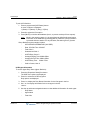
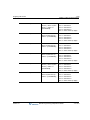
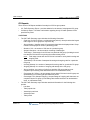
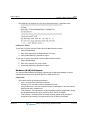
To activate call forward from an SLT phone:
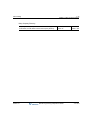
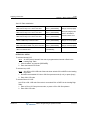
1. Lift the handset, then enter 554 (the Call Forward code).
2. Dial the call forward type. (For details, see "To active Call Forward" on page 1-178,
and also review CONDITIONS above for restrictions).
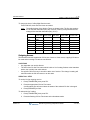
3. Dial the number to which calls are to be forwarded.
-orPress # to forward calls to the system VMIB.
4. Go on-hook.
Release 3.5
SBX IP Programming & Operations Guide
June 2010