1
Simrad PI54
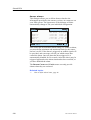
Status setup
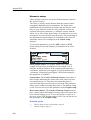
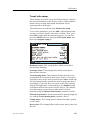
These settings are used to set up the PI54 parameters related to
the Status display.
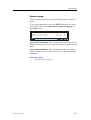
To access the parameters, press the ADJ (Adjust) or ENT
button when you have the Status display in the active window.
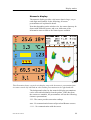
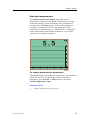
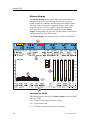
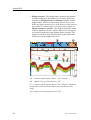
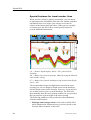
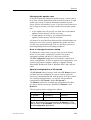
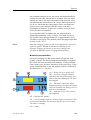
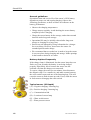
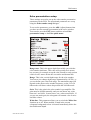
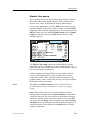
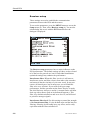
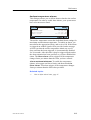
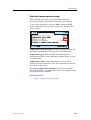
Spectrum, display: Use this parameter to select Frequency or
Channel in the left hand graph in the Status display. When
Channel is selected, each comminication channel is shown with
a black bar.
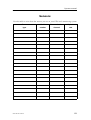
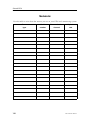
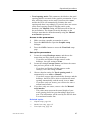
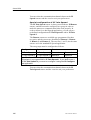
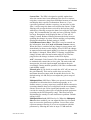
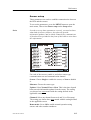
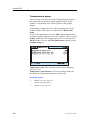
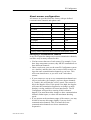
Frequency band: The graph in the Status display is not wide
enough to show all entire frequency band with sufficient
resolution. For this reason, you can select which frequency band
you wish to see. Select any value between 00 and 15. Selecting
00 provides the full bandwidth. Each band (except 00) covers
between 800 and 1000 Hz with some overlap, and the ranges are
shown in the table below.
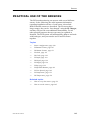
Band
From
(kHz)
To
(kHz)
Band
From
(kHz)
To
(kHz)
00
43.2
50.4
08
46,3
47,3
01
43,2
44,1
09
46,8
47,7
02
43,7
44,6
10
47,3
48,2
03
44,1
45,0
11
47,7
48,6
04
44,6
45,5
12
48,2
49,1
05
45,0
45,9
13
48,6
49,5
06
45,5
46,3
14
49,1
50,0
07
45,9
46,8
15
49,5
50,4
Related topics
→
218
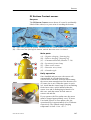
Status display, page 46
850-165186 / Rev.B