1
About the 7156 Printer
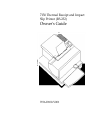
7156 Owner’s Guide
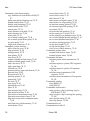
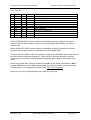
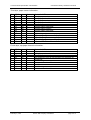
Putting In and Changing the Ribbon Cassette ................................................ 31
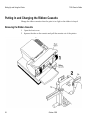
Removing the Ribbon Cassette .................................................................. 31
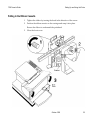
Putting In the Ribbon Cassette................................................................... 33
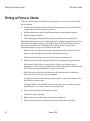
Printing on Forms or Checks ............................................................................ 34
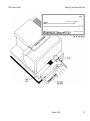
Validating and Verifying Checks ..................................................................... 36
Testing the Printer ............................................................................................. 38
Running the Print Test by Power Cycling the Printer.............................. 38
Running the Print Test by Opening and Closing the Cover.................... 38
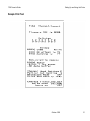
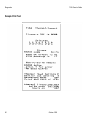
Sample Print Test ........................................................................................ 39
Paper Low Sensor .............................................................................................. 40
Solving Problems
33
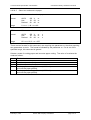
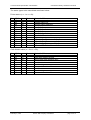
Printer Beeps Twice........................................................................................... 41
Green LED Does Not Come On/Printer Will Not Print ................................ 42
Red LED Flashes................................................................................................ 42
Red LED Is Constant ......................................................................................... 43
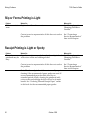
Slip or Forms Printing is Light ......................................................................... 44
Receipt Printing is Light or Spotty ................................................................... 44
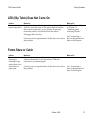
LED (Slip Table) Does Not Come On .............................................................. 45
Forms Skew or Catch ........................................................................................ 45
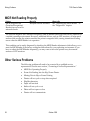
MICR Not Reading Properly ............................................................................ 46
Other Serious Problems..................................................................................... 46
Contacting a Service Representative................................................................ 47
Diagnostics
41
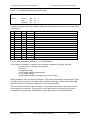
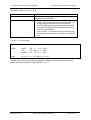
Level 0 Diagnostics............................................................................................ 50
Level 1 Diagnostics............................................................................................ 51
Setting Partial Cut Distance ....................................................................... 53
Setting Data Error and Data Buffer Options ............................................ 54
Ignoring/Using the Carriage Return......................................................... 55
Checking and Adjusting the MICR Reader .............................................. 56
Verifying Read of MICR Characters.......................................................... 60
Running the Data Scope Mode .................................................................. 61
Testing the Slip and Receipt Stations ........................................................ 63
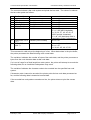
Level 2 Diagnostics............................................................................................ 66
Level 3 Diagnostics............................................................................................ 66
iv
October 1995