1
Operational procedures
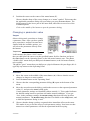
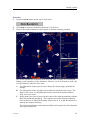
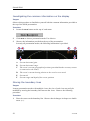
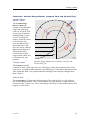
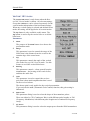
A triangular symbol with a corresponding number will appear on the
screen over the target, while position data for the defined marker is
displayed in the Objects menu.
• The system continues to track the markers even when outside the
sonar range.
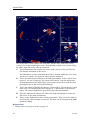
• The Target marker button can also be used for manual target tracking as the system
is designed to calculate the speed, course and distance between the last two chosen
targets.
• These target marker data are displayed in white figures for 15 minutes in the lower
right hand corner of the horizontal presentation.
• This function is also an effective method for determining the distance between two
selected points on the screen.
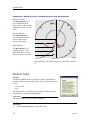
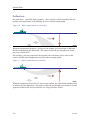
About Circle markers
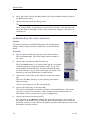
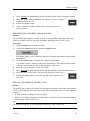
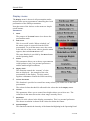
This button places a Circle marker at the cursor location.
A circular symbol will appear on the screen at the chosen location.
The size of the symbol is equal to that of the purse seine selected. This
marker may be used to estimate the size of a school of fish or as an
indication of the size of the purse seine.
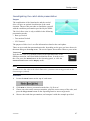
Adding an 'Own ship' symbol to the sonar presentation
1
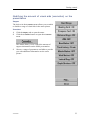
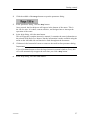
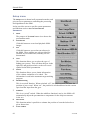
Press the Own ship button in the Symbol field on the Operating Panel.
The square Own ship symbol is placed on the screen at the vessel’s
current location.
Adding a 'Gear' symbol to the sonar presentation
1
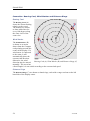
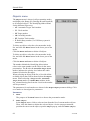
Press the Gear button in the Symbol field on the Operating Panel.
The gear symbol will either be a purse seine circle or a trawl symbol
depending on the parameter chosen by the Gear button in the Setup
menu. The selected gear symbol will be displayed in yellow.
How to use the seine circle
1 Press the Gear button on the Operating Panel.
2
3
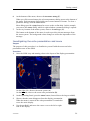
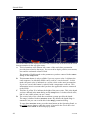
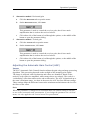
The purse seine circle will appear on the forward end of the ship symbol on the
corresponding side of the vessel selected in the Setup menu. The circle will follow
the vessel’s movements.
At the moment the seine is shot, press the Gear button again.
The purse seine circle will remain stationary and indicate the ideal path for setting
the seine. Three square symbols on the ship’s course line indicate the: shooting,
one half, and the end of the seine positions. Three different nets can be defined
if you click Gear on the Setup menu.
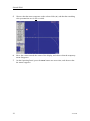
Press the Gear button to delete the purse seine circle.
372739/D
67