1
102
Overview
If you have an MXO2 product with Matrox MAX technology, you can quickly
and easily create H.264 files for Blu-ray Disc and other media formats using the
Matrox MAX H.264 codec. You can take advantage of all the familiar settings in
your preferred application, and use the Matrox MAX predefined settings or
customize your own settings. As an added benefit, the Matrox MAX technology
lets you directly export to higher-quality H.264 Blu-ray compliant files from
Compressor. You can also use the Matrox MAX H.264 settings in other
QuickTime-based applications, such as Apple Final Cut Pro, QuickTime Pro, and
Adobe Media Encoder to accelerate the encoding of H.264 material.
Remarks
• Non-Matrox compression options that are available in Compressor and other
QuickTime-based applications are not optimized to use MXO2 to accelerate
H.264 encoding. As a result, the use of non-Matrox options in a supported
application may result in increased encoding times.
• The MXO2 inputs and outputs will not be available when creating H.264
files using the Matrox MAX H.264 codec. This limitation, however, does not
apply if your system includes a Matrox CompressHD card. In this case, the
Matrox MAX H.264 codec on your Matrox CompressHD card will always
be used, and your MXO2 inputs and outputs will be available when creating
H.264 files.
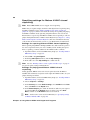
Using Apple Compressor
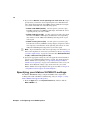
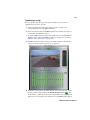
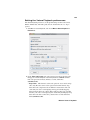
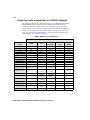
The Matrox MAX H.264 component for Apple Compressor includes predefined
Matrox MAX H.264 settings that you can assign to immediately apply
appropriate compression settings for delivering H.264 files for Blu-ray, the web,
and mobile devices. For most deliverables, you can use one of the predefined
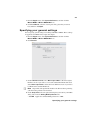
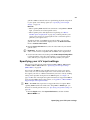
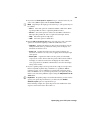
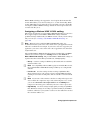
Matrox MAX H.264 settings in Compressor (see “Assigning a Matrox MAX
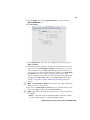
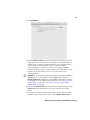
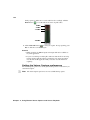
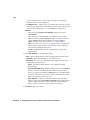
H.264 setting” on page 103). However, if you require a custom setting, see
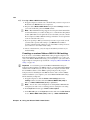
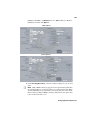
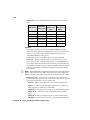
“Creating a custom Matrox MAX H.264 setting” on page 104. For detailed
information on settings and other Compressor-related subjects, see your Apple
Compressor documentation.
The Matrox MAX H.264 Blu-ray settings encode video only. Audio is not
encoded by the Matrox MAX H.264 codec when creating H.264 elementary
streams for Blu-ray. To include audio when exporting to Blu-ray format, you
must assign a separate audio setting to your source media file. However, audio is
encoded by the Matrox MAX H.264 codec when creating QuickTime files for the
web and mobile devices. The Matrox MAX H.264 elementary stream files that
you create for Blu-ray Disc using Compressor can be imported directly to Adobe
Encore CS5 and Roxio Toast without having to transcode the files.
Chapter 10, Using the Matrox MAX H.264 Codec