1
DIGIGRID MGB/MGO
10
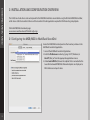
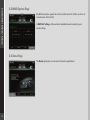
4. When you select the correct port, the message “SoundGrid Network Found” will appear on the panel. Close this window.
5. O
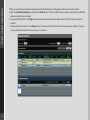
pen the SoundGrid Inventory window from the Audio Menu (F2). The SoundGrid Inventory window displays all SoundGrid I/O
devices connected to your network.
6. A
ssign SoundGrid drivers in the Assign column. Use consecutive numbers for multiple devices, with the first unit assigned as
number 1.
7. A
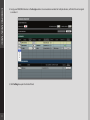
ssign SoundGrid DSP servers in the Assign column. The primary SoundGrid DSP server will be assigned as number 1. If you are
using a redundant SoundGrid DSP server, assign it as number 2.