1
DIGIGRID MGB/MGO
16
3. MGB/MGO CONTROL PANEL
If you are working with MultiRack SoundGrid, access the MGB/MGO Control Panel via the Inventory window.
If you are using SoundGrid Studio, click on the Gear symbol in the device slot to open the MGB/MGO Control Panel.
3.1 Clock Page
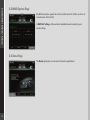
When you launch the DiGiGrid MGB/MGO driver Control Panel, it will load the Clock page. The following settings are available in the
Clock Settings window:
■ SOURCE sets the clock source.
- Internal – The interface itself provides the clock.
- External WC – The interface has a Word Clock Input connector to connect an external clocking source in order to sync all devices
in your network to the external clock.
- Sync over Ethernet – Send or receive word clock/sample rate over an Ethernet cable between DiGiGrid network devices.
- Digital – Syncs via the BNC or optical MADI connection on MADI Port 1 or Port 2 (selectable). The MGB/MGO interfaces sync to the incoming MADI from the console.