1
DIGIGRID MGB/MGO
3.4 System Info Page
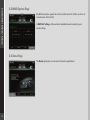
The System Info page displays the device’s connection status, manufacturer, model,
MAC and SoE Master MAC addresses, and firmware version.
3.5 Saving, Loading and Identifying
LOAD and SAVE (at the top left corner of the Control Panel window) allow you to save and load your MGB/MGO settings.
IDENTIFY (at the top right corner of the Control Panel window) allows you to identify connected devices if multiple MGB/MGO
interfaces are being used. The Status LED will cycle through colors instead of displaying a single status color.
19