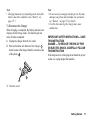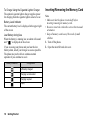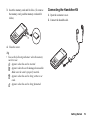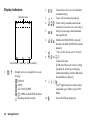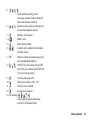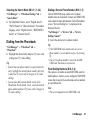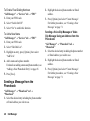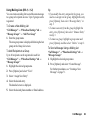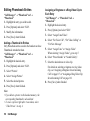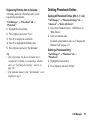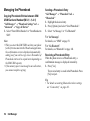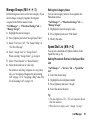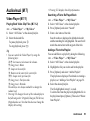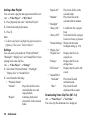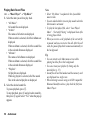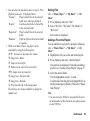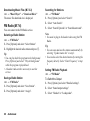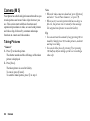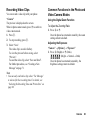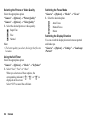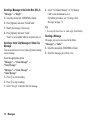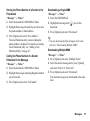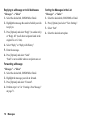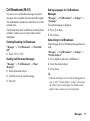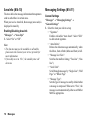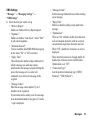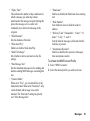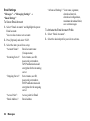
1
Introduction Congratulations on your new HSDPA WX-T82 phone. About This User Guide This user guide is carefully designed to help you learn about your phone’s features and operations quickly and effectively. NOTICE • We strongly recommend that you keep separate permanent written records of all important data. Data may be lost or altered in virtually any electronic memory product under certain circumstances. Therefore, we assume no responsibility for data lost or otherwise rendered unusable, whether as a result of improper use, repairs, defects, battery replacement, use after the specified battery life has expired or any other cause. • We assume no responsibility, directly or indirectly, for financial losses or claims from third parties resulting from the use of this product and any of its functions, such as stolen credit card numbers, the loss or alteration of stored data, etc. • All company and/or product names are trademarks and/or registered trademarks of their respective holders. • Screen layout may differ from that illustrated in this user guide. The information described in this user guide is subject to change without notice. • All the functions described in this user guide may not be supported by all networks. • We assume no responsibility for downloaded contents, information, etc. from the network. • Occasionally, a few black or bright pixels may appear on the screen. Please note that this will not have any impact on any of the features or on performance. Intellectual Property Rights According to copyright laws, the reproduction, alteration and use of material which is protected by copyright (music, pictures, etc.) is only permitted for personal or private use. If the user is not in possession of more extensive copyright or has not received the explicit permission from the copyright owner to reproduce, alter or use a copy which has been made or modified in this way, this is considered to be a violation of the copyright laws and gives the copyright owner the right to claim for damages. For this reason, avoid the illegal use of material which is protected by copyright. Windows is a registered trademark of Microsoft Corporation in the United States and/or other countries. Introduction 1 Powered by JBlend™ Copyright 1997-2005 Aplix Corporation. All rights reserved. JBlend and all JBlend-based trademarks and logos are trademarks or registered trademarks of Aplix Corporation in Japan and other countries. Powered by Mascot Capsule®/Micro3D Edition™ Mascot Capsule® is a registered trademark of HI Corporation ©2002-2007 HI Corporation. All Rights Reserved. Licensed by Inter Digital Technology Corporation under one or more of the following United States Patents and/or their domestic or foreign counterparts and other patents pending, including U.S. Patents: 4,675,863: 4,779,262: 4,785,450: 4,811,420: 5,228,056: 5,420,896: 5,799,010: 5,166,951: 5,179,571 & 5,345,467 T9 Text Input is licensed under one or more of the following: U.S. Pat. Nos. 5,818,437, 5,953,541, 5,187,480, 5,945,928, and 6,011,554; Australian Pat. No. 727539; Canadian Pat. No. 1,331,057; United Kingdom Pat. No. 2238414B; Hong Kong Standard Pat. No. HK0940329; Republic of Singapore Pat. No. 51383; Euro. Pat. No. 0 842 463 (96927260.8) DE/DK, FI, FR, IT, NL,PT.ES,SE,GB; Republic of Korea Pat. Nos. KR201211B1 and KR226206B1; and additional patents are pending worldwide. CP8 PATENT 2 Introduction microSD™ is a trademark of the SD Card Association. Bluetooth is a trademark of the Bluetooth SIG, Inc. The Bluetooth word mark and logos are owned by the Bluetooth SIG, Inc. and any use of such marks by Sharp is under license. Other trademarks and trade names are those of their respective owners. Licensed by QUALCOMM Incorporated under one or more of the following United States Patents and/or their counterparts in other nations ; 4,901,307 5,490,165 5,056,109 5,504,773 5,101,501 5,506,865 5,109,390 5,511,073 5,228,054 5,535,239 5,267,261 5,544,196 5,267,262 5,568,483 5,337,338 5,600,754 5,414,796 5,657,420 5,416,797 5,659,569 5,710,784 5,778,338 This product contains NetFront Browser and NetFront Messaging Client of ACCESS CO.,LTD. ACCESS and NetFront are trademarks or registered trademarks of ACCESS CO., LTD. in Japan and other countries. NetFront Browser © Copyright 1996-2007 ACCESS CO., LTD. NetFront Messaging Client © Copyright 2000-2007 ACCESS CO., LTD. This software is based in part on the work of the Independent JPEG Group. [FarEasTone and Logo] are trademarks or registered trademarks of FarEasTone Telecommunications Co., Ltd. in Taiwan and other countries. Customer Service Call: 0800-058-885 Also Sharp Corp. is authorized with bona fide use of the foregoing trademark in relating course of trade in Japan. Information contained in this manual is the property of FarEasTone and Sharp. FarEasTone and Sharp reserve the right to change product specifications without prior notice. FarEasTone and Sharp reserve the right to change information contained in this manual without prior notice. Introduction 3 This product is licensed under the MPEG-4 Visual Patent Portfolio License for the personal and non-commercial use of a consumer to (i) encode video in compliance with the MPEG-4 Video Standard (“MPEG-4 Video”) and/or (ii) decode MPEG-4 Video that was encoded by a consumer engaged in a personal and non-commercial activity and/or was obtained from a licensed video provider. No license is granted or implied for any other use. Additional information may be obtained from MPEG LA. See http://www.mpegla.com. This product is licensed under the MPEG-4 Systems Patent Portfolio License for encoding in compliance with the MPEG-4 Systems Standard, except that an additional license and payment of royalties are necessary for encoding in connection with (i) data stored or replicated in physical media which is paid for on a title by title basis and/or (ii) data which is paid for on a title by title basis and is transmitted to an end user for permanent storage and/or use. Such additional license may be obtained from MPEG LA, LLC. See http://www.mpegla.com for additional details. MPEG Layer-3 audio coding technology licensed from Fraunhofer IIS and Thomson. 4 Introduction Useful Functions and Services Your phone offers you the following features: • Video Calling. You can talk while viewing each other on respective screens. • 3D and colour Java™ games. You can also download various games and applications from FarEasTone via the mobile Internet. • Thin Film Transistor (TFT) colour LCD display with images that are clearer and easier to view. • A built-in digital camera with an auto focus function for taking pictures and video clips. • A message function for reading and creating SMS messages. • MMS (Multimedia Messaging Services) for sending picture, sound and video messages to brighten someone’s day. • Email for sending up to 300 KB and receiving mail with attachments. • A colour WAP browser for accessing information on the mobile Internet. • Your own ringtones and ring video clips. You can use sound or video clip files as a ringtone or ring video clip. • A music player that can play back MP3, MPEG-4 and 3GPP format sound files (supported codec of MPEG4 or 3GPP are AMR, AAC, AAC+, and AAC+e). • Playback of downloaded sound and video clip files. • A voice recorder function for recording and playing back voice clips. • A Bluetooth® wireless technology interface for establishing contact and transmitting data with certain devices. You can transmit pictures, sounds, and video clips to OBEX-enabled phones. • A data synchronisation function for updating Phonebook entries on the Internet. • A schedule alarm for creating and sending schedule entries with alarm settings. • A microSD™ memory card slot that expands connectivity with a PC using the memory card. Introduction 5 Contents Introduction ................................................. 1 List of Menu Functions ............................... 8 Your Phone ................................................ 10 Optional Accessories ................................. 10 Getting Started .......................................... 11 Inserting/Removing the SIM/USIM Card and the Battery ................................................. 15 Charging the Battery ................................. 16 Inserting/Removing the Memory Card ...... 18 Connecting the Handsfree Kit ................... 19 Turning Your Phone On and Off ............... 20 Slide Functions and Keypad Lock ............. 21 Display Indicators ...................................... 22 Navigating Functions ................................ 24 Voice Call/Video Calling Functions ......... 25 Entering Characters .................................. 35 Changing the Input Language ................... 36 Changing the Input Method ....................... 36 Chinese User Dictionary ........................... 41 Using Templates ........................................ 43 Insert Phonebook Entries ........................... 43 6 Contents Using the Menu ..........................................44 Main Menu ................................................ 44 Shortcut Keys ............................................ 44 Call Manager ..............................................45 Sending a Message from the Phonebook ... 48 Audiovisual ................................................55 Camera .......................................................62 Taking Pictures .......................................... 62 Recording Video Clips .............................. 63 Common Functions in the Photo and Video Camera Modes ................................ 63 Functions in Photo Camera Mode ............. 66 Functions in Video Camera Mode ............. 69 Messages ...................................................70 SMS ........................................................... 70 Long SMS .................................................. 70 MMS .......................................................... 70 Email .......................................................... 70 FET Mobile Internet ...................................83 Navigating a WAP or Web Page ............... 84 Gallery ........................................................ 88 Java™ ......................................................... 96 Organiser ................................................. 101 SIM Application ....................................... 115 Settings .................................................... 116 Call Log .................................................... 140 Connectivity ............................................. 142 Connecting WX-T82 to Your PC ............. 148 System Requirements .............................. 148 3G/GSM Modem ..................................... 148 Handset Manager ..................................... 150 Music Manager ........................................ 151 Sync Manager .......................................... 153 Troubleshooting ...................................... 154 Safety Precautions and Conditions of Use ............................................................ 156 Conditions of Use .................................... 156 Environment ............................................ 159 Precautions Concerning Vehicle Use ...... 159 SAR .......................................................... 159 FCC NOTICE .......................................... 160 Out of Warranty List ................................ 162 Index ......................................................... 163 Quick Reference ...................................... 165 Contents 7 List of Menu Functions WX-T82 functions are listed below. See relevant page for details of each function. The menu’s corresponding number is used for shortcuts. For details, see page 44. 1 Java™ 1 Java™ Gallery 2 Java™ Settings 3 Java™ Information p. 96 p. 98 p. 100 2 FET Mobile Internet Homepage Go to URL Bookmarks Alert Inbox My Saved Page 6 Access History 7 Browser Settings 1 2 3 4 5 8 p. 83 p. 83 p. 83 p. 83 p. 83 p. 83 p. 85 List of Menu Functions 3 Organiser 4 Messages (Tab 1: Organiser) 1 Calendar 2 Alarms 3 Stopwatch 4 Tasks 5 World Clock 6 Countdown Timer (Tab 2: Utilities) 1 Calculator 2 Voice Recorder 3 Scanner 4 Expenses Memo 5 Phone Help 1 Create Message 2 Inbox 3 Alert Inbox 4 Drafts 5 Templates 6 Sent 7 Outbox 8 Voice Mail 9 Cell Broadcasts 10 Area Info 11 Messaging Settings 12 Memory Status p. 101 p. 105 p. 106 p. 106 p. 109 p. 109 p. 110 p. 111 p. 111 p. 113 p. 114 5 Camera 6 Gallery p. 71 p. 74 – p. 74 p. 43 p. 71 p. 73 – p. 77 p. 78 p. 78 – p. 62 Picture Gallery Video Gallery SD VIDEO Sound Gallery Themes Java™ Gallery Text Templates 8 Other Documents 9 Memory Status 1 2 3 4 5 6 7 p. 88 p. 89 p. 90 p. 90 p. 90 p. 96 p. 91 p. 92 p. 95 7 Audiovisual 1 Video Player 2 Streaming Player 3 Music Player 4 FM Radio p. 55 p. 57 p. 57 p. 60 8 Call Manager 9 Settings (Tab 1: Phonebook) 1 Phonebook 2 Add New 3 My Card (Tab 2: Services) 1 Call Voicemail 2 Speed Dial List 3 Service Dialling Number* 4 FDN* (Tab 3: Phonebook Settings) 1 Manage Groups 2 Message Groups 3 Phonebook Settings 4 Advanced (Tab 1: Profiles) 1 Normal 2 Meeting 3 Activity 4 Car 5 Headset 6 Silent (Tab 2: Phone Settings) 1 Display Settings 2 Sound Settings 3 Slider Settings 4 Date & Time 5 Language 6 Shortcuts 7 Switch Ringtone Output 8 Earpiece Volume 9 Master Reset p. 45 p. 45 p. 46 – p. 53 p. 47 p. 47 p. 49 p. 53 p. 45 p. 51 p. 116 p. 116 p. 116 p. 116 p. 116 p. 116 p. 121 p. 125 p. 125 p. 126 p. 127 p. 127 – – p. 127 (Tab 3: Other Settings) 1 Call Settings 2 Video Calling Settings 3 Security Settings 4 Internet Settings 5 Network Settings 10 SIM Application* 12 Connectivity p. 128 p. 132 p. 133 p. 135 1 2 3 4 5 6 Bluetooth Mass Storage USB Charge Card Settings Off Line Mode Backup/ Restore p. 142 p. 146 p. 146 p. 146 p. 146 p. 146 p. 138 p. 115 * Depends on SIM/USIM card contents. 11 Call Log 1 All Calls 2 Dialled Numbers 3 Missed Calls 4 Received Calls 5 Call Timers 6 Call Costs* 7 Data Counter p. 140 p. 140 p. 140 p. 140 p. 140 – p. 141 List of Menu Functions 9 Your Phone Please check the following carefully. Your phone should come complete with: • HSDPA/3G (UMTS)/EDGE/GSM 900/1800/1900 GPRS phone • Rechargeable Li-ion Battery • AC Charger • Stereo Handsfree • Chinese User Guide Optional Accessories • Li-ion Spare Battery • Cigarette Lighter Charger • USB Data Cable • Handsfree Microphone Unit • Stereo Headset The above accessories may not be available in all regions. For details, please contact FarEasTone. 10 Your Phone Getting Started 1 2 10 23 24 25 26 27 11 21 3 4 5 6 7 8 9 12 22 13 14 15 16 17 18 19 20 Getting Started 11 1. Sub Camera 2. Small Light: Flashes when an incoming call or a new message is received or missed, if Event Light or Status Light (p. 120) is enabled. 3. Navigation Keys (Arrow Keys): abcd Moves cursor to highlight a menu item, etc.* Up arrow key (a) displays the Shortcut menu when pressed in stand-by. Down arrow key (b) displays the Phonebook entries when pressed in stand-by. Left arrow key (c) displays the list of Java™ Gallery when pressed in stand-by. Right arrow key (d) displays Gallery when pressed in stand-by. 4. Centre Key: B Displays Main menu in stand-by, and executes functions. Long press in stand-by to initiate keypad lock. Long press when keypad is locked to unlock keypad. 5. Left Soft Key: A Executes the function in the lower left of the screen. Displays Main menu in stand-by.* 12 Getting Started 6. Send/Redial Key: D Makes voice calls or accepts calls, and displays the call logs in stand-by. 7. Video Telephony Key: S Makes video callings or accepts calls, and displays the video calling screen in stand-by. 8. Voicemail Key: G Long press to connect to the Voicemail centre. (Depending on the SIM/USIM card.) 9. * /Shift Key: P Switches character input method as follows on the text entry screen. In English mode: Abc, ABC, abc and 123. In T9 mode, T9 Abc, T9 ABC, T9 abc and 123. In traditional Chinese mode: Abc, ABC, abc, 123, T9 BoPoMoFo, and T9 Stroke. Press to enter P, ? or * in stand-by. Long press in stand-by to lock the keypad. 10.Earpiece/Speaker 11.Display 12.Right Soft Key: C Executes the function in the lower right of the screen. Accesses “FET Mobile Internet” by opening the browser in stand-by.* 13.End/Power Key: F Ends a call and turns power on/off. 14.Audiovisual Key: T While in stand-by: Relaunches the corresponding player if playing music and FM Radio in the background. Displays Multimedia menu if not playing. 15.Clear/Back Key: U Clears the characters before the cursor, returns to the previous screen, etc. 16.Message Key: E Displays Messaging menu. 17.Keypad 18.#/Silent Key: R Displays symbol screen on the text entry screen. Long press to switch languages on the text entry screen. Long press in stand-by to switch Profiles settings between the mode most recently activated and Silent mode. 19.Microphone 20.External Connector: Used to connect either the charger or a USB data cable. 21.Main Camera 22.Built-in Aerial: Warning: Do not cover the top of the phone with your hand when in use as this may interfere with the performance of the built-in aerial. 23.Battery Cover 24.Camera Key: X Long press in stand-by to activate the camera. Takes a picture or starts recording video when the camera is active. Getting Started 13 25.Side Keys: VW Press in stand-by or during a call to increase or decrease the earpiece volume. Press during incoming call to mute the ringer or disable vibration mode (if active). Press while listening to music (or video) to increase or decrease the earpiece volume. 26.Handsfree Kit/Microphone Connector 27.microSD Card Slot * Default stand-by assignment can be changed via the Shortcuts menu. See “Shortcuts” on page 127. 14 Getting Started Inserting/Removing the SIM/USIM Card and the Battery 1. Slide off the battery cover ( ). 3. Hold the battery so that the metal contacts of the battery are facing down, slide the guides on the top of the battery into the battery slots , and then insert it . 2. Unlock the SIM/USIM lock , slide the SIM/ USIM card into the SIM/USIM holder , and lock the SIM/USIM lock . 4. Replace the battery cover. Note • Make sure that only 3V SIM/USIM cards are used. • Make sure that the standard accessory battery is used. SIM/USIM card Getting Started 15 Battery Disposal The device is battery-powered. In order to protect the environment, please read the following points concerning battery disposal: • Take the used battery to your local waste depot, dealer or customer service centre for recycling. • Do not expose the used battery to a naked flame, immerse in water or dispose with the household waste. Charging the Battery You must charge the battery for at least 150 minutes before using your phone for the first time. Using the Charger 1. Open the cover of the external connector, and connect the charger horizontally to the external socket located at the bottom of the phone until it clicks. Please recycle waste batteries 2. Connect the charger to an AC outlet. When the phone is charging, the battery status icon ( ) displays the current status. The Small Light also lights up. Standard charging time: Approx. 150 minutes 16 Getting Started Note • Charging time may vary depending on the state of the battery and other conditions. (See “Battery” on page 157.) To Disconnect the Charger When charging is completed, the battery indicator icon displays the full charge status. The Small Light also turns off when completed. 1. Unplug the charger from the AC outlet. 2. Push and hold the side buttons of the charger , then disconnect the charger from the external socket of the phone . Note • Do not use any non-approved chargers as they may damage your phone and invalidate any warranties, see “Battery” on page 157 for details. • Forcibly disconnecting the charger may cause malfunction. IMPORTANT SAFETY INSTRUCTIONS — SAVE THIS INSTRUCTION DANGER — TO REDUCE THE RISK OF FIRE OR ELECTRIC SHOCK, CAREFULLY FOLLOW THIS INSTRUCTION If the shape and size of the plug do not match the power socket, use a plug adapter that matches. 3. Close the cover. Getting Started 17 To Charge Using the Cigarette Lighter Charger The optional cigarette lighter charger supplies power for charging from the cigarette lighter socket of a car. Battery Level Indicator The current battery level is displayed in the upper right of the screen. Low Battery during Use When the battery is running low, an alarm will sound and “ ” is displayed on the screen. If you are using your phone and you hear the low battery alarm, attach your charger as soon as possible. The phone may not be able to continue normal operation if you continue to use it. Battery Indicators Charge Level Sufficiently charged Charging recommended Charging required Empty 18 Getting Started Inserting/Removing the Memory Card Note • Make sure that the phone is turned off before inserting/removing the memory card. • Be sure to insert the card in the correct direction and orientation. • Keep all memory cards out of the reach of small children. 1. Turn off the phone. 2. Open the microSD card slot cover. 3. Insert the memory card until it clicks. (To remove the memory card, push the memory card until it clicks.) Connecting the Handsfree Kit 1. Open the connector cover. 2. Connect the handsfree kit. 4. Close the cover. Tip • You see the following indicators when the memory card is in use: : Appears when the card is inserted. : Appears when the card is damaged or unusable. Make sure the card is properly inserted. : Appears when the card is being written to or read. : Appears when the card is being formatted. Getting Started 19 Turning Your Phone On and Off To turn the power on or off, long press F for approximately 2 seconds. To Enter the PIN Code If the PIN (Personal Identification Number) code is enabled you are asked to enter the PIN code each time the phone is switched on. For details on setting the PIN code, see “Enabling/Disabling the PIN Code” on page 134. 1. Enter your PIN code. The PIN code is 4 to 8 digits. 2. Press B. Note • If your PIN code is entered incorrectly three times in a row, the SIM/USIM card is locked. See “Enabling/ Disabling the PIN Code” on page 134. • If the clock settings have not been entered, the date and time entry screen is displayed (p. 126). 20 Getting Started To Copy All Phonebook Entries from the SIM/ USIM Card When you insert the SIM/USIM card into your phone for the first time and start the Phonebook application, you are asked whether you wish to copy Phonebook entries on the SIM/USIM card. Follow the on-screen instructions, or you can do it later using the Phonebook menu as follows: “Call Manager” → “Phonebook Settings” tab → “Advanced” → “Copy All Entries” 1. Select “From SIM to Handset”. Slide Functions and Keypad Lock When your phone is on, you can make a call or answer an incoming call by sliding open your phone. You can terminate the call and lock the keypad to prevent it from being pressed accidentally by sliding close your phone. Note • You can use some applications even when your phone is closed. • Some Java™ applications are suspended when your phone is closed. • Do not stick items on the back of the LCD display when the slider is open. You can also operate the following actions by sliding open/close your phone. When opened: • The display and keypad light up. • The keypad is unlocked. • Incoming calls can be answered. See “Slider Settings” on page 125. When closed: • The handset sends a busy tone to the caller. • Calls are terminated. See “Slider Settings” on page 125. Getting Started 21 Display Indicators Indicator area 2. / : 3. 4. / / : / 5. / : 6. / / : 7. 8. : / / / 9. / / / 10. : : Left soft key Centre key Right soft key 1. 22 / : Strength of received signal/Service out of range : HSDPA : EDGE : 3G (UMTS)/GPRS / : GPRS enabled/GPRS disabled : Roaming outside network Getting Started Connection to the server [established/ communicating] Voice call [incoming/in progress] Video calling communication mode enabled [voice/video/voice and video] Alerts [text message and multimedia message/Email] Mailbox full [SIM/USIM card only/ handset only/both SIM/USIM card and handset] “Voice Calls” diverts set to “Always” / : Connection status [USB cable/Bluetooth wireless setting [enabled (in stand-by)/exchanging information/talking with the Bluetooth headset/Hide my phone]] : Java™ application [executed (colour)/ suspended (grey)]/Music player/FM Radio Secure WAP page displayed 11. / / / : Silent/vibration setting [silent/ increasing volume/vibration enabled/ silent and vibration enabled] 12. / / : Speaker mode [speaker phone/speaker activated/microphone muted] 13. : Memory card inserted 14. : Battery level 15. : Daily alarm enabled 16. / : Schedule entry enabled [with/without reminder alarm] 17. : Outbox contains unsent messages [text message/multimedia/Email] 18. / / : WAP/OTA provisioning alerts [WAP alert/OTA provisioning alert/WAP and OTA provisioning alerts] 19. : Voicemail message alert 20. : “Show Secret Data” set to “On” 21. : Function Lock enabled 22. : Keypad Lock enabled 23. (No display)/ / / / / : Current profile [Normal/Meeting/ Activity/Car/Headset/Silent] Getting Started 23 Navigating Functions All applications are accessed from the Main menu. To open the Main menu, press the centre key B in stand-by. To launch applications, you will need to highlight menu items, and make selections. To select a menu item (indicated in quotation marks), move the cursor using a, b, c and d, and press B to select. In certain procedures, you will need to press one of the soft keys (indicated in square brackets), which are displayed in the lower left and right of the screen. Press the corresponding soft key (A or C). To return to the previous screen, press the right soft key if it displays Back. To close the Main menu, press the right soft key if it displays Back. Each section in this user guide starts with a list of items you will need to select in order (indicated in italics) before performing the procedures shown. Select each item to reveal the next set of items that you have to choose from. Open subsection items after opening those listed in the main section. Example: “Java™” → “Java™ Settings” 24 Navigating Functions The following menus have tabs - Organiser, Call Manager and Settings. You can select the desired tab with the c/d key, and after that you can select the item you wish to set in the selected tab with the a/b key. Example: “Call Manager” → “Phonebook Settings” tab → “Advanced” Voice Call/Video Calling Functions For details on setting call functions, see “Call Log” on page 140. Making a Voice Call 1. Enter the area code and the phone number you wish to dial and press D to dial. If you enter the wrong number, press U to delete the number to the left of the cursor. Emergency Calls 1. Enter 112, 110 or 119 using the keypad and press D to dial. Note • Emergency calls may not be able to be made on all mobile phone networks when certain network services and/or phone features are in use. Contact your service provider for more information. • This emergency number can normally be used to make an emergency call in any country, with or without a SIM/USIM card inserted, if a 3G (UMTS)/ GSM network is within range. International Calls 1. Long press Q until a + (international dialling prefix) sign is displayed. 2. Enter the country code, followed by the area code (without the leading zero) and the phone number, and press D to dial. Adding an Entered Phone Number to the Phonebook 1. After entering a phone number, press [Options] and select “Save Number”. For details on creating a new entry, see “Adding a New Phonebook Entry” on page 45. Showing or Hiding My Phone Number on the Display of the Called Party 1. After entering a phone number, press [Options], select “Show My ID” or “Hide My ID” and press D to dial. Voice Call/Video Calling Functions 25 Speed Dialling Answering a Voice Call Up to 8 phone numbers from the Phonebook memory (Handset and SIM/USIM) can be assigned to speed dials. You can call the numbers using the digit keys (G to O). The phone number of the Voicemail centre is assigned to G. For details on setting the speed dial list, see “Speed Dial List” on page 53. 1. To dial a number using the speed dial, long press any of the digit keys (G to O). The phone number saved in the speed dial list is dialled. When an incoming call is detected, the phone rings. 1. Press D, B or press [Options] and select “Answer” to answer the call. Or press any key except F, [Options] or [Busy] when the “Any Key Answer” function is enabled. Set the Any Key Answer function in the profile of each mode (p. 121). You can answer an incoming call by sliding open your phone if “Calls on Open” is set to “Accept Call” in Slider Settings (p. 125). Redialling You can redial numbers in the call log. Select from specific categories or “All Calls”. Specific categories contain up to 30 numbers and the “All Calls” list contains up to 90. 1. Press D in stand-by. 2. Select the category from “All Calls”, “Dialled Numbers”, “Missed Calls” or “Received Calls”. To switch logs, press c or d. 3. Highlight the phone number you wish to call. 4. Press D to redial a voice call or long press D to redial a video calling. 26 Voice Call/Video Calling Functions Tip • If you have subscribed to the Calling Line Identification (CLI) service and the caller’s network sends the number, the caller’s number is displayed on the screen. If the caller’s name and number are saved in the Phonebook, the caller’s name is displayed on the screen. • If the number is a restricted number, the display shows “Withheld”. • When you receive a call from the person whose picture is registered in the Phonebook, the picture and name are displayed. Rejecting an Incoming Call 1. Press F while the phone is ringing to reject a call you do not wish to answer. Letting the Caller Know You are Unavailable Putting a Call on Hold This function allows you to manage two calls at the same time. If you wish to make another call while you are talking to someone, you can put the current call on hold to call someone else. 1. Press [Busy] while the phone is ringing to send a busy tone to the caller. In Call Menu (Voice Call) Your phone has additional functions available while a call is in progress. Adjusting the Earpiece Volume You can adjust the earpiece volume (and handsfree kit volume, if connected) to five levels. 1. Press V or W to display the Earpiece Volume screen. 2. Press V (or a/d) to increase the volume of the call or press W (or b/c) to decrease the volume. 3. Press B when the volume is set to the desired level. Turning the Speaker On and Off You can talk via the loudspeaker on the phone when it is on. 1. During a call, press [Options] and select “Loudspeaker On”. Voice Call/Video Calling Functions 27 To Make Another Call during a Call 1. During a call, press [Options] and select “Hold”. The current call is put on hold. 2. Press [Options] and select “Dial New Number”. 3. Enter the phone number you wish to make another call to, then press D. Tip • You can also make another call by entering the phone number during a call instead of step 1. The current call is automatically put on hold. Accessing SMS/MMS Menu during a Call 1. During a call, press [Options] and select “Messages”. The following options are available: “Create Message” to make an SMS and MMS, or “Inbox”, “Sent” or “Drafts” to access these folders. For details on SMS and MMS, see “SMS” and “MMS” on page 70. 28 Voice Call/Video Calling Functions Call Waiting This service notifies you of another incoming call while you have a call in progress. 1. During a call, press [Options] and select “Hold & Answer” to answer the second call. The first call is put on hold and you can now talk to the second caller. You can also answer the second call by pressing D. Note • You need to set “Call Waiting” to “On” if you wish to use the Call Waiting service (p. 129). • Call Waiting service may not be available on all networks. Contact your service provider for more information. • If you do not wish to answer the second call, press [Options] and select “Busy” in step 1. If “Reject” is selected, the log of the second call is saved as a missed call. Conference Call Conference call is a call with more than 2 participants. You may include up to 5 participants in a conference call. To Make a Conference Call You must have one active call and one held call. 1. During a call, press [Options] and select “Conference All” to join the conference call. 1. Press [Options] and select “Dial New Number”. 2. Enter the number you wish to include in the 2. Press F to end the conference call. 3. Press [Options] and select “Conference All” to join Note • The conference call service may not be available on all networks. Contact your service provider for more information. • To end the call with all participants, press [Options] and select “End All Call(s)”. • To reject adding more participants to the current party, press [Options] and select “Reject”, or you can send the busy tone by selecting “Busy”. • You have more options for the Conference call after selecting “Conference All” in step 1: • To put all participants on hold, select “Hold All”. • To put all participants except the current call on hold, select “Private”. To Add New Participants to the Conference Call conference call and press D to dial. the conference call. If you wish to add other participants, repeat steps 1 to 3. To End the Call with a Conference Call Participant 1. During a conference call, highlight the person that you wish to disconnect from the conference call. 2. Press [Options] and select “End This Call”. Voice Call/Video Calling Functions 29 To Have a Private Conversation with One of the Participants If you wish to have a private conversation with one of the participants, you may select the participant from the conference list and put the other participants on hold. 1. During a conference call, select the person that you wish to talk to. 2. Press [Options] and select “Private”. 3. Once you have finished the private conversation, press [Options] and select “Conference All” to return to the conference call. Muting the Microphone 1. During a call, press [Mute]. To use the microphone again, press [Unmute]. Making a Video Calling Note • Video Callings can only be made and received if both parties have 3G capable phones and 3G coverage. See “Display Indicators” on page 22. • Make sure that the battery is fully charged and the signal is strong before using this function. • Turn the loudspeaker on or use a handsfree kit so that you can talk while looking at the video calling screen on the display. Making a Video Calling To Make a Video Calling by Entering the Phone Number First 1. Enter the area code and the phone number you wish to dial. 2. Press [Options] and select “Video Calling” or press S to dial. If you enter the wrong number, press U to delete the number to the left of the cursor. When connected, the image of the called party is displayed in the upper part of the screen and yours in the lower left. 30 Voice Call/Video Calling Functions Tip • If the called party’s phone is not video calling enabled, you can press F and enter the phone number again to make a voice call. Answering a Video Calling When an incoming call is detected, the phone rings. 1. Press D to answer the call with video or press [Options] and select “Hide Picture” to answer with voice only. If the slider is closed, you can answer the call (with video) by sliding open the phone when the “Calls on Open” function is enabled. Tip • If you have subscribed to the Calling Line Identification (CLI) service and the caller’s network sends the number, the caller’s number is displayed on the screen. If the caller’s name and number are saved in the Phonebook, the caller’s name is displayed on the screen. Rejecting an Incoming Call 1. Press F while the phone is ringing to reject a call you do not wish to answer. You can reject an incoming call by sliding close your phone if “Calls on Close” is set to “End Call” in Slider Settings (p. 125). Letting the Caller Know You are Unavailable 1. Press [Busy] while the phone is ringing to send a busy tone to the caller of an incoming call letting them know that you cannot answer the call. In Call Menu (Video Calling) Muting the Microphone 1. During a video calling, press [Mute]. To use the microphone again, press [Unmute]. Swapping Images You can swap images between the main and sub screens. 1. During a video calling, press [Options] and select “Switch Images”. Voice Call/Video Calling Functions 31 Changing the Image of Yourself 1. During a video calling, press [Options] and select “Camera Picture”. 2. Select “Internal Camera”, “External Camera” or “Alternative Image”. “Internal Camera”: The image through the sub camera is displayed and sent to the receiver. “External Camera”: The image through the camera is displayed and sent to the receiver. “Alternative Image”: The camera is turned off and the image selected in “Alternative Image” of “Video Calling Settings” is used. Turning the Speaker On and Off You can talk via the loudspeaker on the phone when it is on. 1. During a video calling, press [Options] and select “Loudspeaker On”. Note • In a high-noise environment, you may not be able to continue a call, or make a clear call. We recommend that you use the handsfree kit. 32 Voice Call/Video Calling Functions • With this option, there may be interruption if you increase the earpiece volume. We recommend that you decrease the earpiece volume or use the handsfree kit. Video Calling Settings To Adjust the Quality of the Incoming or Outgoing Image You can adjust the quality of the called party’s or caller’s image. 1. During a video calling, press [Options] and select “Video Calling Settings”. 2. Select “Incoming Picture Quality” or “Outgoing Picture Quality”. 3. Select “Normal”, “Quality Priority” or “Frame Rate Priority”. “Normal”: “Quality Priority”: The standard quality is used. The quality of the picture takes precedence over the frame rate. “Frame Rate Priority”: The frame rate takes precedence over the quality. 3. Select “Always On”, “Always Off” or “As Normal Setting”. When “Always On” is selected, the backlight will always be on during a video calling. When “As Normal Setting” is selected, the backlight will time out depending on the Backlight setting (p. 124). To Adjust the Video Exposure 1. During a video calling, press [Options] and select “Video Calling Settings”. 2. Select “Exposure”. 3. Press a (Light) or b (Dark). To Turn the Backlight On or Off You can turn on the backlight of your screen. 1. During a video calling, press [Options] and select “Video Calling Settings”. 2. Select “Backlight”. Voice Call/Video Calling Functions 33 Mirror Image During a video calling, you can reverse your image on the sub screen. 1. During a video calling, press [Options] and select “Video Calling Settings”. 2. Select “Mirror Image”. 3. Select “On” or “Off”. To Change the Sub Camera Image to the Alternative Image During a video calling, you can switch the image shown to the caller between the sub camera image and an alternative image or display an image while putting a call on hold from the saved picture files. 1. During a video calling, press [Options] and select “Camera Picture”. 2. Select “Internal Camera”, “External Camera” or “Alternative Image”. If “Alternative Image” is selected, select “Preset Picture” or “Picture Gallery”. 34 Voice Call/Video Calling Functions Entering Characters When entering characters to create Phonebook entries, text messages or multimedia messages, etc., press the corresponding keys. In multi-tap input method, press each key until the desired character is displayed. For example, press H once for the letter A or twice for the letter B. Long press the following keys to: Enter 1 - 9 numbers. G- O : Q: P: R: Enter space in Numeric mode or to enter 0 in other modes. Shift between multi-tap and T9 mode. Display the language options screen. Press the following keys to: G: Enter: . (full-stop) , (comma) ? ! : ; ' (apostrophe) " / 1 Q: Enter: (space)+ = < > € £ $ ¥ % &0 P: Switch character case among four modes: Abc, ABC, abc and 123. R: Enter other characters. Entering Characters 35 Changing the Input Language 1. On the text entry screen, press [Options] and select “Input Language”. Tip • In T9 or multi-tap mode, you can switch input mode as follows by pressing P. English/T9 mode 2. Select the desired language. Changing the Input Method 1. On the text entry screen, press [Options]. 2. Select “Input Method”. 3. Select the input method you wish to use. Input Method Input Language = English Input Language = Traditional Chinese Input Language = Simplified Chinese T9 Mode T9 Abc T9 ABC T9 abc T9 Stroke T9 BoPoMoFo T9 PinYin T9 Stroke Multi-tap mode Abc ABC abc Numeric Abc ABC abc Numeric Abc ABC abc Numeric Others Symbol Table Symbol Table Symbol Table 36 Entering Characters English/Multi-tap mode Traditional Chinese/T9 mode T9 English Mode Using T9 English Mode T9 text input method is a shortcut to enter text easily and quickly. 1. On the text entry screen, press [Options]. 2. Select “Input Method”. 3. Select the T9 mode (T9 Abc, T9 ABC, T9 abc) you wish to change. “ display. ” is displayed on the main 4. Press the keys to enter characters. 5. Press a or b to select the word you wish to input. 6. If you wish to clear the word, highlight it and long press U. 7. Press B or select [Options] and “Done” to complete the selection. User Dictionary You can create your own English words for T9 Alphabet text input. Note • This function is only available when “Input Language” is set to “English”. 1. On the text entry screen in T9 mode, press [Options] and select “User Dictionary”. 2. Select “Add New Word” and enter a new word. To edit a word in the list 1. On the text entry screen in T9 mode, press [Options] and select “User Dictionary”. 2. Highlight the desired word. 3. Press [Options] and select “Edit”. 4. Modify the word. Tip • If you press Q instead of step 6, a space is inserted next to the selected word. Entering Characters 37 T9 BoPoMoFo and T9 Stroke Mode In T9 BoPoMoFo and T9 Stroke mode, keys are as follows. T9 BoPoMoFo and T9 Stroke Mode keys Key G H I J K L M N O P Q R 38 BoPoMoFo Stroke G -O : P: R: Wildcard Space Go to the FullWidth Symbols screen. Entering Characters Long press to input corresponding Chinese character displayed in the candidate field. Press to change the input method. Long press to enter tones “ ” in T9 BoPoMoFo mode. Press to display the FullWidth Symbols screen. Long press to display the Input Language screen. Changing the Input Method between Stroke and BoPoMoFo See “Changing the Input Method” on page 36. Using BoPoMoFo Input Mode Input field Long press the corresponding numeric key to select the desired character directly from the Candidate field. The following is an example of entering “ “ ”. 1. Press J, Q, and M (2 times quickly) to enter reading. The candidates with the same reading are displayed in the Candidate field. ” for 2. Long press K if the desired character is displayed. Candidate field 3. Repeat steps 1 and 2 to complete messages. Entering Characters 39 Tip • When the cursor is placed after the first character, the Candidate field displays characters most likely to follow. • If you want to use tone options, long press P instead of step 2 to display the desired character. The tone symbols are displayed in the Candidate field. The candidates are displayed. Press the corresponding numeric key (H). Using Stroke Mode The following is an example of entering “ 1. Change the input mode to T9 Stroke mode. ”. 2. Press I G J to display the corresponding stroke for “ ”. 3. Long press M to complete the selection. 40 Entering Characters Chinese User Dictionary Deleting a Word You can create your own word list for T9 traditional Chinese input. You can enter Chinese characters, alphabet, symbols and numbers. Note • This function is only available when “Input Language” is set to “Traditional Chinese”. Creating a New Entry 1. On the text entry screen, press [Options] and select “Chinese User Dictionary”. 1. On the text entry screen, press [Options] and select “Chinese User Dictionary”. 2. Highlight the desired word. 3. Press [Options] and select “Delete”. 4. Press [Yes] or [No]. 2. Select “Add New Word”. 3. Enter new word. Editing a Word in the List 1. On the text entry screen, press [Options] and select “Chinese User Dictionary”. 2. Highlight the desired word. 3. Press [Options] and select “Edit”. 4. Modify the entry word. Entering Characters 41 Finding an Entry You can recall Chinese word entries by entering the first few characters. The following is an example from the Chinese User Dictionary. Please notice the word is already stored at this example. 1. Press L (3 times quickly), This example is then long press G and enter using BoPoMoFo mode “ ”. 2. The character “ ” appears at . Normally “ ” appears here. 3. Long press O and enter “ 42 ”. Entering Characters 4. Long press O, then the following characters appear. Note • This function doesn’t appear, if the entry word was made by less than 4 letters or no Chinese characters included. Though, you can use this as a shortcut if the word was created by Chinese character, since candidate character appears at so you only have to press O without searching for following characters. • If there were a stored word which shares the first 1-4 character such as “ ”, candidate “ ” appears at or . The latest entry comes to , and if there were three or more entry starts with “ ”, old candidate disappears. • If there were a stored word which shares the first 5 or more characters, such as “ ”, after “ ” was entered, the latest character of entry completes. Using Templates You can use the phrases registered in Text Templates when entering characters. For details on creating the text template, see “Adding Phrases to Text Templates” on page 91. 1. On the text entry screen, move the cursor to the point you wish to insert the template. 2. Press [Options] and select “Advanced”. 3. Select “Insert Template”. 4. Select the desired text template. Copying, Cutting and Pasting Text 1. On the text entry screen, press [Options] and select “Advanced”. 6. Press [Options] and select “Advanced”. 7. Select “Paste”. Insert Phonebook Entries You can insert the entries registered in Phonebook when entering characters. For details on creating the Phonebook entries, see “Call Manager” on page 45. 1. On the text entry screen, move the cursor to the point you wish to insert the Phonebook Entry. 2. Press [Options] and select “Advanced”. 3. Select “Insert Phonebook Entry”. 4. Select the desired Phonebook Entry. The selected entry is inserted. 2. Select “Copy” or “Cut”. 3. Move the cursor to the first letter to be copied or to be cut, then press B. 4. Move the cursor to the last letter to highlight the area, then press B. 5. Move the cursor to the point you wish to paste the letters. Entering Characters 43 Using the Menu Main Menu 1. Press B in stand-by. The Main menu is displayed. 2. Press a, b, c or d to highlight the desired menu, then press B to access the function. For details on the menu options, see “List of Menu Functions” on page 8. 44 Using the Menu Shortcut Keys You can access menus by pressing B and digit keys for the corresponding number on the Main menu. For numbers 10 to 12, press B and P (10), Q (11) or R (12). For menus with tabs, press d (or c when necessary) to select the desired tab before pressing the digit keys. See “List of Menu Functions” on page 8. Shortcuts are listed in the headings of this user guide. Example (p. 53): To Access “Manage Groups” Sub Menu Manage Groups (M 8-d-d-1) “Call Manager” → “Phonebook Settings” tab → “Manage Groups” Press B N and d twice for the “Phonebook Settings” tab, then press G. Example (p. 106): To Access “Tasks” Sub Menu Tasks (M 3-4) Press BIJ. Note • The shortcut keys work for the first three menu levels only. Call Manager (M 8) You can store the phone numbers and Email addresses of your friends, family and colleagues in the Phonebook. Your phone can store up to 750 entries. For each entry, you can enter information including up to 3 phone numbers and 3 Email addresses. There is a limit to the number of characters that can be entered for each item. The character limit differs for the handset memory and SIM/USIM card memory. Adding a New Phonebook Entry The amount of phone numbers that you can store to the SIM/USIM card is dependent on its capacity. Contact your service provider for details. Selecting the Storage Memory (M 8-d-d-3-2) You can choose either the phone or SIM/USIM card memory locations to store the new entry. “Call Manager” → “Phonebook Settings” tab → “Phonebook Settings” → “Save to” 1. Select from “Handset”, “SIM” or “Choice”. If the selected location is different from the list displayed, a confirmation message is displayed. Tip • “Choice” prompts you to choose the memory every time you save a new entry. Registering a New Entry (M 8-2) “Call Manager” → “Phonebook” tab → “Add New” If you select the “Choice” option for the memory to be used, the selection is between “To Handset” and “To SIM”. 1. Select the field you wish to fill in, and enter the relevant information. 2. Press [Save], when finished. Tip • To create an entry, at least one field must be filled (“Last Name”, “First Name”, “Add Phone Number” or “Add Email Address” for the handset memory; “Name”, “Add Phone Number” or “Add Email Address” for the USIM memory; “Name” or “Add Phone Number” for the SIM memory). Call Manager 45 Saving an Unregistered Number (M 8-d-d-3-5) After the call ends, you can have the confirmation screen asking you if you wish to register the number to the Phonebook. “Call Manager” → “Phonebook Settings” tab → “Phonebook Settings” → “Save Unregistered” 1. Select “Incoming Call” or “Outgoing Call”. 2. Select “On” or “Off”. Registering My Card (M 8-3) You can register and edit your own contact as with other Phonebook entries. “Call Manager” → “Phonebook” tab → “My Card” Searching for an Entry You can search for the desired entry by entering the first few letters of the name or by sorting the entries. Changing the List Displayed (M 8-d-d-3-1) “Call Manager” → “Phonebook Settings” tab → “Phonebook Settings” → “Source” 1. Select from “Handset”, “SIM” or “Both”. If the selected location is different from the Phonebook storage memory, a confirmation message is displayed. 46 Call Manager Finding a Name “Call Manager” → “Phonebook” tab → “Phonebook” 1. Enter the first few letters of the name. The first name corresponding to the entered letters is highlighted. Tip • You can select the Phonebook location from “Handset”, “SIM” or “Both” before searching. Sorting the Phonebook Entries (M 8-d-d-3-3) When Simplified Chinese is selected, you can change the listing order of the Phonebook entries to PinYin order or by different groups. When another language is selected, you can change the listing order of the Phonebook entries to BoPoMoFo order or by different groups. “Call Manager” → “Phonebook Settings” tab → “Phonebook Settings” → “View Phonebook” 1. For Simplified Chinese, select “By PinYin” or “By Group”. For another language, select “By BOPOMOFO” or “By Group”. Selecting the Search Mode (M 8-d-d-3-4) “Call Manager” → “Phonebook Settings” tab → “Search Mode” 1. For Simplified Chinese, select “English Search”, “PinYin Search” or “Character Search”. For another language, select “English Search”, “BOPOMOFO Search” or “Character Search”. Dialling from the Phonebook “Call Manager” → “Phonebook” tab → “Phonebook” 1. Highlight the desired entry and press D (voice call) or long press D (video calling). Tip • If more than one phone number is registered for the entry, highlight the desired phone number after step 1 and press D (voice call) or long press D (video calling). • You can also dial from the details screen of the Phonebook. On the details screen, select the desired phone number and press D (voice call) or long press D (video calling). Dialling a Service Phone Number (M 8-d-3) Certain SIM/USIM cards contain service phone numbers that can be dialled. Contact your SIM/USIM card vendor for more information. On the Phonebook screen, “Service Dialling No.” is displayed at the bottom of the list. “Call Manager” → “Services” tab → “Service Dialling Number” 1. Select the desired service phone number. Tip • If the SIM/USIM card contains only one service phone number, you can dial it in step 1 by pressing B. • If no service phone number is stored in the SIM/ USIM card, this menu is not selected. Fixed Dialling Numbers (M 8-d-4) This option is available on most SIM/USIM cards for mobile phones. It allows you to configure a SIM/USIM card so that it can only be used to make calls to numbers on a predefined list. Note • This service depends on the SIM/USIM card. Call Manager 47 To Enable Fixed Dialling Numbers “Call Manager” → “Services” tab → “FDN” 1. Enter your PIN2 code. 2. Select “Switch On/Off”. 3. Select “On” to enable this function. To Add a New Name “Call Manager” → “Services” tab → “FDN” 1. Enter your PIN2 code. 2. Select “Edit Dial List”. 3. Highlight an entry, press [Options], then select “Add New”. 4. Add a name and a phone number. For details on adding a name and phone number, see “Adding a New Phonebook Entry” on page 45. 5. Press [Save]. Sending a Message from the Phonebook “Call Manager” → “Phonebook” tab → “Phonebook” 1. Select the desired entry including the phone number or Email address you wish to use. 48 Call Manager 2. Highlight the desired phone number or Email address. 3. Press [Options] and select “Create Message”. For further procedures, see “Creating a New Message” on page 71. Sending a Voice Clip Message or Video Clip Message Using an Address from the Phonebook “Call Manager” → “Phonebook” tab → “Phonebook” 1. Select the desired entry including the phone number or Email address you wish to use. 2. Highlight the desired phone number or Email address. 3. Press [Options] and select “Create Message”. For further procedures, see “Creating a New Message” on page 71. Using Mailing Lists (M 8-d-d-2) You can create a mailing list to send the same message to a group of recipients at once. Up to 5 groups can be registered. To Create a New Mailing List “Call Manager” → “Phonebook Settings” tab → “Message Groups” → “Add New Group” 1. Enter the group name. The new group name is displayed following the last group on the Group List screen. To Add Recipients to a Group Up to 20 recipients can be registered in each list. “Call Manager” → “Phonebook Settings” tab → “Message Groups” 1. Highlight the desired group name. 2. Press [Options] and select “View”. 3. Select “Assign New Entry”. 4. Select the desired entry. Tip • If you modify the entry assigned in the group, you need to re-assign it to the group. Highlight the entry, press [Options], then select “Re-assign Entry” in step 3. • To remove an entry from the group, highlight the entry, press [Options], then select “Remove Entry” in step 3. • To remove a group, highlight a group name and press [Options] and then select “Delete” in step 2. To Send a Message Using a Mailing List “Call Manager” → “Phonebook Settings” tab → “Message Groups” 1. Highlight the desired group name. 2. Press [Options] and select “Create Message”. For further procedures, see “Creating a New Message” on page 71. The detailed screen is displayed. 5. Select the desired phone number or Email address. Call Manager 49 Editing Phonebook Entries “Call Manager” → “Phonebook” tab → “Phonebook” 1. Highlight the entry you wish to edit. 2. Press [Options] and select “Edit”. 3. Modify the information. 4. Press [Save] when finished. Adding a Thumbnail to Entries Only Phonebook entries saved to the handset can have Thumbnails attached to them. “Call Manager” → “Phonebook” tab → “Phonebook” 1. Highlight the desired entry. 2. 3. 4. 5. 6. Press [Options] and select “Edit”. Select “Picture”. Select “Assign Picture”. Select the desired picture. Press [Save] when finished. Note • If you delete a picture in the handset memory, the corresponding thumbnail is also deleted. • To store a picture right after it was taken, select “Take Picture” in step 4. 50 Call Manager Assigning a Ringtone or a Ring Video Clip to Each Entry “Call Manager” → “Phonebook” tab → “Phonebook” 1. Highlight the desired entry. 2. Press [Options] and select “Edit”. 3. Select “Assign Tone/Video”. 4. Select “For Voice Call”, “For Video Calling” or “For New Message”. 5. Select “Assign Tone” or “Assign Video”. When selecting “Assign Video”, go to step 7. 6. Select “Preset Sounds” or “Sound Gallery”. 7. Select the desired tone or video clip. For details on selecting a ringtone or a ring video clip, see “Assigning a Ringtone for an Incoming Call” on page 117 or “Assigning a Ring Video Clip for an Incoming Call” on page 118. 8. Press [Save] when finished. Registering Birthday Item to Calendar A birthday entered in a Phonebook entry can be registered to the calendar. “Call Manager” → “Phonebook” tab → “Phonebook” 1. Highlight the desired entry. 2. 3. 4. 5. Press [Options] and select “View”. Press d to display the second tab. Press b to highlight the birthday entry. Press [Options] and select “Set Reminder”. Tip • After registration, the data in Calendar can be customised. For details on customising a schedule entry, see “To Change the Settings” and etc. on page 101. • If the Calendar memory is full, “Set Reminder” is not displayed in step 5. Deleting Phonebook Entries Deleting All Phonebook Entries (M 8-d-d-4-3) “Call Manager” → “Phonebook Settings” tab → “Advanced” → “Delete All Entries” 1. Select from “Handset Entries”, “SIM Entries” or “Both Entries”. 2. Enter your handset code. For details on the handset code, see “Changing the Handset Code” on page 135. Deleting a Phonebook Entry “Call Manager” → “Phonebook” tab → “Phonebook” 1. Highlight the desired entry. 2. Press [Options] and select “Delete”. Call Manager 51 Managing the Phonebook Copying Phonebook Entries between SIM/ USIM Card and Handset (M 8-d-d-4-1) “Call Manager” → “Phonebook Settings” tab → “Advanced” → “Copy All Entries” 1. Select “From SIM to Handset” or “From Handset to SIM”. Note • When you insert the SIM/USIM card into your phone for the first time and start the Phonebook application, the confirmation screen is displayed automatically, asking you if you wish to copy or not. The number of Phonebook entries to be copied varies depending on the SIM/USIM capacity. • If the memory space is not enough to save all entries, you cannot complete copying. Sending a Phonebook Entry “Call Manager” → “Phonebook” tab → “Phonebook” 1. Highlight the desired entry. 2. Press [Options] and select “Send Phonebook”. 3. Select “As Message” or “Via Bluetooth”. For “As Message” For details, see “MMS” on page 70. For “Via Bluetooth” For details, see “Bluetooth” on page 142. Receiving a Phonebook Entry When the phone receives a Phonebook entry, a confirmation message is displayed in stand-by. 1. Press [Yes]. The received entry is saved in the Phonebook. Press [No] to reject. Tip • For details on entering Bluetooth wireless settings, see “Connectivity” on page 142. 52 Call Manager Manage Groups (M 8-d-d-1) Different ringtones can be set for each category. If you do not change a category ringtone, the ringtone assigned in the Profiles menu is used. “Call Manager” → “Phonebook Settings” tab → “Manage Groups” 1. Highlight the desired category. 2. Press [Options] and select “Assign Tone/Video”. 3. Select “For Voice Call”, “For Video Calling” or “For New Message”. 4. Select “Assign Tone” or “Assign Video”. When selecting “Assign Video”, go to step 6. 5. Select “Preset Sounds” or “Sound Gallery”. 6. Select the desired tone or video clip. For details on selecting a ringtone or a ring video clip, see “Assigning a Ringtone for an Incoming Call” on page 117 or “Assigning a Ring Video Clip for an Incoming Call” on page 118. Editing the Category Name You can edit category names to be assigned to the Phonebook entries. “Call Manager” → “Phonebook Settings” tab → “Manage Groups” 1. Highlight the desired category name. 2. Press [Options] and select “Edit Name”. 3. Modify the name. Speed Dial List (M 8-d-2) You can set a maximum of 8 phone numbers in the Speed Dial list (p. 26). Setting Phonebook Entries in the Speed Dial List “Call Manager” → “Services” tab → “Speed Dial List” 1. Select the desired entry. 2. Highlight the desired phone number. 3. Press [Options] and select “Assign”. 4. Select the desired location. Tip • The nine digit keys (G - O) correspond to Speed Dial list numbers. • When the list is empty, select “Assign” in step 1. Call Manager 53 To Edit the Speed Dial List “Call Manager” → “Services” tab → “Speed Dial List” 1. Highlight the entry you wish to edit. 2. Press [Options] and select “Re-Assign” (or “Assign”). Memory Status (M 8-d-d-4-2) This function helps you to check the memory used in the Phonebook. “Call Manager” → “Phonebook Settings” tab → “Advanced” → “Memory Status” 54 Call Manager Audiovisual (M 7) • Pressing Q displays this help information. Video Player (M 7-1) Searching a File to Be Played Back T → “Video Player” → “My Videos” 1. Select “All Videos” or the desired playlist. Playing Back Video Clip Files (M 7-1-2) T → “Video Player” → “My Videos” 1. Select “All Videos” or the desired playlist. 2. Select the desired file. To pause playback, press B. To stop playback, press U. Tip • You can control the Video Player by using the following keys: a/b: Increases or decreases the volume. b (long press): Mutes. d: Jumps to the next file. c: Returns to the start of the current file. cc: Jumps to the previous file. d (long press): Fast-forwards. c (long press): Rewinds. The side keys are always available to change the volume level. • Pressing H changes the size of the video display in the following order: Original, Enlarged, Full Screen, Original and so on. Note that this does not change the Display Size setting. 2. Press [Options] and select “Search”. 3. Enter a few letters of the title. Search results are displayed in alphabetical order and the matching file is highlighted. The search will match the entered text with any part of the title. Adding a File to the Playlist You can add files to a playlist by doing the following. T → “Video Player” → “My Videos” 1. Select “All Videos” or the desired playlist. 2. Highlight the file you wish to add to the playlist. 3. Press [Options] and select “Add to Playlist”. The playlists are displayed. For details on creating a playlist, see “Adding a New Playlist” on page 56. 4. Select the desired playlist. The file highlighted in step 3 is saved. To delete files from the playlist, highlight the file in the playlist and press [Options]. Then select “Delete from Playlist”. Audiovisual 55 Adding a New Playlist You can create a playlist and register desired files in it. T → “Video Player” → “My Videos” 1. Press [Options] and select “Add New Playlist”. 2. Enter the desired playlist name. 3. Press B. Note • To delete the playlist, highlight the playlist and press [Options]. Then select “Delete Playlist”. Settings You can select a play mode for “Playback Pattern”, “Backlight”, “Display Size” and “Sound Effect” when playing back video clip files. T → “Video Player” → “Settings” 1. Select from “Playback Pattern”, “Backlight”, “Display Size” or “Sound Effect”. 2. Select from the following: • “Playback Pattern” “Normal”: Plays back all files in the selected folder once and stops playback. “Repeat”: Continues playback of selected file in the selected folder. 56 Audiovisual “Repeat All”: “Random”: Plays back all files in the selected folder. Plays back files in the selected folder at random. • “Backlight” “Always On”: Lit while the file is played back. “Always Off”: Unlit while the file is played back even if a key is pressed. “Normal Settings”: Works with the main backlight setting (p. 124). • “Display Size” “Original Size”: Displays the file in its original size. “Enlarge”: Displays the file in an enlarged size. “Full Screen”: Displays the file on the full screen. • “Sound Effect” “Surround”: Plays back file with surround sound. “Bass”: Plays back file with emphasised bass sound. Downloading Video Clip Files (M 7-1-4) T → “Video Player” → “Get Video” The video clip file download site is displayed. Playing Back the Video Clip Files Music Player (M 7-3) To Play Back the Last File (M 7-1-1) T → “Video Player” → “Last Played Video” Music Player supports MP3, MPEG-4 and 3GPP format sound files. You can access other menus while listening to sound files. Streaming Player (M 7-2) Creating a New Playlist You can create your own playlist, storing and managing your favourite tracks and the order of tracks. T → “Music Player” → “My Music” → “Playlists” 1. Press [Options] and select “Add New Playlist”. You can play back video clip files while downloading them from the mobile network. You can also register the address of the Web site as a bookmark. T → “Streaming Player” 1. Select “Last Played”, “Enter URL”, “Favourites”, “Access Log” or “Settings”. “Last Played”: Shows the last streaming file. “Enter URL”: Enter the desired address of the Web site. The browser opens, starts downloading and plays back. “Favourites”: The address of the Web site is registered. “Access Log”: Shows a log of the Web sites you have accessed. “Settings”: The backlight and display size settings. 2. Enter the desired playlist name. Note • To delete the playlist, highlight the playlist and press [Options]. Then select “Delete Playlist”. • You can create up to 99 playlists. Audiovisual 57 Playing Back Sound Files T → “Music Player” → “My Music” 1. Select the item you wish to play back. • “All Music”: All sound files are displayed. • “Artists”: The names of all artists are displayed. When an artist is selected, all of their albums are displayed. When an album is selected, all of the sound files in the selected album are displayed. • “Albums”: The names of all albums are displayed. When an album is selected, all of the sound files in the selected album are displayed. • “Playlists”: All playlists are displayed. When any playlist is selected, all of the sound files in the selected playlist are displayed. 2. Select the desired sound file. To pause playback, press B. To stop playback, press F and go back to stand-by, then press F again. Select “Yes” when the pop-up appears. 58 Audiovisual Note • Select “My Music” to update the list of available music tracks. • You are asked whether or not to play sounds when the Silent mode is activated. • To play the last played file, select “Last Played Music”. “Currently Playing” is displayed when a file is being played back. • When you receive a call, playback of the current file is paused, and you can receive the call. After the call ends, the paused playback resumes automatically in the background. Tip • You can return to the Main menu screen while playing back the file in the background. • You can create your playlist by listing only the desired files (p. 57). • Sound files in both the handset and the memory card are displayed in a single view. • When listening to music using an A2DP compatible Bluetooth handsfree device, play back the file from Music Player. • You can select the playback pattern in step 2. Press [Options] and select “Playback Pattern”. “Normal”: Plays back all files in the selected folder once and stops playback. “Repeat”: Continues playback of selected file in the selected folder. “Repeat All”: Plays back all files in the selected folder. “Random”: Plays back files in the selected folder at random. • While in the Music Player, the player can be controlled by using the following keys: a/ b : Increases or decreases the volume. b (long press): Mutes. d: Jumps to the next file. c: Returns to the start of the current file. cc: Jumps to the previous file. d (long press): Fast-forwards. c (long press): Rewinds. F: Plays back the file in the background. The side keys are always available to change the volume level. Sorting Files T → “Music Player” → “My Music” → “All Music” 1. Press [Options] and select “Sort”. 2. Select “By Title”, “By Artist”, “By Album” or “By Genre”. Sort results are displayed. Adding a File to the Playlist You can add files to a playlist by doing the following. T → “Music Player” → “My Music” → “All Music” 1. Highlight the file you wish to add to the playlist. 2. Press [Options] and select “Add to Playlist”. The playlists are displayed. For details on adding a playlist, see “Creating a New Playlist” on page 57. 3. Select the desired folder. The file highlighted in step 1 is saved. To delete files from the playlist, highlight the file in the playlist and press [Options]. Then select “Delete from Playlist”. Note • You can store up to 99 files in one playlist. However, the total number of files stored on your phone cannot exceed 350 files. Audiovisual 59 Downloading Music Files (M 7-3-3) T → “Music Player” → “Download Music” The music file download site is displayed. Searching for Stations T → “FM Radio” 1. Press [Options] and select “Search”. FM Radio (M 7-4) 2. Select “Auto Search”. 3. Select “Search Upwards” or “Search downwards”. You can connect to the FM Radio service. Selecting a Radio Station T → “FM Radio” 1. Press [Options] and select “Select Station”. 2. Highlight the desired radio station and press B. Tip • You can play back the program in the background. Press [Options] and select “Play in Background” while the program is played back. • A headset radio aerial is necessary to use this service. Saving a Radio Station T → “FM Radio” 1. Press [Options] and select “Save Station”. 2. Press [Options] and select “Assign”. 60 Audiovisual Note • You need to plug in the headset when using the FM Radio. Tip • You can scan and save the stations automatically by selecting “Update station list” in step 2. • You can also select the desired station by entering the frequency directly. Select “Enter Frequency” in step 2. Setting FM Radio Playback T → “FM Radio” To Switch the Output 1. Press [Options] and select “Detailed settings”. 2. Select “Sound output settings”. 3. Select “Headset” or “Loudspeaker”. To Activate the Auto Switch Off 1. Press [Options] and select “Detailed settings”. 2. Select “Auto Switch Off”. 3. Select the desired option. To Switch between Stereo and Monaural 1. Press [Options] and select “Detailed settings”. 2. Select “Switch to Stereo”. To Switch the Station List 1. Press [Options] and select “Detailed settings”. 2. Select “Switch station list”. 3. Select the desired list. Audiovisual 61 Camera (M 5) Your phone has a built-in digital camera that allows you to take pictures and record video clips wherever you are. This section starts with basic functions and operational procedures to take, save and send pictures and video clips, followed by common and unique functions to camera and video modes. Taking Pictures “Camera” 1. Press B to take the picture. The shutter sounds and the still image of the taken picture is displayed. 2. Press [Save]. The taken picture is saved in Gallery. To cancel, press [Cancel]. To send the taken picture, press B in step 2. 62 Camera Note • When the video camera is launched, press [Options] and select “Go to Photo Camera”, or press c. • When you try to send a picture that has too large a file size, the picture size is resized for the message. The original sized picture is saved in Gallery. Tip • You can activate the camera by long pressing X in stand-by. Simply press X to take pictures, and start and stop recording. • You can lock the focus by pressing D or pressing X halfway before taking a picture or recording a video clip. Recording Video Clips You can record a video clip with your phone. “Camera” The preview is displayed on the screen. When in photo camera mode, press d to switch to video camera mode. 1. Press B. 2. To stop recording, press B. 3. Select “Save”. The video clip is saved in Gallery. To view the preview before saving, select “Preview”. To send the video clip, select “Save and Send”. For further procedures, see “Creating a New Message” on page 71. Common Functions in the Photo and Video Camera Modes Using the Digital Zoom Function To Adjust the Zooming Ratio 1. Press a or b. Once the phone has returned to stand-by, the zoom settings return to default. Adjusting the Exposure “Camera” → [Options] → “Exposure” 1. Press a (Bright) or b (Dark). : (Bright → Normal → Dark) Once the phone has returned to stand-by, the brightness settings return to default. Note • You can only send video clips when “For Message” is selected for the recording time. For details, see “Selecting the Recording Time and Picture Size” on page 69. Camera 63 Selecting the Picture or Video Quality Select the appropriate option. “Camera” → [Options] → “Picture Quality” “Camera” → [Options] → “Video Quality” 1. Select the desired picture or video quality. : Super Fine : Fine : Normal Note • The better quality you select, the larger the file size becomes. Using the Self-Timer Select the appropriate option. “Camera” → [Options] → “Modes” → “Self-timer” 1. Select “2sec”, “5sec” or “10sec”. When you select one of these options, the corresponding indicator (“ ”, “ ”, or “ ”) is displayed on the screen. Select “Off” to cancel the self-timer. 64 Camera Switching the Focus Mode “Camera” → [Options] → “Modes” → “Focus” 1. Select the desired option. : Auto Focus : Manual Focus : Macro Switching the Display Direction You can switch the display direction between portrait and landscape. “Camera” → [Options] → “Settings” → “Landscape /Portrait” Selecting the Storage Memory Select the appropriate option. “Camera” → [Options] → “Settings” → “Save New Pictures” “Camera” → [Options] → “Settings” → “Save New Videos” 1. Select the desired location from “To Handset Memory”, “To Memory Card” or “Choice”. Note • If you select “Choice”, select the desired location every time you save. Auto Save You can set the phone to save pictures and video clips automatically. “Camera” → [Options] → “Settings” → “Auto Save” 1. Select “On” or “Off”. Selecting the Anti-flicker Mode “Camera” → [Options] → “Settings” → “Antiflicker” 1. Select “Mode 1: 50Hz” or “Mode 2: 60Hz”. Note • Vertical stripes may occur on the picture due to the light source. Change the anti-flicker mode to rectify. Switching between the Photo and Video Camera Modes You can switch between the photo and video camera modes by pressing c or d. Select the appropriate option. “Camera” → [Options] → “Go to Video Camera” “Camera” → [Options] → “Go to Photo Camera” You can also switch between the Internal (sub) camera and External (main) camera. Using the Help Function “Camera” → [Options] → “Help” Camera 65 Common Shortcut Keys If multiple options exist, they switch each time you press each of the following keys. Photo Camera Video Camera D Focus Lock G Zoom Max/Min H Switches between internal and external cameras I Focus J Save New Pictures K Picture Size Save New Videos Picture Size L M Microphone Picture Quality N O Q Switches between Portrait and Landscape Switches Viewfinder between with and without indicators P 66 Video Quality Self-timer Switches the display modes in the Preview screen Exposure Camera Note • The “Switches the display modes” option is available in “Preview” before you save a video clip. See “Recording Video Clips” on page 63. Functions in Photo Camera Mode Selecting the Picture Size You can select the size of pictures. All taken pictures are saved in the JPEG format. “Camera” → [Options] → “Picture Size” 1. Select the desired size. (External Camera) 1200 × 1600 dots/ 960 × 1280 dots/ 768 × 1024 dots/480 × 640 dots/ 240 × 320 dots/120 × 160 dots (Internal Camera) 240 × 320 dots/120 × 160 dots Continuous Shoot There are various modes for taking continuous shots. “Camera” → [Options] → “Modes” → “Continuous Shoot” 1. Select the desired mode. The following continuous shoot modes are available: “Off”: The continuous shoots are cancelled. “4 Pictures”/“9 Pictures” ( / ): Takes 4 or 9 pictures continuously. After selecting this mode, select from “Fast”, “Normal”, “Slow” or “Manual”. “Overlapped” ( ): Overlaps continuous pictures into one picture and makes an afterimage. After selecting this mode, select “Fast” or “Normal”. Note • When you select “Manual” to take continuous pictures, press B manually at the desired speed. • When the Timer and Continuous Shoot functions are simultaneously set, “ ” and “ ” (for “2sec” and “4 Pictures”, for example) are alternately displayed. • You cannot use the Continuous Shoot function for picture sizes larger than 480 × 640 dots. “9 Pictures” and “Overlapped” are not available for picture sizes larger than 240 × 320 dots. Camera Effects You can select from various camera effects. “Camera” → [Options] → “Modes” → “Camera Effects” 1. Select from “Sepia”, “Monochrome”, “Negative” or “Sketch”. Note • You cannot use the Camera Effects function for picture sizes larger than 240 × 320 dots. Camera 67 Selecting a Frame You can select the frame from preset patterns or Picture Gallery. “Camera” → [Options] → “Modes” → “Add Frame” 1. Select “Preset Frames” or “Picture Gallery”. 2. Select the desired frame. The selected frame is confirmed on the display. 3. Press B. Note • Images larger than 240 dots [W] × 320 dots [H] cannot be used. Using the Full Screen You can display the preview on the full screen without the soft key area and indicator area. “Camera” → [Options] → “Settings” 1. Select “Full Viewfinder”. To return to the normal viewfinder, select “Normal Viewfinder”. 68 Camera Selecting the Shutter Sound “Camera” → [Options] → “Settings” → “Shutter Sound” 1. Select the desired shutter sound from 3 preset patterns. To play back the shutter sound, press [Play] in step 1. Note • Continuous Shoot uses the specialised shutter sound that cannot be changed using the above settings. • The shutter sound remains active even when “General Volume” (p. 116) is set to “Silent” to prevent unauthorised use. Functions in Video Camera Mode Selecting the Recording Time and Picture Size “Camera” → [Options] → “Record Time” 1. Select “For Message” or “Extended Video”. For Message ( ): Limits the size to send a message depending on service providers. Extended Video ( ): Less than 30 minutes (depending on the memory). 2. Select the desired picture size. If “For Message” is selected, select “Large(QCIF)” or “Small(SubQCIF)”. If “Extended Video” is selected, select “Large(QCIF)” or “Small(SubQCIF)”. When using the external camera, “QVGA” is also available. Note • If you select “For Message” for the recording time, the file size is limited depending on the service provider. Therefore, the quality is also limited for the setting. • “Save and Send” is not displayed after recording in the Extended Video mode. Recording Video Clips with Sound To record a video clip with sound, the microphone needs to be activated. “Camera” → [Options] → “Settings” → “Microphone” 1. Select “On” or “Off”. Note • The microphone is already turned on in the default setting. Select “Off” to record a video clip without the sound. • The file size of a video clip can be reduced if the sound is not recorded. Video Encoding “Camera” → [Options] → “Settings” → “Video Encode” 1. Select the appropriate format. Note • For videos, we recommend that you record in the landscape display position (p. 64). If recorded in the portrait display position, the video may be displayed in a rotated position when viewed on a computer. Camera 69 Messages (M 4) Your phone allows you to send and receive text, multimedia and Email. It is compatible with most POP3 Email providers. SMS SMS allows you to send text messages up to 70 Chinese or 160 English characters. If the number of characters used in a sent message exceeds this number, it is split into several segments. As a general rule, if both Chinese and English characters are used, one Chinese character is counted as two English characters. (For punctuation symbols and special symbols, the character count will depend on whether it is full-width or half-width. When the symbol is full-width, it is counted as 2 English characters or 1 Chinese character. When the symbol is half-width, it is counted as 1 English character.) For example, if a message contains more than 200 Chinese characters, it is sent as 3 SMS messages. 70 Messages Long SMS The WX-T82 supports Long SMS to allow you to send text messages up to 330 Chinese or 765 English characters. If the number of characters used in a message exceeds this number, it is automatically delivered by MMS and the charge for an MMS is applied. MMS With MMS, you can send images, sound or video to brighten someone’s day. Messages of up to 300 KB with images, sound, or video clips can be sent and received. Email Email allows you to send messages of up to 300 KB. Note • Some MMS functions may not always be available depending on your network. Contact your service provider for more information. • Maximum message size varies depending on the restrictions set by the service provider. Creating a New Message (M 4-1) (SMS/MMS) “Messages” → “Create Message” → “Message” (Email) “Messages” → “Create Message” → “E-Mail” 1. Select the recipient field. 2. Select the desired method to enter the recipient’s details. 3. For MMS, enter or select the Email address or phone number from the Phonebook. For SMS, enter or select a phone number. For Email, enter or select an Email address. • To add multiple Email addresses or phone numbers, highlight the recipient field, press [Options], and then select “Add Recipient”. Enter or select the Email address or phone number from the existing Phonebook. • To change the recipient types, press [Options], select “Add Recipient” and highlight the desired recipient. Press [Options] and select “Change to To”, “Change to Cc” or “Change to Bcc”. • To add a subject, highlight the subject field and press B. Then enter the subject in the subject entry screen and press B. 4. Place the cursor in the message field. 5. Press B to display the message entry screen. Enter the message and press B. 6. Press [Options] and select “Send”. “Send” is not available when no recipients are set. After the message is sent, the message is moved to the Sent box. Note • When you create an SMS/MMS message, the mode is automatically switched to MMS in the following cases: • When “Enter Email Address” in [Options] is selected for recipient fields. • When a subject is entered. • When the size of entered text has exceeded the SMS size limit. Tip • To send the same message to a group of recipients, select “Select Message Group” in step 2, then select the desired group name. For details on creating a mailing list, see “To Create a New Mailing List” on page 49. Messages 71 To Add a Slide Show 1. Perform steps 1 to 5 in “Creating a New Message” on page 71. 2. Press a to highlight your message or other inserted item such as a picture or sound file. 3. Press [Options] and select “Add Slide”. 4. Select “Add Slide After” or “Add Slide Before”. 5. Enter another message. If you wish to set the duration of each slide, highlight your message or other inserted item such as a picture or sound file. Press [Options] and select “Slide Duration”, then select the desired duration. Repeat steps 2 to 4 to add more slides. Tip • You can create messages up to 300 KB. Each slide can contain one picture and/or one sound file or video clip. To Attach Data 1. In step 6 in “Creating a New Message” on page 71, press [Options] and select “Insert Item”. 72 Messages 2. Select “Picture”, “Sound”, “Video”, “Attach Contact”, “Attach Appointment” or “Others”. When selecting “Attach Contact” or “Attach Appointment”, go to step 4. 3. Select the desired option and then select the desired file. If you wish to attach pictures, sounds or video clips that are saved, select “Saved Picture”, “Saved Sound” or “Saved Video”. If you wish to take new pictures, record sounds or video clips, select “Take Picture”, “Record Voice” or “Record Video”. 4. Select the desired data. If you wish to select your own Phonebook entry, select “My Card”. When attaching an appointment, select the desired day including a schedule entry you wish to add and select the desired schedule entry. Note • When attaching JPEG files, select the appropriate resize option, as the maximum message size for sending varies depending on the service provider. To Remove or Replace Attachments 1. In step 6 in “Creating a New Message” on page 71, press [Options] and select the corresponding remove option for each attachment. Using the Sending Options You can use the message sending options for each type of message. 1. Press [Options] and select “Messaging Settings”. • “Delivery Report” (“On”, “Off”) (SMS/MMS): Enables or disables Delivery Report when the message is successfully sent to the recipient. • “Expiry Time” (“Maximum”, “1 hour”, “12 hours”, “1 day”, “1 week”) (SMS/MMS): Sets Expiry Time for a message to be saved in the server. • “Priority” (“High”, “Normal”, “Low”): Prioritises composed messages. • “Read Report” (“On”, “Off”) (SMS/MMS): Confirms whether or not a report is sent notifying the sender that the message has been read. 2. Press [Options] and select “Send”. After the message is sent, the message is moved to the Sent box. Note • The current message size displayed while you are creating the message is an approximation. • If a message cannot be sent for some reason, the message stays in the Outbox and the “ ” is displayed in stand-by. Tip • To save the message without sending, press [Options] and select “Save to Drafts” in step 4 in “Creating a New Message” on page 71. • You can send the following items attached to multimedia messages. Details are given in the following sections. • Gallery data • Phonebook entry • Schedule entry created by Calendar, etc. • You can use the template option to help you compose messages. For details on using this option, see “Using Templates” on page 43. Messages 73 Sending a Message in the Drafts Box (M 4-4) “Messages” → “Drafts” 1. Select the desired tab, SMS/MMS or Email. 2. Press [Options] and select “Edit & Send”. 3. Modify the message, if necessary. 4. Press [Options] and select “Send”. “Send” is not available when no recipients are set. Sending a Voice Clip Message or Video Clip Message You can record a new voice or video clip when creating a new message. Select the appropriate option. “Messages” → “Create Message” → “Voice Message” “Messages” → “Create Message” → “Video Message” 1. Press B to start recording. 2. Press B to stop recording. 3. Select “Accept” to attach to the new message. 74 Messages 4. Select “To Handset Memory” or “To Memory Card” as the destination to save. For further procedures, see “Creating a New Message” on page 71. Tip • You can play back voice or video clips from Gallery. Reading a Message Messages you receive are saved in the Inbox. “Messages” → “Inbox” 1. Select the desired tab, SMS/MMS or Email. 2. Select the message you wish to view. Storing the Phone Number of a Sender in the Phonebook “Messages” → “Inbox” 1. Select the desired tab, SMS/MMS or Email. 2. Highlight the message from which you wish to store the phone number or Email address. 3. Press [Options] and select “Save Address”. The new Phonebook entry screen including the phone number is displayed. For details on creating a new Phonebook entry, see “Adding a New Phonebook Entry” on page 45. Calling the Phone Number of a Sender Embedded in the Message “Messages” → “Inbox” 1. Select the desired tab, SMS/MMS or Email. 2. Highlight the message containing the phone number you wish to dial. 3. Press [Options] and select “Call Sender”. Downloading a Single MMS “Messages” → “Inbox” 1. Select the SMS/MMS tab. 2. Highlight the message alert ( ) you wish to download. 3. Press [Options] and select “Download”. Tip • You can download multiple messages at the same time. See “Downloading Multiple MMS”. Downloading Multiple MMS “Messages” → “Inbox” 1. Press [Options] and select “Multiple Select”. 2. Select the desired message alerts, press [Options] and select “Select” or “Select All”. 3. Press [Options] and select “Download”. The selected messages are downloaded at the same time. Messages 75 Replying to a Message or to All Addresses “Messages” → “Inbox” 1. Select the desired tab, SMS/MMS or Email. Sorting the Messages in the List “Messages” → “Inbox” 1. Select the desired tab, SMS/MMS or Email. 2. Highlight the message the sender of which you wish 2. Press [Options] and select “View Settings”. 3. Select “Sort”. 4. Select the desired sort option. to reply to. 3. Press [Options] and select “Reply” (to sender only) or “Reply All” (to all other recipients listed in the original To or Cc lists). 4. Select “Reply” or “Reply with History”. 5. Enter the message. 6. Press [Options] and select “Send”. “Send” is not available when no recipients are set. Forwarding a Message “Messages” → “Inbox” 1. Select the desired tab, SMS/MMS or Email. 2. Highlight the message you wish to forward. 3. Press [Options] and select “Forward”. 4. Perform steps 1 to 5 in “Creating a New Message” on page 71. 76 Messages Cell Broadcasts (M 4-9) You can receive cell broadcast messages or general messages such as weather forecasts and traffic reports. This information is broadcast to subscribers in certain network areas. This function may not be available on all mobile phone networks. Contact your service provider for more information. Enabling/Disabling Cell Broadcasts “Messages” → “Cell Broadcasts” → “Switch On/ Off” 1. Select “On” or “Off”. Reading Cell Broadcast Messages “Messages” → “Cell Broadcasts” → “Read Messages” 1. Select the desired subject. 2. Scroll the screen to read the message. 3. Press U. Setting Languages for Cell Broadcast Messages “Messages” → “Cell Broadcasts” → “Settings” → “Language” The current language is displayed. 1. Press B to check. 2. Press [Save]. Subscribing to Cell Broadcasts Select the page of the cell broadcast message that you want. “Messages” → “Cell Broadcasts” → “Settings” → “Set Info Subjects” 1. Press [Options] and select “Add/Remove”. 2. Select the desired subject. 3. Press [Save]. Tip • If the desired subject is not in the list that appears in step 2, select “Create Subject” in step 1, then enter the subject code to add a page. For details on the subject code, contact your service provider. Messages 77 Area Info (M 4-10) Messaging Settings (M 4-11) The Area Info is the message information that operators send to subscribers in certain areas. When you receive Area Info, the message (area code) is displayed in stand-by. General Settings “Messages” → “Messaging Settings” → “General Settings” 1. Select the item you wish to set up. • “Signature”: Enables or disables “Auto Insert”. Select “Edit” to edit current signature. • “Auto Delete”: Deletes the oldest message automatically, when the Inbox, Sent or Both (Inbox and Sent) is full. • “Message List View”: Switches the mailbox listing (“Two-line”, “Oneline”). • “Scroll Unit”: Scroll through messages by “Single Line”, “Half Page” or “Whole Page”. • “Message Type”: Sets the type of message to send by default when a message is composed. When set to “Free”, the message is sent automatically either as an SMS or MMS as appropriate. Enabling/Disabling Area Info “Messages” → “Area Info” 1. Select “On” or “Off”. Note • This function may not be available on all mobile phone networks. Contact your service provider for more information. • If Area Info is set to “On”, the stand-by time will decrease. 78 Messages SMS Settings “Messages” → “Messaging Settings” → “SMS Settings” 1. Select the item you wish to set up. • “Delivery Report”: Enables or disables Delivery Report request. • “Signature”: Enables or disables “Auto Insert”. Select “Edit” to edit current signature. • “Automatic Resend”: Tries to resend the failed SMS/MMS message up to two times (“On” or “Off” selection). • “Expiry Time”: This indicates the number of days and hours for which a message you send may remain undelivered to the message recipient. During this period, the message service centre will continually try to deliver the message to the recipient. • “Message Centre”: Enter the message centre number. Up to 2 numbers can be registered. If you wish to enter a country code for a message to an international number, long press Q until a + sign is displayed. • “Message Format”: Sets the message format to be used when creating a new message. • “Reply Path”: Enables or disables adding a reply path to the message. • “Optimisation”: When set “On” (default), double-byte characters such as European characters with an accent are converted into single-byte characters and sent. When “Off”, double-byte characters are sent as displayed. Please note that you may be charged double for double-byte characters sent in an SMS when Optimisation is set “Off”. • “Connection Type”: Sets the preferred connection type (“GPRS Preferred”, “CSD Preferred”). Messages 79 MMS Settings “Messages” → “Messaging Settings” → “MMS Settings” 1. Select the item you wish to set up. • “MMS Accounts”: Select the desired account or select “Create New” to enter the following settings. “Profile Name”: MMS profile name (Unique name) “Proxy”: Proxy setting for MMS “Relay Server URL”: MMS relay server • “Home Download”: Controls the message download timing inside your network area. “Always Download”: Downloads messages immediately from the server. “Always Defer”: Defers message download. 80 Messages • “Roaming Download”: Controls the message download timing when roaming outside of your network. “Always Download”: Downloads messages immediately from the server. “Always Defer”: Defers message download. • “Delivery Report”: Enables or disables Delivery Report request. • “Signature”: Enables or disables “Auto Insert”. Select “Edit” to edit current signature. • “Automatic Resend”: Tries to resend the failed SMS/MMS message up to two times (“On” or “Off” selection). • “Delivery Report Allow”: Confirms whether or not a report is sent notifying the sender when you receive a message. • “Read Report”: Enables or disables Read Report request. • “Read Report Allow”: Enables or disables Read Report Allow when the recipient is required to inform the sender that the message has been read. • “Expiry Time”: This indicates the number of days and hours for which a message you send may remain undelivered to the message recipient. During this period, the message service centre will continually try to deliver the message to the recipient. • “Slide Duration”: Sets the duration of the slide. • “Slide Auto Play”: Enables or disables Slide Auto Play. • “Send File Settings”: Sets whether or not to send and save the file settings. • “Max Message Size”: Sets the maximum message size for sending and disables sending MMS messages exceeding that size. • “Creation Mode”: When set to “Free”, you can attach files of any format to the mail. When set to “Restricted”, only certain formats and message sizes can be attached. The “Restricted” setting has priority over “Max Message Size”. • “Emoticons”: Enables or disables the Emoticons when entering text. • “Hide Number”: Sets whether to show or hide the sender’s address. • “Delivery Time” (“Immediate”, “1 hour”, “12 hours”, “1 day”, “1 week”): Sets the time the message is delivered after the Send key is pressed. • “Anonymous Rejection”: Enables or disables the rejection of messages from anonymous senders. To Activate the MMS Account Profile 1. Select “MMS Accounts”. 2. Select the desired profile you wish to activate. Messages 81 Email Settings “Messages” → “Messaging Settings” → “Email Settings” To Set an Email Account 1. Select “Email Accounts” and highlight the preset Email account. You can also create a new account. 2. Press [Options] and select “Edit”. 3. Select the item you wish to set up. “Account Name”: “Incoming Server”: “Outgoing Server”: “Access Point”: “Email Address”: 82 Messages Email account name (Unique name) Server name, user ID, password, port number, APOP authentication and encryption for the incoming server Server name, user ID, password, port number, SMTP authentication and encryption for the outgoing server Access point for Email Email address “Advanced Settings”: Your name, signature, download interval, download configuration, maximum download limit, save sent messages To Activate the Email Account Profile 1. Select “Email Accounts”. 2. Select the desired profile you wish to activate. FET Mobile Internet (M 2) Your phone is already configured to access FET Mobile Internet. FET Mobile Internet is a new mobile internet portal which is your gateway to a new world of information, games, music and services. Because your phone uses 3G (UMTS), it has a system that is faster than previous ways of getting mobile information. Also, the connection is ‘always on’ which means there is no need to wait for dialling up. You only have to pay for the data you send or receive, not how long you’re connected. Your phone contains a WAP browser used for surfing on the Mobile Internet, where you can get a lot of useful information. Normally, pages are designed for a mobile phone. Your phone is already setup to FET Mobile Internet site for WAP/MMS Settings. Main Menu “FET Mobile Internet” → “Homepage” The FET Mobile Internet service page is displayed. “FET Mobile Internet” → “Go to URL” The URL entry screen is displayed. You can type in the URL of a site directly. “FET Mobile Internet” → “Bookmarks” See page 84. “FET Mobile Internet” → “Alert Inbox” WAP Push alerts are displayed. “FET Mobile Internet” → “My Saved Page” You can view all the screenshots that have been saved onto the handset memory. “FET Mobile Internet” → “Access History” The history of pages you have recently browsed is displayed. “FET Mobile Internet” → “Browser Settings” See page 85. FET Mobile Internet 83 Navigating a WAP or Web Page • a b c d: Moves the highlight around in the screen. • A: Launches the option menu if it has not been launched. Used to select an option from the option menu. • B: Executes the highlighted item in the screen. • C: Launches “FET Mobile Internet” by opening the browser when in stand-by. Moves to previous page when the browser is active. • F (short press): Exits the browser. (long press): Turns off the phone. 84 FET Mobile Internet Editing Bookmarks (M 2-3) “FET Mobile Internet” → “Bookmarks” 1. Select the desired URL, and press [Options]. You can edit the list of Bookmarks by the following options: (When a bookmark is focused) “Open”: Selects a bookmark. “Edit”: Edits URL address of the bookmark. “Add New Bookmark”: Creates new bookmarks. “Create Folder”: Creates new folders. “Send via SMS”: Sends the URL address to recipients. “Move”: Moves bookmarks to another location or into a folder. “Details”: Displays detailed information of the WAP/ web page. “Delete”: Deletes a bookmark. “Delete All”: Deletes all bookmarks. (When a folder is focused) “Select”: Selects the folder. “Add New Bookmark”: Creates new bookmarks. “Create Folder”: Creates new folders. “Move”: Moves folder and bookmarks in the folder to another location. “Rename Folder”: Renames the folder. “Delete”: Deletes the folder and bookmarks in the folder. “Delete All”: Deletes all folders and bookmarks. (When there are no bookmarks) “Add New Bookmark”: Creates new bookmarks. “Create Folder”: Creates new folders. Browser Settings (M 2-7) “FET Mobile Internet” → “Browser Settings” “Font Size”: Sets the font size for browsing. “Scroll Step”: Sets the speed of scrolling. “Send Referrer”: Enables or disables the notification of the referrer. “Cookies”: Adjusts the setting of cookies. “Downloads”: Sets whether or not to show images when accessing the WAP/web page. “Security”: Adjusts the security prompt level. “WAP Push”: Sets whether you need confirmation for push message. “Download to”: Sets the preferred download location. FET Mobile Internet 85 Browser Options when Online You can use the various options of the browser. C → [Options] “Select”: Selects a WAP page. “Open This Frame”: Opens the selected frame. (This option is available only when a frame page is displayed.) “Home”: Goes to the homepage. “Forward”: Goes to the next page. “Reload Page”: Reloads the WAP page to get updated information. “Bookmarks”: See page 84. “Save This Page”: Saves the currently viewed browser screenshots to the handset memory. “Save Items”: Saves items from the browsing pages. “Go to URL”: Allows you to type in the URL of a site directly. Handset browser will go to the web/WAP page that you entered. 86 FET Mobile Internet “Access History”: Shows the history where you have browsed. “Complete Page Display”: Allows the browser to display in complete page mode or Virtual Screen mode. “Zoom In/Out”: Zooms in on or out from the browsing page. This option is available only when “Complete Page Display” is set to “ON”. “Advanced”: Displays the advanced option menu of the browser. “Help”: Displays the browser help. “Exit”: Exits the browser. The Advanced Options C → [Options] → “Advanced” “Send URL via SMS”:Sends the URL of this WAP/ web page via SMS. “Details”: Shows detailed information of the WAP/web page. “Delete Browser Data”: Deletes the browser data. You can clear the cache/ cookies/history/ authentication information. “Search This Page”: Searches for specific words in the WAP/web page. “Jump to Top”: Jumps to the top of the WAP/web page. “Jump to Bottom”: Jumps to the bottom of the WAP/web page. “Copy Text”: Copies the text on the WAP/ web page. “Browser Settings”: Displays the settings menus (p. 85). FET Mobile Internet 87 Gallery (M 6) Gallery contains all your pictures, music and videos. Also included in Gallery are Text Templates. You can also transmit pictures, sounds and video clips via Bluetooth wireless technology to other Bluetooth-enabled devices. Picture Gallery (M 6-1) Pictures that are taken by your phone’s camera or images that are downloaded from mobile Internet sites can be viewed, edited and organised. Viewing Pictures “Gallery” → “Picture Gallery” 1. Select the file you wish to view. The selected picture is displayed. Note • To switch between viewing handset or memory card content, select the first item in the options menu. Tip • You can scroll through your pictures with P and R. • To change the default view of pictures (list or grid), press [Options], select “Manage Items” and then select “Change List View”. 88 Gallery Using Images as Wallpaper “Gallery” → “Picture Gallery” 1. Highlight the file you wish to use as wallpaper. 2. Press [Options] and select “Set as Wallpaper”. Editing Pictures “Gallery” → “Picture Gallery” 1. Highlight the file you wish to edit. 2. Press [Options] and select “Edit”. 3. Select “Picture editor” or “Composite”. 4. Select the desired option. Note • “Picture editor” may not be available depending on the original picture and copyright issued. Saving an Image to Phonebook Entries You can use this option only for pictures saved in the handset memory. “Gallery” → “Picture Gallery” 1. Highlight the file you wish to add to Phonebook. 2. Press [Options] and select “Add to Contacts”. To overwrite, select the data you wish to save. To save as a new entry, select “As New Contact”. For details on entering a name, see “Adding a New Phonebook Entry” on page 45. Downloading Picture Files “Gallery” → “Picture Gallery” → “Download More” The picture file download site is displayed. Video Gallery (M 6-2) Video clips that are recorded by your phone’s video camera or video clips that are downloaded from mobile Internet sites can be viewed and organised. Note • To switch between viewing handset or memory card content, select the first item in the options menu. Using a Video Clip as a Ring Video Clip You can set your video clip to play back when the phone rings. “Gallery” → “Video Gallery” 1. Highlight the desired video clip. 2. Press [Options] and select “Set as Ring Video”. Tip • For other option menus, see “Common Option Menus” on page 92. Downloading Video Clip Files “Gallery” → “Video Gallery” → “Download More” The video clip file download site is displayed. Playing Back Video Clip Files “Gallery” → “Video Gallery” 1. Select the file you wish to play back. To pause playback, press B. To resume, press B again. To stop playback, press U. Gallery 89 SD VIDEO (M 6-3) Video clips with the “ASF” format that are recorded by a video camera or downloaded from mobile Internet sites can also be managed with SD VIDEO. “Gallery” → “SD VIDEO” 1. Select the desired file. To pause playback, press B. To resume, press B again. To delete a file, highlight the file, press [Options] and select “Delete”. Note • In order to manage video clips with SD Video, perform recording as follows: [Options] → “Record Time” → “Extended Video” → “QVGA(asf)”. Sound Gallery (M 6-4) The downloaded sound files and the AMR data recorded by Voice Recorder are managed in Sound Gallery. The default ringtones are not contained within Sound Gallery. Only the sound files that can be played back on the phone are stored in Sound Gallery. Playing Back Sound Files “Gallery” → “Sound Gallery” 1. Select the file you wish to play back. To stop playback, press U. 90 Gallery Note • Playback may not be available for some sound files. • To switch between viewing handset or memory card content, select the first item in the options menu. Using the Sound Files as a Ringtone “Gallery” → “Sound Gallery” 1. Highlight the file you wish to use as a ringtone. 2. Press [Options] and select “Set as ringtone”. Tip • For other option menus, see “Common Option Menus” on page 92. Downloading Sound Files “Gallery” → “Sound Gallery” → “Download More” The sound file download site is displayed. Themes (M 6-5) You can easily customise the display by using the theme files. Viewing Previews “Gallery” → “Themes” 1. Highlight the theme file you wish to preview. 2. Press B. The selected theme file is displayed. Note • To switch between viewing handset or memory card content, select the first item in the options menu. Setting Theme “Gallery” → “Themes” 1. Select the desired theme file. The selected theme file is set as the default theme. Tip • Even after a theme is set, you can set a wallpaper regardless of the set theme. In this case, the other items follow the set theme. • For other option menus, see “Common Option Menus” on page 92. Downloading Theme Files “Gallery” → “Themes” → “Download More” The theme file download site is displayed. Text Templates (M 6-7) You can register up to 50 text templates for use in text messages and multimedia messages. The maximum capacity of the text templates is 256 characters. Adding Phrases to Text Templates “Gallery” → “Text Templates” → “Add New Template” 1. Enter the text and press B. Editing Text Templates “Gallery” → “Text Templates” 1. Highlight the text template you wish to edit. 2. Press [Options] and select “Edit”. To view the text template, press B. To delete the text template, press [Options] and select “Delete”. 3. Modify the text and press B. Sending Text Templates “Gallery” → “Text Templates” 1. Highlight the text template you wish to send. 2. Press [Options] and select “Send Template”. Gallery 91 Other Documents (M 6-8) Common Option Menus Some types of files are stored in the Other Documents folder of the phone. You can edit and use these files as Gallery data. For using the desired file type, first select the appropriate folder in the Gallery menu. Gallery contains the following folders. “Gallery” → “Picture Gallery” “Gallery” → “Sound Gallery” “Gallery” → “Video Gallery” “Gallery” → “Themes” “Gallery” → “Java™ Gallery” “Gallery” → “Text Templates” “Gallery” → “Other Documents” Opening a Document File “Gallery” → “Other Documents” 1. Select the desired file. Note • To switch between viewing handset or memory card content, select the first item in the options menu. Tip • For other option menus, see “Common Option Menus”. Activating Files with Copyright Protection (DRM) Some pictures, sound files, video clips and theme files have a digital copy protection program, which is called DRM (Digital Rights Management). You need to activate the digital licence permission to open the files. Files protected with DRM are displayed with . 1. Select the appropriate folder for the desired file type. 2. Highlight the file you wish to activate. 3. Press [Options] and select “Get Contents Key”. 92 Gallery Note • Some pictures with DRM may not open even when an attempt is made to activate it. • When pairing, you need to enter your passcode when establishing contact with a Bluetooth wireless technology enabled device for the first time. Sending Gallery Data For details on Bluetooth wireless technology, see “Connectivity” on page 142. 1. Select the appropriate folder for the desired file type. Receiving Gallery Data When the phone receives Gallery data, a confirmation message is displayed in stand-by. 1. Press [Yes]. The received data is saved in the corresponding Gallery folder. 2. Highlight the desired file. 3. Press [Options] and select “Send”. 4. Select “As Message” or “Bluetooth”. Tip • For details on Bluetooth wireless settings, see “Connectivity” on page 142. Tip • For details on creating a message, see “Creating a New Message” on page 71. • For details on Bluetooth settings, see “Bluetooth” on page 142. Note • Pictures/Sounds/Video clips protected by copyright cannot be sent attached to a message, with the exception of Separate Delivery files. • Theme files can only be sent via Bluetooth. Select “Bluetooth” in step 4. Gallery 93 Using Gallery Data You can copy, move, sort, rename, and delete the saved Gallery data. 1. Select the appropriate folder for the desired file type (page 92). 2. Highlight the desired file. 3. Press [Options] and select “Manage Items”. 4. Select the desired option. “Sort”: Sorts files according to a specific sequence. “Rename”: Renames the file or folder. Select the desired file or folder to rename. “Create Folder”: Creates a new folder. “Change List View”: Changes the list view. “Delete all”: Deletes all files in the folder. Note • “Manage Items” is not available for “Java™ Gallery” and “Text Templates”. 94 Gallery To Delete the File 1. Select the appropriate folder for the desired file type (page 92). 2. Highlight the desired file. 3. Press [Options] and select “Delete”. To See the Gallery Details 1. Select the appropriate folder for the desired file type (page 92). 2. Highlight the file you wish to view the details of. 3. Press [Options] and select “Details”. Selecting Multiple Files You can select more than one item from Gallery for moving, copying, managing and deleting. Note • The following procedure applies when entries other than “Download More” is highlighted. 1. Select the appropriate folder for the desired file type (p. 92). 2. Highlight the file you wish to select. 3. Press [Options] and select “Check”. 4. Repeat steps 2 and 3 until you select all the desired Memory Status (M 6-9) This function helps you to check the memory status of the handset memory or memory card. Memory status covers the following. Handset Memory: Applications, Pictures, Videos, Sounds, Themes, Others, Used and Free Memory Card: Pictures, Videos, Sounds, Themes, Others, Used and Free “Gallery” → “Memory Status” 1. Select “Handset Memory” or “Memory Card”. files. Tip • To remove the check, highlight the file again and select “Uncheck” in step 3. • If you wish to unselect all, select “Manage Items” in step 3 and select “Uncheck All”. • You can quickly check, uncheck, check all or uncheck all items by using the H, J and L keys. H: Check/uncheck currently highlighted item J: Checks all items in the current folder L: Unchecks all checked items in the current folder Gallery 95 Java™ (M 1) Java™ Gallery (M 1-1) The list of Java™ applications is displayed. Downloaded applications are displayed in order starting from the latest one. Downloading Applications “Java™” → “Java™ Gallery” → “Download More” 1. Select the desired application. Before downloading the application you are asked to confirm what you are about to receive. After checking the information on the confirmation screen, the application can be downloaded. 2. Press B to start downloading. 3. Press B when finished. Note • User authentication may be required before downloading the application on some information screens. 96 Java™ Executing Applications “Java™” → “Java™ Gallery” 1. Select the title of the application you wish to execute. The selected application is executed. When using network connection type applications, connection to the network can be selected. 2. To end the application, press F and select “End”. Setting as a Screensaver for the Display “Java™” → “Java™ Gallery” 1. Highlight the file you wish to use as a screensaver. 2. Press [Options] and select “Set as Screensaver”. Setting Permission You can set permission for selected Java™ applications. “Java™” → “Java™ Gallery” 1. Highlight the desired Java™ application. 2. Press [Options] and select “Permission”. 3. Select one of the following options: “Phone Call”: Sets permission to make voice calls. “Network Access”: Sets permission to access the network. “Messaging”: Sets permission to perform SMS messaging. “Autorun”: Sets permission to perform the Autorun function. “Local Connection”: Sets permission to connect to local devices. “Read User Data”: Sets permission to read user data, such as Phonebook entries, mailbox (Inbox) and Gallery data. “Write User Data”: Sets permission to write entries in your phone, such as Phonebook entries, mailbox (Inbox) and Gallery data. “Use Multimedia”: Sets permission to use the multimedia recording. 4. Select one of the following options: “Session”: “Ask Once”: “Blanket”: “No”: The confirmation message is not displayed until you exit the application, while execution of network access is authorised. The confirmation message is displayed every time network access is executed. The confirmation message is not displayed until the application is deleted or you change the settings, while execution of network access is authorised. Execution of network access is not authorised. Note • To clear all the permission settings, select “Reset” in step 3. • Some permissions are not available for some Java™ applications. • “Read User Data” and “Write User Data” may not be available in step 3. Java™ 97 Viewing Application Information You can check the information of Java™ applications. “Java™” → “Java™ Gallery” 1. Highlight the desired Java™ application. 2. Press [Options] and select “Information”. Deleting an Application You can delete an application in the folder. “Java™” → “Java™ Gallery” 1. Highlight the desired Java™ application. 2. Press [Options] and select “Delete”. 98 Java™ Java™ Settings (M 1-2) Application Volume You can set the volume of the application such as the sound effect to one of the five levels or silent. When the profile is set to “Silent”, the “General Volume” setting (p. 116) has priority. “Java™” → “Java™ Settings” → “Application Volume” 1. Press a (or d) to increase the volume or press b (or c) to decrease the volume and then press B. Backlight “Java™” → “Java™ Settings” → “Backlight” → “Switch On/Off” 1. Select from “Always On”, “Always Off” or “Normal Settings”. “Always On”: Lit while the application is operated. “Always Off”: Unlit while the application is operated even if a key is pressed. “Normal Settings”: Works with the main backlight setting (p. 124). To Set the Blinking Operation This setting enables the backlight to be controlled by the application. If set to “Off”, the backlight cannot be turned on from the application. “Java™” → “Java™ Settings” → “Backlight” → “Blink” 1. Select “On” or “Off”. Vibration When the vibrator is set in the application, you can choose whether the operation is enabled or disabled. “Java™” → “Java™ Settings” → “Vibration” 1. Select “On” or “Off”. Calls & Alarms You can set the priority of incoming calls and alarms while an application is operating. “Java™” → “Java™ Settings” → “Calls & Alarms” 1. Select “Voice Call”, “Video Calling”, “Incoming Message” or “Alarm”. 2. Select the desired method. • “Call Priority”, “Message Priority” or “Alarm Priority”: The application is suspended automatically, and you can receive a call or a message, or the alarm will sound. After finishing the call or sending the message, or when the alarm ends, the suspend indicator ( ) is displayed letting you know there is a suspended application. • “Call Notice”, “Message Notice” or “Alarm Notice”: The marquee (character scrolls) is displayed on the first line of the screen while the application continues. If you press D, the application is suspended, and you can receive a call. After finishing the call or sending the message, the suspend indicator ( ) is displayed letting you know there is a suspended application. Java™ 99 Screensavers You can download screensaver applications for the stand-by screen and set the time period for the screensaver to activate. “Java™” → “Java™ Settings” → “Java™ Wallpaper” → “Switch On/Off” 1. Select “On” or “Off”. To Set the Activation Time “Java™” → “Java™ Settings” → “Java™ Wallpaper” → “Activation Time” 1. Enter the activation time in two digits using the keypad. To Set the Suspend Time “Java™” → “Java™ Settings” → “Java™ Wallpaper” → “Suspend Time” 1. Set the desired time period from “after 15 min.” to “after 6 hours”. 100 Java™ Default Settings “Java™” → “Java™ Settings” → “Set to Default” 1. Enter your handset code. For details on the handset code, see “Changing the Handset Code” on page 135. Clearing All Memory “Java™” → “Java™ Settings” → “Memory All Clear” 1. Enter your handset code. For details on the handset code, see “Changing the Handset Code” on page 135. Java™ Information (M 1-3) “Java™” → “Java™ Information” The information about the licences belonging to Java™ is displayed. Organiser (M 3) Calendar (M 3-1) The calendar allows you to easily schedule appointments. These entries can also be sent via Bluetooth wireless technology to a PC to share the same schedules. When you exchange entries with other devices, the date and time displayed may be different to that of the original data depending on the data format of the receiving device. Creating a New Entry “Organiser” → “Organiser” tab → “Calendar” 1. Select the desired day to which you want to add an event. 2. 3. 4. 5. Select “Add New Entry”. Enter the subject. Enter the start date and time. Select the reminder time. When selecting “Other”, enter the desired reminder date and time. 6. Select the desired category. 7. Press [Save]. Note • If the date and time settings have not been entered, the date and time entry screen is displayed (p. 126). • The reminder will not sound when “General Volume” (p. 116) is set to “Silent”. • Quick Entry is available if you press N in the Calendar screen. Select the desired category and press [Select]. To Change the Settings 1. Select the item you wish to change in the New Entry screen. • “Reminder”: Sets options including “Reminder Time”, “Assign Tone/Video” and “Duration” for the reminder. • “Repeat”: Sets the number of times the reminder sounds. • “Location”: Sets the location for the schedule entry. • “Description”: Enables entering a memo for the schedule entry. Organiser 101 • “Secret”: Sets to show or hide the schedule entry. Set to “On” to make the data secret or select “Off” to leave it as it is. Viewing a Schedule Entry “Organiser” → “Organiser” tab → “Calendar” 1. Select the day you wish to view. 2. Select the desired entry. To Search by Date 1. In any view, press [Options] and select “Go to”. 2. Select “Today” to display today or “Enter Date” to enter the desired date. Tip • In the monthly, 2-month or weekly view, you can control the view by using the following: Monthly or 2-month view P: Displays the previous month. R: Displays the next month. Q: Switches the view. K: Moves the cursor to today. c/ d : Moves the cursor to left (the previous day) or to right (the next day). a/ b : Moves the cursor upward (last week) or downward (next week). 102 Organiser Weekly view P: Displays the previous week. R: Displays the next week. Q: Switches the view. K: Moves the cursor to today. c/ d : Moves the cursor to left (the previous day) or to right (the next day). a/ b : Moves the weekly view up or down (the previous hour or next hour). Setting a Holiday In the weekly or monthly view, you can highlight a date or days of the week with seven colour options. “Organiser” → “Organiser” tab → “Calendar” For Date Colour 1. Highlight the day you wish to set. 2. Press [Options] and select “Set Holiday”. 3. Select “By Date” and then select the desired colour. Finding a Schedule Entry “Organiser” → “Organiser” tab → “Calendar” 1. In any view, press [Options] and select “Find”. 2. Enter a few letters of the subject. Search results are displayed in time order. Editing a Schedule Entry “Organiser” → “Organiser” tab → “Calendar” 1. Select the day you wish to edit. For Days of the Week Colour 1. Press [Options] and select “Set Holiday”. 2. Highlight the entry you wish to edit, press 2. Select “By Week” and then select days of the week 3. Select the desired item and modify the entry. 4. Press [Save]. you wish to colour. [Options], then select “Add New Entry”. 3. Select the desired colour. Tip • The selected date/days are also highlighted on the calendar on the stand-by screen. Note • If the same date is set with both a date colour and a day of the week colour, the date is highlighted in the date colour. • Up to 100 days can be set for the highlights. Organiser 103 Deleting Schedule Entries 1. In any view, press [Options] and select “Delete”. 2. Highlight the entry you wish to send, press 2. Select the desired option. 3. Select “As Message” or “Via Bluetooth”. “This Appointment” (daily view): Deletes the selected entry. “All This Day” (weekly, monthly and 2-month view): Deletes all entries for the selected day. “All This Month” (monthly view): Deletes all entries for the selected month. “Last two months” (2-month view): Deletes all entries for the selected two months. “Up to Last Month” (monthly view): Deletes all entries before the selected month. “All Appointments” (monthly and 2-month view): Deletes all entries in this application. Sending a Schedule Entry “Organiser” → “Organiser” tab → “Calendar” 1. Select the day including schedule entries you wish to send. 104 Organiser [Options], then select “Send”. For “Via Bluetooth” For details, see “Bluetooth” on page 142. Note • When pairing, you need to enter your passcode when establishing contact with a Bluetooth wireless technology enabled device for the first time. Receiving a Schedule Entry When the phone receives a schedule entry, a confirmation message is displayed in stand-by. 1. Press [Yes]. The received entry is saved in the Calendar. Press [No] to reject. Tip • For details on entering Bluetooth wireless settings, see “Connectivity” on page 142. Viewing the Memory Status 1. In any view, press [Options] and select “Memory Status”. Alarms (M 3-2) Setting the Alarms The alarm function allows you to be alerted at a specified time. Note that you need to set the current date and time before setting the alarm function if it has not been done already. “Organiser” → “Organiser” tab → “Alarms” 1. Select the blank line (--:--) you wish to set an alarm to. 2. Enter the desired time. 3. Press [Save]. To Change the Settings 1. Select the item you wish to change in the Set Alarm screen. • “Repeat”: Sets the number of times the alarm sounds. • “Assign Tone/Video”: Assigns a tone or video clip file to the alarm. • “Snooze”: Sets the snooze option. • “Alarm Volume”: Sets the desired volume. The alarm will not sound when “Alarm Volume” is set to “Silent”. When the profile is set to “Silent”, the “General Volume” setting (p. 116) has priority. • “Vibration”: Sets the vibration pattern of the alarm. For details on selecting a vibration, see “Vibration” on page 120. • “Duration”: Sets the duration of the alarm. Resetting an Alarm “Organiser” → “Organiser” tab → “Alarms” 1. Highlight the alarm you wish to reset. 2. Press [Options] and select “Reset Alarm”. Resetting All Alarms “Organiser” → “Organiser” tab → “Alarms” 1. Select “Clear All”. Organiser 105 Stopwatch (M 3-3) Tasks (M 3-4) You can store 4 lap times when using the stopwatch function. “Organiser” → “Organiser” tab → “Stopwatch” 1. Press B to start. Press [LAP] to view the lap time before the stopwatch stops. Last 4 lap times are saved. 2. Press B to stop. You can register your schedule as task entries for a given date or time. Tip • You can save a record of lap times and the stop time by pressing [Options] and selecting “Save to Templates”. Resetting Time 1. After stopping the stopwatch, press [Options] and select “Reset”. Creating a New Entry “Organiser” → “Organiser” tab → “Tasks” 1. Select “Add New Entry”. 2. Enter the subject. 3. Enter the due date and time. 4. Press [Save]. Note • If the date and time settings have not been entered, the date and time entry screen is displayed (p. 126). To Select the Reminder Time 1. On the New Entry screen, select “Reminder”. 2. Select “Reminder Time”. 3. Select the reminder time. When selecting “Other”, enter the desired reminder date and time. 106 Organiser To Change the Type of Alarm Tone or Video Clip File 1. On the New Entry screen, select “Reminder”. 2. Select “Assign Tone/Video”. 3. Select “Select sound” and then select “Preset Sounds” or “Sound Gallery”, or select “Select Video”. 4. Select the desired tone or video clip file. For details on selecting a tone, see “Assigning a Ringtone for an Incoming Call” on page 117. To Change the Duration of Alarm Tone or Video 1. On the New Entry screen, select “Reminder”. To Make the Entry Secret 1. On the New Entry screen, select “Secret”. 2. Select “On” to make the data secret or select “Off” to leave it as it is. Making the Entry Completed or Incomplete “Organiser” → “Organiser” tab → “Tasks” 1. Highlight the desired entry. 2. Press B. 3. On the view screen, press [Options] and select “Check”. To make the entry incomplete, select “Uncheck”. 2. Select “Duration”. 3. Select the desired duration. To Change the Description 1. On the New Entry screen, select “Description”. 2. Enter a memo for the task entry. Organiser 107 Finding a Task Entry “Organiser” → “Organiser” tab → “Tasks” 1. Press [Options] and select “Find”. Viewing the Memory Status “Organiser” → “Organiser” tab → “Tasks” 1. Press [Options] and select “Memory Status”. 2. Enter a few letters of the subject and press B. Deleting Entries “Organiser” → “Organiser” tab → “Tasks” → [Options] → “Delete” 1. Select the desired option. “This Task”: Deletes the selected entry. “All Completed Tasks”: Deletes all checked entries. “All Tasks”: Deletes all entries. Search results are displayed in time order. Sending a Task Entry “Organiser” → “Organiser” tab → “Tasks” 1. Highlight the task entry you wish to send. 2. Press [Options] and select “Send”. 3. Select “As Message” or “Via Bluetooth”. For “Via Bluetooth” For details, see “Bluetooth” on page 142. Note • When pairing, you need to enter your passcode when establishing contact with a Bluetooth wireless technology enabled device for the first time. 108 Organiser World Clock (M 3-5) Countdown Timer (M 3-6) Setting the Time Zone “Organiser” → “Organiser” tab → “World Clock” 1. Press [Edit] and select “Set Time Zone”. The current time zone is indicated by red line on the world map. 2. Press c or d to change the time zone. “Organiser” → “Organiser” tab → “Countdown Timer” 1. Enter the time to count. You can set the time from 1 second to 60 minutes. 2. Press B to start counting. 3. Press B. To Set the Custom Time Zone “Organiser” → “Organiser” tab → “World Clock” 1. Press [Edit] and select “Set Time Zone”. 2. Press [Options] and select “Set Custom Zone”. 3. Enter the desired city name and time. Setting Daylight Saving “Organiser” → “Organiser” tab → “World Clock” 1. Press [Edit] and select “Daylight Saving”. 3. Press B to pause. Press B again to continue counting. 4. If the countdown has finished, press [Cancel] and then press B to start the countdown again. Editing the Countdown Time 1. In the countdown start screen, press [Options] and select “Edit”. 2. Modify the desired time. 2. Select “On” or “Off”. Organiser 109 Calculator (M 3-d-1) The calculator function performs the 4 arithmetic calculations using up to 12 digits. “Organiser” → “Utilities” tab → “Calculator” Rate Conversion You can also use the calculator as a currency calculator to convert from/to a home currency using a conversion rate that you enter. To Set a Currency Conversion Rate “Organiser” → “Utilities” tab → “Calculator” → [Options] → “Currency Converter” → “Exchange Rate” 1. Select “Domestic” or “Foreign”. 2. Enter the currency conversion rate. To Convert a Value “Organiser” → “Utilities” tab → “Calculator” 1. Enter the value to be converted. Key operations for calculation are as follows: To enter a decimal point, press P. To clear the entered number or function, press [Clear]. To do the calculations, press B. To start a new calculation, press [Clear]. 110 Organiser 2. Press [Options] and select “Currency Converter”. 3. Select “Convert to Domestic” or “Convert to Foreign”. Voice Recorder (M 3-d-2) This allows you to record a voice clip, which can be used to remind you of schedule entries or be sent within a multimedia message. The recorded voice clip is saved in Sound Gallery. Voice clips are saved in .amr format. Recording a Voice Clip “Organiser” → “Utilities” tab → “Voice Recorder” 1. Press B to start recording. To stop recording before the recording time is over, press B. 2. Select “Save” to save the voice clip. Note • Press a (or V) or b (or W) to adjust the sound volume when playing back the recorded file. Sending Voice Clips “Organiser” → “Utilities” tab → “Voice Recorder” 1. Press B to start recording. To stop recording before the recording time is over, press B. 2. Select “Save and Send”. Selecting the Record Time “Organiser” → “Utilities” tab → “Voice Recorder” → [Options] → “Record Time” 1. Select “For Message” or “Extended Voice”. When selecting “Extended Voice”, voice clips are automatically saved to a memory card. Selecting Storage Memory “Organiser” → “Utilities” tab → “Voice Recorder” → [Options] → “Save Recording to” 1. Select the desired location. When selecting “Choice”, you can select the location when saving a voice clip. Scanner (M 3-d-3) With the built-in digital camera, you can read texts and barcodes in Jan format and QR codes, and create QR codes. The scanned data can be saved as a URL, Email address and text. Note • When scanning does not take place, it may be due to one of the following reasons: type or size of barcode, scratches, dirt, damage, print quality, light reflection, etc. Organiser 111 Reading Barcodes “Organiser” → “Utilities” tab → “Scanner” → “Scan Barcode” 1. Display the barcode using the external camera. Viewing the Scanned Data “Organiser” → “Utilities” tab → “Scanner” → “Scanned Results” 1. Highlight the data you wish to view, then press B. 2. Press B. 3. Press [Options] and select the desired option. 2. Enter the desired text or select the desired data, then The options vary depending on the scanned data. “Open Link”: The browser opens the URL. “Copy URL”: The URL is copied. “Save”: The URL is saved. “Send Message”: The result is sent as SMS or MMS. “Copy”: The result is copied. To Use the Continuous Scanning 1. In scanning mode, press [Options] and select “Continuous Scan”. 2. Select “On” or “Off ”. Opening a Barcode Picture “Organiser” → “Utilities” tab → “Scanner” → “Open Barcode” 1. Select the desired picture data for barcode. Press B to save. 112 Organiser press B. 3. Press B to save. Creating QR Codes “Organiser” → “Utilities” tab → “Scanner” → “Create QR Code” 1. Select the desired option. “Text Input”: Create a QR code using the text you enter. “Gallery”: Create a QR code using the Gallery data. 2. Enter the desired text or select the desired data, then press B. 3. Press B to save. Tip • The QR code is saved in a PNG format file. Scanning Text “Organiser” → “Utilities” tab → “Scanner” → “Scan Text” 1. Display text using the camera. 2. When the bar under the scanned text is blue, press B. 3. Press a or b to select the desired text, then press B. 4. Press [Options] and select the desired option. “OK”: The scanned result is in the text entry screen. “Select/Edit”: The scanned result can be modified. “Change Mode”: The scanned result can be converted to a web address, mail address, phone number or to roman text. To Use Reversed Text 1. In scanning mode, press [Options] and select “Reversed Text”. 2. Select the desired option from “Auto”, “Normal” or “Reversed”. Expenses Memo (M 3-d-4) You can record an expenses memo with pre-defined or edited categories. Recording in the Expenses Memo (M 3-d-4-1) “Organiser” → “Utilities” tab → “Expenses Memo” → “Add New Expense” 1. Enter the expenses using the digit keys. 2. Select the desired category. Expenses memo is registered. Viewing Totals (M 3-d-4-2) “Organiser” → “Utilities” tab → “Expenses Memo” → “Totals” Recorded expenses are displayed on the screen. To Change Category 1. In the total view, highlight the desired item. 2. Press [Options] and select “Change Category”. 3. Select the desired category. To Change Amount 1. In the total view, highlight the desired item. 2. Press [Options] and select “Change Amount”. 3. Enter the desired amount using the digit keys. Organiser 113 To Delete a Recorded Item or All Items 1. In the total view, highlight the desired item. 2. Press [Options] and select “Delete Item” or “Delete All”. Editing the Category Name (M 3-d-4-3) “Organiser” → “Utilities” tab → “Expenses Memo” → “Edit Category” 1. Select the desired category name. 2. Modify the name. Phone Help (M 3-d-5) You can view the help list and use it to guide you in the phone’s functions. “Organiser” → “Utilities” tab → “Phone Help” 1. Press a or b. 114 Organiser SIM Application (M 10) You can refer to the information on the SIM/USIM card. Contact your service provider for further details. SIM Application 115 Settings (M 9) Profiles The ringtone, sound, vibration and light settings can be customised for each profile according to your environment. There are 6 profiles: “Normal”, “Meeting”, “Activity”, “Car”, “Headset” and “Silent”. Activating a Profile “Settings” → “Profiles” tab 1. Select the desired profile. Note • When a profile is set, the corresponding indicator described on page 23 is displayed in stand-by. Tip • In stand-by, long press R to switch Profiles between Silent mode and the profile most recently activated. 116 Settings Resetting Profile Settings “Settings” → “Profiles” tab 1. Highlight the profile you wish to reset. 2. Press [Options] and select “Set to Default”. 3. Enter your handset code. For details on the handset code, see “Changing the Handset Code” on page 135. Volume You can adjust the volume for incoming voice calls, SMS/MMS/Email messages and other sounds (“General Volume”) to one of six levels. “Settings” → “Profiles” tab 1. Highlight the profile you wish to customise. 2. Press [Options] and select “Personalise”. 3. Select “Volume”. 4. Select “For Incoming Call”, “For New Message” or “General Volume”. 5. Press a (or d) to increase the ringer volume or press b (or c) to decrease the ringer volume and then press B. To select “Silent”, press b (or c) at level 1. Tip • You can select from two levels or an increasing volume, when selecting the “Silent” profile. Assigning a Ringtone for an Incoming Call You can set a ringtone for incoming voice and video callings. You can select from different tones including patterns, sound effects and melodies or set a sound in Saved Sounds as the default ringtone. “Settings” → “Profiles” tab 1. Highlight the profile you wish to customise. 2. 3. 4. 5. 6. 7. Highlight the ringtone you wish to use. To hear the demo play, press [Options] and select “Play”. 8. Press [Options] and select “Assign” for “Preset Sounds”. Note • Even if you delete a sound that is being used as a ringtone, the setting remains the same and the default ringtone sounds. • Melodies can be selected from “Sound Gallery” and “Preset Sounds”. Press [Options] and select “Personalise”. Select “Ringtone/Ringvideos”. Select “For Voice Call” or “For Video Calling”. Select “Assign Tone”. Select “Preset Sounds” or “Sound Gallery”. Settings 117 Assigning a Ring Video Clip for an Incoming Call You can set a ring video clip for incoming voice and video callings. You can set a video clip in Saved Videos as the default ring video clip. “Settings” → “Profiles” tab 1. Highlight the profile you wish to customise. 2. 3. 4. 5. 6. Press [Options] and select “Personalise”. Select “Ringtone/Ringvideos”. Select “For Voice Call” or “For Video Calling”. Select “Assign Video”. Highlight the ring video clip file you wish to use. To preview the file, press [Options] and select “Play”. 7. Press B. Message Notification When receiving messages, your phone will notify you of their arrival with the ringtone or ring video clip you specify. “Settings” → “Profiles” tab 1. Highlight the profile you wish to customise. 2. Press [Options] and select “Personalise”. 3. Select “Ringtone/Ringvideos”. 118 Settings 4. Select “For New Message”. 5. Select “Assign Tone” or “Assign Video”. If “Assign Tone” is selected, select “Preset Sounds” or “Sound Gallery”. 6. Highlight the desired ringtone or ring video clip. For details on selecting a ringtone or a ring video clip, see “Assigning a Ringtone for an Incoming Call” on page 117 or “Assigning a Ring Video Clip for an Incoming Call”. 7. Press [Options] and select “Assign” for “Preset Sounds”. 8. Select “For New Message” and select “Duration”. 9. Enter the desired duration of message notification in 2 digits using the digit keys. Keypad Tones When the keypad tone is set on, you will hear a confirmation tone each time you press any key. “Settings” → “Profiles” tab 1. Highlight the profile you wish to customise. 2. Press [Options] and select “Personalise”. 3. Select “System Sounds”. 4. Select “Keypad Tones”. 5. Highlight the desired tone pattern. 6. Press [Options] and select “Assign”. Warning Tone Your phone can be set to emit a warning tone when an error occurs. “Settings” → “Profiles” tab 1. Highlight the profile you wish to customise. 2. 3. 4. 5. Power On/Off Sound Your phone can be set to emit a sound when it is switched on or off. “Settings” → “Profiles” tab 1. Highlight the profile you wish to customise. 2. 3. 4. 5. Press [Options] and select “Personalise”. Select “System Sounds”. Select “Power On Sound” or “Power Off Sound”. Select “Sound” or “Duration”. For “Sound”, select “Off”, “Preset Sounds” or “Sound Gallery”. For “Duration”, enter the desired duration of sound in 2 digits using the digit keys. Press [Options] and select “Personalise”. Select “System Sounds”. Select “Warning Tone”. Select “Sound” or “Duration”. For “Sound”, select “Off”, “Preset Sounds” or “Sound Gallery”. For “Duration”, select the desired time between 0.5 and 2 seconds. Settings 119 Vibration “Settings” → “Profiles” tab 1. Highlight the profile you wish to customise. 2. 3. 4. 5. Press [Options] and select “Personalise”. Select “Vibration”. Select “For Incoming Call” or “For New Message”. Select “Switch On/Off” and then select “On” to activate. If you wish to change the vibration pattern, select “Vibration Pattern” and then select the desired option. Tip • When you select “On” in step 5, “ stand-by. 120 Settings ” is displayed in Event Light You can set the Small Light to flash when receiving an incoming call or a new message. “Settings” → “Profiles” tab 1. Highlight the profile you wish to customise. 2. Press [Options] and select “Personalise”. 3. Select “Event Light”. 4. Select the desired option. “For Voice Call”: “For Video Calling”: “For New Message”: Flashes when an incoming voice call is received. Flashes when an incoming video calling is received. Flashes when a new message is received. Status Light You can set the Small Light to flash when you miss any incoming calls or new messages. “Settings” → “Profiles” tab 1. Highlight the profile you wish to customise. Any Key Answer You can answer a call by pressing any key except F or [Busy]. For details, see page 26. “Settings” → “Profiles” tab 1. Highlight the profile you wish to customise. 2. Press [Options] and select “Personalise”. 3. Select “Status Light”. 4. Select the desired option. 2. Press [Options] and select “Personalise”. 3. Select “Any Key Answer”. 4. Select “On” or “Off”. “For Missed Call”: “For New Message”: Flashes when an incoming voice call is missed. Flashes when a new message is missed. Phone Settings Setting the Display (M 9-d-1) You can change the display settings. Settings 121 Setting the Wallpaper (M 9-d-1-1) Your phone includes preset pictures to be used as wallpaper in stand-by. Pictures taken with the phone’s digital camera or images downloaded from a WAP site can also be used as wallpaper. “Settings” → “Phone Settings” tab → “Display Settings” → “Wallpaper” 1. Select the folder in which the picture you wish to set is contained. Pictures can be selected from “Preset Pictures”, “Picture Gallery” or “Other Documents”. 2. Select the desired picture. 3. After displaying the picture, press B. Note • Some pictures cannot be used because of their picture and data types. • Wallpaper can be linked to a theme. Select “Link to Theme” in step 1. 122 Settings Themes (M 9-d-1-2) You can easily customise the display by using the theme files. The theme files downloaded from a WAP site can be used. “Settings” → “Phone Settings” tab → “Display Settings” → “Themes” 1. Select “Preset Themes” or “My Themes”. 2. Select the desired theme file. Tip • Even after a theme is set, you can set a wallpaper regardless of the set theme. In this case, the other items follow the set theme. Assigning Pictures (M 9-d-1-3) Pictures can be displayed when turning the power on or off, when receiving an incoming call, or when operating the alarm. Pictures taken with the phone’s digital camera or images downloaded from a WAP site can be used. To Set Built-in Pictures “Settings” → “Phone Settings” tab → “Display Settings” → “Assign Pictures” 1. Select the desired function to set the picture to. 2. Select “Default” when you select “Power On” or select “Power Off” in step 1. Select “Pattern 1”, “Pattern 2” or “Pattern 3” when you select “Incoming” or “Incoming Video Call” in step 1. 5. Specify the area you wish to display using the navigation keys, then press B. Note • Some pictures cannot be used because of their picture and data types. Setting the Stand-by Display (M 9-d-1-4) You can set the stand-by screen display. “Settings” → “Phone Settings” tab → “Display Settings” → “Standby Display” 1. Select “Clock/Calendar”, “Display icons” or “Show Operator Name”. To Set Saved Pictures “Settings” → “Phone Settings” tab → “Display Settings” → “Assign Pictures” 1. Select the desired function to set the picture to. 2. Select “Picture Gallery”. 3. Select the desired picture. 4. After displaying the picture, press B. Settings 123 Setting the Greeting Message (M 9-d-1-5) You can set the message which is displayed when the phone is turned on. “Settings” → “Phone Settings” tab → “Display Settings” → “Greeting Message” 1. Select “Switch On/Off” and then select “On” or “Off”. Tip • If you wish to edit the message, select “Edit Message” in step 1 and enter a message (up to 10 characters). Backlight (M 9-d-1-6) The backlight will shut off if you do not press the keypad for a certain length of time. You can specify a desired time to elapse before the backlight shuts off, which will help conserve battery life. Tip • When you purchase this phone, Backlight is set to 15 seconds. To Select the Backlight Time Out “Settings” → “Phone Settings” tab → “Display Settings” → “Backlight” → “Time Out” 1. Select the desired time. Select “Off” to shut it off. 124 Settings To Adjust the Brightness of the Backlight “Settings” → “Phone Settings” tab → “Display Settings” → “Backlight” → “Brightness” 1. Press a (Light) and b (Dark) to switch between 4 levels of clarity. 2. Press B. Setting the Display Saving (M 9-d-1-7) The screen of this phone will automatically turn off after a given amount of time. You can change the length of time before the Display Saving goes into effect, which will help conserve battery life. “Settings” → “Phone Settings” tab → “Display Settings” → “Display Saving” 1. Select the desired time. When you purchase this phone, Display Saving is set to 2 minutes. Note • Display Saving does not work while you are using WAP or an application. • To cancel the Display Saving: The display saving continues until either a key is pressed or there is an incoming alert. The first key press only cancels this function. You must press another key in order to enter any numerical or text value. Sound Settings (M 9-d-2) You can use this menu to check or edit the current profile settings (except “Any Key Answer”). “Settings” → “Phone Settings” tab → “Sound Settings” Slider Settings (M 9-d-3) You can set the action when sliding open or sliding close your phone. “Settings” → “Phone Settings” tab → “Slider Settings” “No Action”: Disables answering an incoming call by sliding open the phone. To Set the Close Action for Calling 1. Select “Calls on Close” and select the desired option. “End Call”: “No Action”: Enables terminating a call by sliding close the phone. Disables terminating a call by sliding close the phone. To Set the Close Action for Locking 1. Select “Lock on Close”. 2. Select the desired time to elapse before the phone locks after sliding it close. If you select “No Action”, sliding close the phone will not lock it. To Set the Open Action for Calling 1. Select “Calls on Open” and select the desired option. “Accept Call”: Enables answering an incoming call by sliding open the phone. Settings 125 Date & Time (M 9-d-4) You need to set the correct time and date in order for your phone’s various time-based functions to work correctly. “Settings” → “Phone Settings” tab → “Date & Time” → “Set Date/Time” 1. Enter the day, month, year and time using the digit keys. Tip • When you enter the time in the 12-hour format, press a or b to switch between am and pm. The order in which the date and time is displayed is based on the format setting. To Set Daylight Saving (M 9-d-4-2) “Settings” → “Phone Settings” tab → “Date & Time” → “Daylight Saving” 1. Select “On” or “Off”. To Set the Time Zone (M 9-d-4-3) “Settings” → “Phone Settings” tab → “Date & Time” → “Set Time Zone” 1. Press c or d to select the home city to set. 2. Press B. 126 Settings To Customise the Time Zone “Settings” → “Phone Settings” tab → “Date & Time” → “Set Time Zone” → [Options] → “Set Custom Zone” 1. Enter the city name. 2. Enter the time-zone differences using the digit keys. Press a or b to switch between − and +. 3. Press B. World Clock (M 9-d-4-4) For details, see page 109. To Select the Time Format (M 9-d-4-5) “Settings” → “Phone Settings” tab → “Date & Time” → “Time Format” 1. Select “24 Hour” or “12 Hour”. To Select the Date Format (M 9-d-4-6) “Settings” → “Phone Settings” tab → “Date & Time” → “Date Format” 1. Select from “D-M-Y”, “M-D-Y” or “Y-M-D”. Language Setting (M 9-d-5) You can change the language displayed on the phone. “Settings” → “Phone Settings” tab → “Language” 1. Select the desired language. Tip • You can also change the input language on the text entry screen (p. 36). Note • If you select “Automatic” in step 1, the language preset on the SIM/USIM card is selected. • If the language preset on the SIM/USIM card is not supported, then the default language of the phone is selected. Shortcuts (M 9-d-6) You can change the default shortcut action/assignment of the a, b, c, d, A and C soft keys with the Shortcuts menu. The menu shows the current assignment of each of the above keys. “Settings” → “Phone Settings” tab → “Shortcuts” 1. Highlight the key you wish to change. 4. Press [Options] and select “Assign” to update the key for the highlighted item. Note • If you are outside of your network area, the networkrelated items are not available. Tip • You can clear the settings by selecting “Set to Default” in step 1. Master Reset (M 9-d-9) You can return the settings for M1 to M12 to the default settings. “Settings” → “Phone Settings” tab → “Master Reset” → “Reset Settings” 1. Enter your handset code. For details on the handset code, see “Changing the Handset Code” on page 135. Note • Some settings are not deleted by this function. Data stored in Phonebook, etc. is not deleted. 2. Press [Assign]. 3. Press a and b to scroll by item. Settings 127 To Reset All Settings for M1 to M12 and All Created Data “Settings” → “Phone Settings” tab → “Master Reset” → “Reset All” 1. Enter your handset code. For details on the handset code, see “Changing the Handset Code” on page 135. Other Settings Call Settings (M 9-d-d-1) Voicemail & Diverts (M 9-d-d-1-1) This service can be used to divert incoming calls that you cannot answer. Calls can be diverted to another phone number or to your Voicemail system. Note • This service may not be available on all mobile phone networks. Contact your service provider for more information. 128 Settings To Activate the Voicemail Service “Settings” → “Other Settings” tab → “Call Settings” → “Voicemail & Diverts” → “Voicemail” → “Activate” 1. Select one of the following options: “Always”: Diverts all calls without ringing. “When Busy”: Diverts incoming calls while you are talking on the phone. “No Answer”: Diverts incoming calls if you do not answer a call within a certain period of time. “Not Reachable”: Diverts incoming calls when your phone has no network service or is switched off. If you select “No Answer”, select the period of time from 6 levels (05 to 30 seconds). 2. Press B. To Activate the Diverts Service Select the appropriate option. “Settings” → “Other Settings” tab → “Call Settings” → “Voicemail & Diverts” → “Diverts” 1. Select “Activate” or “By Service”. If you select “By Service”, you can select further divert options. 2. Select from “Always”, “When Busy”, “No Answer” Call Waiting (M 9-d-d-1-2) or “Not Reachable”. If you select “No Answer”, select the period of time from 6 levels (05 to 30 seconds). 3. Enter a phone number to which you wish to divert calls or search for it in the Phonebook (p. 46). Note • This service may not be available on all mobile phone networks. Contact your service provider for more information. 4. Press B. Note • When “Voice Calls” diverts are set to “Always”, “ ” is displayed in stand-by. To Check the Diverts Status “Settings” → “Other Settings” tab → “Call Settings” → “Voicemail & Diverts” → “Status” 1. Select the diverts option you wish to check. To Cancel the Diverts and Voicemail Service Once you have changed the diverts settings, you can cancel them all with this service. “Settings” → “Other Settings” tab → “Call Settings” → “Voicemail & Diverts” → “Cancel All” If you wish to be able to receive another incoming call while you have a call in progress, you must activate the Call Waiting service. “Settings” → “Other Settings” tab → “Call Settings” → “Call Waiting” 1. Select “On”, “Off” or “Status”. Showing Your Number (M 9-d-d-1-3) This lets you control whether to show your phone number when calling another party or not. “Settings” → “Other Settings” tab → “Call Settings” → “Show Your Number” 1. Select “On”, “Off” or “Status”. Note • Some networks do not support this service. Please check with your service provider for availability. Settings 129 Restrict Calls (M 9-d-d-1-4) This function lets you place restrictions on incoming and outgoing calls. To activate this option you will need the specified password, which is available from your service provider. “Settings” → “Other Settings” tab → “Call Settings” → “Restrict Calls” 1. Select “Outgoing Calls” or “Incoming Calls”. “Outgoing Calls”: Restricts outgoing calls. “Incoming Calls”: Restricts incoming calls. 2. Select one of the following options: (For “Outgoing Calls”) “Bar All Outgoing Calls”: Restricts all outgoing calls except emergency calls. “Bar International Calls”: Restricts all outgoing international calls. “Only Local & Home”: Restricts all outgoing international calls except to your home country. (For “Incoming Calls”) “Bar All Incoming Calls”: Restricts all incoming calls. 130 Settings “Bar if Abroad”: Restricts all incoming calls when you are outside of the coverage from your registered service provider. 3. Select one of the following options: “All Services”: Restricts all services. “Voice Calls”: Restricts all voice calls. “Video Callings”: Restricts all video callings. “Fax”: Restricts all fax calls. “Messages”: Restricts all messages. 4. Select “On”, “Off” or “Status”. 5. Enter the network password. To Cancel Settings “Settings” → “Other Settings” tab → “Call Settings” → “Restrict Calls” 1. Select “Outgoing Calls” or “Incoming Calls”. 2. Select “Cancel All”. 3. Enter the network password. Rejecting an Incoming Call You can register phone numbers you do not wish to answer. To Reject the Registered Number “Settings” → “Other Settings” tab → “Call Settings” → “Restrict Calls” → “Rejected Numbers” → “Switch On/Off” 1. Select “On” or “Off”. To Register the Rejected Number “Settings” → “Other Settings” tab → “Call Settings” → “Restrict Calls” → “Rejected Numbers” → “Set Rejecting Number” 1. Select a blank field. 2. Enter the desired number. Rejecting a Call when the Caller’s Number is Withheld “Settings” → “Other Settings” tab → “Call Settings” → “Restrict Calls” → “Withheld Call” 1. Select “On” or “Off”. Changing the Network Password “Settings” → “Other Settings” tab → “Call Settings” → “Restrict Calls” → “Change N/W Password” 1. Enter the old network password. 2. Enter a new network password. 3. Enter the new network password again. If you enter the incorrect password, you are asked to enter the password again. 4. Press B. Minute Minder (M 9-d-d-1-5) Minute Minder function informs you of your talk time by sounding a tone after every minute. “Settings” → “Other Settings” tab → “Call Settings” → “Minute Minder” 1. Select “On” or “Off”. Settings 131 Display Call Timer (M 9-d-d-1-6) “Settings” → “Other Settings” tab → “Call Settings” → “Display Call Timer” 1. Select “On” or “Off”. Display Call Cost (M 9-d-d-1-7) “Settings” → “Other Settings” tab → “Call Settings” → “Display Call Cost” 1. Select “On” or “Off”. Auto Redial (M 9-d-d-1-8) “Settings” → “Other Settings” tab → “Call Settings” → “Auto Redial” 1. Select “On” or “Off”. Video Calling Settings (M 9-d-d-2) Set various types of functions and services for video callings. To Select an Image for the Alternative Image You can select an image shown to the other party between the sub camera image and an alternative image from the saved picture files. “Settings” → “Other Settings” tab → “Video Calling Settings” → “Camera Picture” 1. Select “Default Image” or “Alternative Image”. For “Default Image”, select “Internal Camera”, “External Camera” or “Alternative Image”. For “Alternative Image”, select “Preset Picture” or “Picture Gallery”. To Turn On or Off the Speaker “Settings” → “Other Settings” tab → “Video Calling Settings” → “Loudspeaker” 1. Select “On” to turn on the loudspeaker or select “Off” to turn it off. 132 Settings To Select the Picture Quality Select the desired data format for your environment. “Settings” → “Other Settings” tab → “Video Calling Settings” → “Incoming Picture Quality” “Settings” → “Other Settings” tab → “Video Calling Settings” → “Outgoing Picture Quality” 1. Select “Normal”, “Quality Priority” or “Frame Rate Priority”. Select “Frame Rate Priority” to perform faster communication. To Set the Backlight With this setting on, the phone’s backlight is on when making a video calling. “Settings” → “Other Settings” tab → “Video Calling Settings” → “Backlight” 1. Select “Always On”, “Always Off” or “As Normal Setting”. The “As Normal Setting” option depends on the backlight setting of the display (p. 124). To Mute the Microphone You can mute the microphone while making a video calling. “Settings” → “Other Settings” tab → “Video Calling Settings” → “Mute Microphone” 1. Select “On” to mute or “Off” to cancel mute. To Assign Hold Guidance Picture You can display an image saved in the phone on your display while you are putting a call on hold. “Settings” → “Other Settings” tab → “Video Calling Settings” → “Hold Guidance Picture” 1. Select “Preset Picture” or “Picture Gallery”. 2. Select the desired picture. Security Settings (M 9-d-d-3) You can set various locks on your phone such as PIN Entry and Handset Lock. “Settings” → “Other Settings” tab → “Security Settings” → “Security Settings” Settings 133 Enabling/Disabling the PIN Code If the PIN code is enabled, you are asked to enter the PIN code each time the phone is switched on. Your PIN code is registered on the SIM/USIM card and you should have been made aware of the code when you purchased the SIM/USIM card. Contact your service provider for further details. Select “On” for “PIN Entry” and enter your PIN code if you wish to activate the PIN lock. Note • If you enter the wrong PIN code three times, the SIM/ USIM card will lock. To remove the lock, contact your service provider or SIM/USIM card vendor. To Change the PIN Code This allows you to change the PIN code registered on the SIM/USIM card. Before you change the PIN code, select “On” for “PIN Entry”. Enter the existing PIN code for “Change PIN” after selecting “PIN Entry”, and enter a new PIN code twice. To Change the PIN2 Code PIN2 is a second PIN code used to unlock certain features of a SIM/USIM card, such as Fixed Dialling and Call Cost metering. Not all SIM/USIM cards use the PIN2 code. This menu may not be displayed depending on the type of your SIM/USIM card. Enter the existing PIN2 code for “Change PIN2”, and enter a new PIN2 code twice. Handset Lock The Handset Lock prevents unauthorised use of the phone or certain features on the phone when the power is turned on. By setting this option on, your phone or certain features on your phone are locked until the correct handset code is entered. Select “On” for “Handset Lock” if you wish to activate the Handset Lock. Function Lock By setting this option on, all the functions of your phone will be locked until the correct handset code is entered. Enter your handset code for “Function Lock” if you wish to activate the Function Lock. To Turn Off the Function Lock Enter your handset code in stand-by to turn the Function Lock off. 134 Settings Phonebook Lock The Phonebook Lock function prevents unauthorised use of your Phonebook. Select “On” to lock or “Off” to unlock for “Phonebook Lock” and enter your handset code. For details on the handset code, see “Changing the Handset Code”. Showing Secret Data By setting this option on, the hidden data can be displayed. Select “On” to display or “Off” to hide for “Show Secret Data”. Enter your handset code when you select “On”. For details on the handset code, see “Changing the Handset Code”. Changing the Handset Code The default handset code is “9999”. Select “Change Handset Code” and enter the old handset code, then enter a new handset code twice. Internet Settings (M 9-d-d-4) Note • In normal operations, you do not need to change the settings. • Internet settings have already been entered in your phone depending on your service provider. You may have restrictions on viewing, deleting, copying or modifying the settings. Contact your service provider for details. Browser Settings (M 9-d-d-4-1) “Settings” → “Other Settings” tab → “Internet Settings” → “Browser Settings” → “Create New” “Profile Name”: WAP profile name (Unique name) “Proxy”: Proxy setting for WAP (When “Use Proxy” is On) “Access Point”: Access point for WAP (When “Use Proxy” is Off) “Use Proxy”: Setting to connect by Proxy or not “Home”: Home page URL (When “Use Proxy” is Off) Settings 135 JAVA™ Settings (M 9-d-d-4-2) “Settings” → “Other Settings” tab → “Internet Settings” → “JAVA™ Settings” → “Create New” “Profile Name”: Profile name for JAVA™ application (Unique name) “Proxy”: Proxy setting for JAVA™ application (When “Use Proxy” is On) “Access Point”: Access point for JAVA™ application (When “Use Proxy” is Off) “Use Proxy”: Setting to connect by Proxy or not Streaming Settings (M 9-d-d-4-3) “Settings” → “Other Settings” tab → “Internet Settings” → “Streaming Settings” → “Create New” “Profile Name”: Profile name for streaming (Unique name) “Proxy Address”: Proxy address “Proxy Port Number”: Port number (1-65535) “Access Point”: Access point 136 Settings Proxy Settings (M 9-d-d-4-4) “Settings” → “Other Settings” tab → “Internet Settings” → “Proxy Settings” → “Create New” “Proxy Name”: Proxy name (Unique name) “Proxy Address”: IP address “Access Point”: Access point “Home”: Home page URL “Port Number”: Port number (1-65535) “Authentication Type”: Authentication Type (“HTTP-BASIC” or “HTTP-DIGEST”) “User Name”: User name for authentication “Password”: Password for authentication Access Point Settings (M 9-d-d-4-5) “Settings” → “Other Settings” tab → “Internet Settings” → “Access Point Settings” → “Create New” “Access Point Name”: Access point name (Unique name) “APN”: APN setting “Authentication Type”: Authentication type (“NONE”, “PAP” or “CHAP”) “User Name”: User name for access point “Password”: Password for access point “DNS”: DNS (Domain Name System) “Linger Time”: Linger Time (1-99999 sec.) To Activate the Browser/JAVA™/Streaming Profile “Settings” → “Other Settings” tab → “Internet Settings” 1. Select “Browser Settings”, “JAVA™ Settings” or “Streaming Settings”. Re-provisioning Settings (M 9-d-d-4-6) “Settings” → “Other Settings” tab → “Internet Settings” → “Re-provisioning Settings” → “Execute Pending” 2. Highlight the desired profile. 3. Press [Options] and select the desired option. Clearing DNS Cache (M 9-d-d-4-7) “Settings” → “Other Settings” tab → “Internet Settings” → “Clear DNS Cache” 2. Select the desired profile you wish to activate. To Edit/Copy/Delete the Browser/JAVA™/ Streaming/Proxy/Access Point Profile “Settings” → “Other Settings” tab → “Internet Settings” 1. Select “Browser Settings”, “JAVA™ Settings”, “Streaming Settings”, “Proxy Settings” or “Access Point Settings”. “Edit”: “Copy”: “Delete”: Modify the desired item Enter the new file name Press [Yes] to delete Settings 137 Network Settings (M 9-d-d-5) To Select a Service Automatically Each time the power is turned on, your phone selects a service automatically. “Settings” → “Other Settings” tab → “Network Settings” → “Select Service” 1. Select “Auto”. To Select a Service Manually “Settings” → “Other Settings” tab → “Network Settings” → “Select Service” 1. Select “GSM”. Note • If the handset is set to GSM, it will not be able to use any 3G services (e.g. video callings or high speed data access). To Select a Network Automatically Each time the power is turned on, your phone always tries to connect to the preferred network. If your phone is not connected to the network, you can perform the following immediately to establish the preferred network connection. “Settings” → “Other Settings” tab → “Network Settings” → “Select Network” → “Automatic” 138 Settings To Select the Network Manually “Settings” → “Other Settings” tab → “Network Settings” → “Select Network” → “Manual” 1. Select the desired network. To Add a New Network “Settings” → “Other Settings” tab → “Network Settings” → “Select Network” → “Add New Network” If there are no entries, press B and go to step 2. If there is an entry, press B and perform the following steps. 1. Select “Add”. 2. 3. 4. 5. Enter the country code (up to 3 digits). Enter the network code (up to 3 digits). Enter a new network name (up to 25 characters). Enter either 2G (GSM) or 3G for the network type. To Edit the Preferred List “Settings” → “Other Settings” tab → “Network Settings” → “Select Network” → “Set Preferred” 1. Select the name of the network you wish to edit. 2. Select “Insert” to insert over the selected position, “Add to end” to insert at the end or “Delete” to delete. Showing the Network Information (M 9-d-d-5-3) “Settings” → “Other Settings” tab → “Network Settings” → “Network Information” Information about the operator is displayed. Settings 139 Call Log (M 11) The phone will record the last 30 missed calls, received calls and dialled numbers. Viewing Call Log “Call Log” 1. Select from “All Calls”, “Dialled Numbers”, “Missed Calls” or “Received Calls”. The selected call log list is displayed. To switch logs, press c or d. 2. Select the phone number you wish to view. If you wish to dial the number, press D to make a voice call or long press D to make a video calling. Tip • You can also confirm call logs by pressing D in stand-by. Sending Messages 1. In the call log list, highlight the phone number or name you wish to send a message to. 2. Press [Options] and select “Create Message”. For details on creating a message, see “Creating a New Message” on page 71. 140 Call Log Deleting a Call Log 1. In the call log list, press [Options] and select “Delete” or “Delete All”. Call Timers (M 11-5) This function lets you check the duration of your calls. Checking the Duration of the Last Call and All Calls “Call Log” → “Call Timers” 1. Select “Dialled Calls” or “Received Calls”. Resetting Call Timers (M 11-5-3) “Call Log” → “Call Timers” → “Clear Timers” 1. Enter your handset code. For details on the handset code, see “Changing the Handset Code” on page 135. Data Counter (M 11-6) You can confirm the number of bytes used in the 3G (UMTS) and GSM transmission. “Call Log” tab → “Data Counter” 1. Select from “Last Data” or “All Data”. Resetting All Data Counter (M 11-6-3) “Call Log” tab → “Data Counter” → “Clear Counter” Call Log 141 Connectivity (M 12) By configuring the settings in this menu, you can connect to Bluetooth wireless technology enabled phones, as well as PCs (USB connection is possible using Data Cable accessory). Bluetooth (M 12-1) To Show or Hide Your Phone (M 12-1-2) “Connectivity” → “Bluetooth” → “Visibility” 1. Select the desired visibility settings. “Show My Phone”: Allows other devices to recognise your phone. “Hide My Phone”: Hides your phone from other devices. For using the Bluetooth wireless function, you need to search for other Bluetooth wireless technology enabled devices to establish contact with your phone. Keep your phone within a distance of 10 metres from the devices before searching. To Search for Devices to be Paired (M 12-1-3) A maximum of 16 devices can be searched for. “Connectivity” → “Bluetooth” → “Search for Devices” 1. Select the desired device for pairing. Using the Bluetooth Wireless Function 2. Enter the device passcode. To Turn On or Off the Bluetooth Wireless Function (M 12-1-1) “Connectivity” → “Bluetooth” → “Switch On/Off” 1. Select “On” or “Off”. When “On” is selected, the Bluetooth wireless setting is activated, and “ ” is displayed. Note • You can search for devices even when the Bluetooth wireless function is off. Once pairing is started, the phone turns the Bluetooth wireless function on automatically. • You can only select one device for pairing. To change the paired device, see “To Activate the Paired Device”. • Pairing means authentication has been established between the two devices. 142 Connectivity • In order to pair two devices with Bluetooth wireless technology, the users should agree on the same passcode for both devices. • The passcode is used only once, so there is no need to remember it. The passcode can be different each time the devices are connected. • Devices that do not have a user interface (i.e., headsets and car kits) have a factory-set passcode. See the user guide for the device. Tip • You can save battery power by turning the Bluetooth wireless function off while it is not in use. Turn the Bluetooth wireless function off in “To Turn On or Off the Bluetooth Wireless Function” on page 142 or in “To Turn Off Automatically” on page 145. • During a call, you can divert voice calls to the paired handsfree device. Press [Options], select “Transfer Audio” and then “To Handset” or “To Bluetooth”. To Activate the Paired Device Paired devices are listed by tabs for all devices for handsfree devices and for Audio devices. “Connectivity” → “Bluetooth” → “Paired Devices” 1. Press d to switch to the list for handsfree devices. 2. Select the desired device you wish to activate. To Check the Paired Handsfree Devices “Connectivity” → “Bluetooth” → “Paired Devices” 1. Press d to switch to the list for handsfree devices. 2. Highlight the desired handsfree device. 3. Press B to check the handsfree device. Connectivity 143 To Check the Audio Device “Connectivity” → “Bluetooth” → “Paired Devices” 1. Press d twice to switch to the list for Audio devices. 2. Highlight the desired Audio device. 3. Press B to check the Audio device. To Rename or Delete the Paired Devices “Connectivity” → “Bluetooth” → “Paired Devices” 1. Press c or d to switch between all paired devices and handsfree devices. 2. Highlight the desired device. 3. Press [Options]. 4. Select “Change Name” or “Delete”. You can rename or delete by pressing B after selecting desired device. 144 Connectivity To Send All Data to Other Devices (M 12-1-5) You can send all the data for applications such as Phonebook, Calendar, Tasks to selected devices. “Connectivity” → “Bluetooth” → “Send All” 1. Select the desired device. If a device is not specified, searching starts automatically. 2. Enter your handset code. For details on the handset code, see “Changing the Handset Code” on page 135. 3. Select the desired data to send. 4. Enter the device passcode for unpaired devices. Note • If the handsfree device is connected, the confirmation screen to deactivate the handsfree function is displayed. Press [Yes] to deactivate. Bluetooth Wireless Settings (M 12-1-6) With this setting you can rename your phone, prevent other devices from recognising your phone and turn the Bluetooth wireless function off automatically to save battery power, etc. To Rename Your Phone You can rename your phone. The name is shown on other devices when your phone is detected. “Connectivity” → “Bluetooth” → “Bluetooth Settings” → “Device Name” 1. Enter the new device name. To Turn Off Automatically “Connectivity” → “Bluetooth” → “Bluetooth Settings” → “Bluetooth Timeout” 1. Select the desired time. Your phone turns the function off automatically after the specified time. To Select the Sound Output “Connectivity” → “Bluetooth” → “Bluetooth Settings” → “Sound Output” 1. Select “Phone/Earphone” or “Bluetooth Device”. To Switch the Handsfree Settings You can switch modes of the handsfree kit between two modes; talking with the handsfree kit or talking with the phone. “Connectivity” → “Bluetooth” → “Bluetooth Settings” → “Handsfree Setting” 1. Select “Handsfree mode” or “Private mode”. “Handsfree mode”: For talking with the handsfree kit “Private mode”: For talking with the phone To Turn the Authentication Request On or Off You can request the sender or receiver of the data to authenticate the passcode (exchanging the passcode) before pairing devices. “Connectivity” → “Bluetooth” → “Bluetooth Settings” → “Authentication” 1. Select “On” or “Off”. Note • No authentication is required for the paired devices. • Even if you select “Off”, you may authenticate the passcode when the sender requests it. To See Your Phone Details “Connectivity” → “Bluetooth” → “Bluetooth Settings” → “My Phone Details” Connectivity 145 Mass Storage (M 12-2) You can set the phone to connect to a PC via Mass Storage mode. “Connectivity” → “Mass Storage” 1. Press [Yes]. Note • Activating Mass Storage mode also activates offline mode. • Mass Storage is not available when the battery is low, a Java™ application is paused, Music Player is active, or a memory card is not inserted in your phone. USB Charge (M 12-3) You can set the phone to charge via USB, connected to a PC. “Connectivity” → “USB Charge” 1. Select “Enable” or “Disable”. Card Settings (M 12-4) Formatting Memory Card “Connectivity” → “Card Settings” → “Format Card” 1. Enter your handset code. For details on the handset code, see “Changing the Handset Code” on page 135. 146 Connectivity 2. Press [Yes] to start formatting. Off Line Mode (M 12-5) When the Off Line Mode is set to “On”, the phone cuts off the network connections and stops searching for available networks to connect. With this mode, you can play games or music even when you fly. “Connectivity” → “Off Line Mode” 1. Select “On” or “Off”. Backup/Restore (M 12-6) With a memory card inserted in your phone, you can make backup files of Bookmarks, Text, Phonebook, Calendar and Tasks in the handset memory to the memory card. You can also restore the backup data from the memory card. Making a Backup File (M 12-6-1) “Connectivity” → “Backup/Restore” → “Backup” 1. Enter your handset code. For details on the handset code, see “Changing the Handset Code” on page 135. 2. Select the desired item to back up or “Select All” to back up all files. Restoring a Backup File (M 12-6-2) “Connectivity” → “Backup/Restore” → “Restore” 1. Enter your handset code. For details on the handset code, see “Changing the Handset Code” on page 135. 2. Select the desired item to restore or “Select All” to restore all files. 3. Select the desired file to restore. A confirmation message indicating deletion from the handset memory is displayed. 4. Press [Yes] to start restoring. Note • To delete a backup file, highlight the desired item, press [Options] and select “Delete” after performing steps 1 to 3. Connectivity 147 Connecting WX-T82 to Your PC You can use the following functions by connecting the WX-T82 to your PC using a USB data cable or via Bluetooth wireless technology: • 3G/GSM modem • Handset Manager for WX-T82 • Music Manager for WX-T82 • Sync Manager for WX-T82 System Requirements Operating System: Windows 2000*, Windows XP**, Windows Vista * Service Pack 4 or later ** Service Pack 2 or later Supported Software: Microsoft Outlook/Outlook Express Interface: USB port or Bluetooth wireless port CD-ROM drive To use Music Manager, DirectX9 and Windows Media Player 9 or later are required. 148 Connecting WX-T82 to Your PC 3G/GSM Modem You can use WX-T82 as a 3G/GSM modem to access the Internet from your PC. Connect your phone to your PC via Bluetooth wireless technology or USB interface. Software installation on your PC is required. Modem via the USB Data Cable 1. Insert the CD-ROM into your PC’s CD-ROM drive. The WX-T82 CD-ROM screen is displayed. If the WX-T82 CD-ROM screen is not displayed, double-click [Launcher.exe] in your CD-ROM. 2. Select the USB driver from the on-screen instructions of your CD-ROM, and start installation of USB driver software following the on-screen instructions of your CD-ROM. • During installation, the on-screen instructions ask you to connect your phone to your PC. Power on your phone and attach the phone to the USB port of your PC using the USB data cable (optional accessory). 3. Follow the on-screen instructions to complete installation. 4. Select the modem driver from the on-screen 4. Select the modem driver from the on-screen instructions of your CD-ROM, and install modem driver software following the on-screen instructions of your CD-ROM. instructions of your CD-ROM, and install modem driver software following the on-screen instructions of your CD-ROM. 5. Follow the on-screen instructions to use your phone 5. Follow the on-screen instructions to use your phone as a modem driver. • When the on-screen instructions ask modem driver type, select the cable as a modem driver. Modem via Bluetooth Connection 1. Turn on the Bluetooth wireless function of your phone. For details, see “To Turn On or Off the Bluetooth Wireless Function” on page 142. 2. Pair your PC with your phone. For details on pairing your PC with your phone, see “To Search for Devices to be Paired” on page 142. 3. Insert the CD-ROM into your PC’s CD-ROM drive. The WX-T82 CD-ROM screen is displayed. If the WX-T82 CD-ROM screen is not displayed, double-click [Launcher.exe] in your CD-ROM. as a modem driver. • When the on-screen instructions ask modem driver type, select Bluetooth as a modem driver. Note • Modem communication is not possible while communicating with the Handset Manager via Bluetooth wireless technology or USB interface. • It is not recommended that you make or answer calls when you are using WX-T82 as a GSM/GPRS modem. The operation may be interrupted. • Your phone exhausts the battery when connected to a PC, even when not communicating. • For a detailed explanation on how to use the Modem driver, please click and refer to the help on the Modem Driver. Connecting WX-T82 to Your PC 149 Handset Manager 3. Follow the on-screen instructions to complete You can transmit the following items between your phone and your PC, and can use Phonebook entries on your PC: • Gallery files (pictures/sounds/video clips/Other Documents data) • Phonebook entries • Short messages • Schedule entries installation. • During installation, the on-screen instructions ask you to select an interface. Select the USB data cable as an interface. 4. Connect your phone to your PC. Power on your phone and attach the phone to the USB port of your PC using the USB data cable (optional accessory). 5. Select [Yes] for Mass Storage mode. Via USB Data Cable 1. Insert the CD-ROM into your PC’s CD-ROM drive. The WX-T82 CD-ROM screen is displayed. If the WX-T82 CD-ROM screen is not displayed, double-click [Launcher.exe] in your CD-ROM. 2. Select Handset Manager from the on-screen instructions of your CD-ROM, and start installation of Handset Manager software following the on-screen instructions of your CD-ROM. • If you have not installed the USB driver, follow steps 2 and 3 on page 148. For details on activating this mode, see “Mass Storage” on page 146. 6. Launch Handset Manager from the relevant folder. 150 Connecting WX-T82 to Your PC 7. Follow the on-screen instructions of Handset Manager. For details, see the User Guide Software which is installed within Handset Manager or our web-site, http://www.sharp-mobile.com. Via Bluetooth 1. Insert the CD-ROM into your PC’s CD-ROM drive. The WX-T82 CD-ROM screen is displayed. If the WX-T82 CD-ROM screen is not displayed, double-click [Launcher.exe] in your CD-ROM. 2. Select Handset Manager from the on-screen instructions of your CD-ROM, and start installation of Handset Manager software following the on-screen instructions of your CD-ROM. 3. Follow the on-screen instructions to complete installation. • During installation, the on-screen instructions ask you to select an interface. Select Bluetooth as an interface. 4. Select [Yes] for Mass Storage mode. For details on activating this mode, see “Mass Storage” on page 146. 5. Launch Handset Manager from the relevant folder. Note • Some large files may not be able to be transmitted from the PC to the phone. • Applications (Camera, Gallery, etc.) do not run when the phone is connected to the PC via Bluetooth wireless technology interface or USB data cable. • If you have already installed Sharp Handset Manager, you need to uninstall the previous one. • If you have trouble with installation, uninstall Handset Manager, restart your PC, reinstall Handset Manager and restart. Music Manager You can manage the playlist and exchange sound files on your PC. Available files are the sound files in the following formats: MP3, AAC, 3GPP. Tip • MP3 files with two or more periods (“.”) used in the file name cannot be saved. 6. Follow the on-screen instructions of Handset Manager. For details, see the User Guide Software which is installed within Handset Manager or our web-site, http://www.sharp-mobile.com. Connecting WX-T82 to Your PC 151 Main Control Panel Play Previous Next Add Playlist Add Smart Playlist Remove Playlist Search Media File Browse Input Window Media Management in PC Media Management in Handset Main Control Panel Control all the main actions from here. Play: Playing back a file. Previous: Returns to the top portion of the current file. Next: Jumps to the next file. Search Media File: Search media file. Browse: Browse all the media files sorted in Genre/Artist/Album. Input Window: Quickly find the media files in Library or the playlist with keyword entry. 152 Connecting WX-T82 to Your PC Media Management in PC Media files in PC can be easily explored in 2 main columns. Add Playlist: Creating new playlist. Add Smart Playlist: Creating new smart playlist. Remove Playlist: Removing playlist. Media Management in Handset Media files in Handset can be easily explored in 2 main columns. • With the drag and drop operation, you can upload the sound files and the playlists from your PC, and also download them to your PC. • With the drag and drop operation, you can change the order of tracks in the playlist of your PC. • You can create a new playlist and delete an existing playlist. • With the drag and drop operation, you can add a sound file to a playlist, and delete them from the playlist. • You can edit the name of a playlist of your PC. • You can edit the title, artist name, and album name of sound files of your PC. (only available in MP3 format) Tip • To add tracks from your PC into the Music Manager library, go to “Advanced” then search music tracks. • Once you have created your list, drag the list to the WX-T82 area on Music Manager, and the files will be uploaded to the WX-T82. If one or more of the files is already stored on the handset, Music Manager will not upload them again; the playlist will play the track already uploaded. • Music Manager also allows you to import existing playlists (M3U file type) that you may have created using other media programs. • Use Smart Playlist to automatically add tracks to a playlist based on criteria you can select. Sync Manager You can synchronise the following data with the data of Microsoft Outlook or Outlook Express on your PC. • Phonebook entries. • Schedule entries. Tip • You can set up Sync Manager to start up and synchronise automatically after you connect your phone to your PC via the USB data cable. Connecting WX-T82 to Your PC 153 Troubleshooting Problem The phone does not turn on. PIN code or PIN2 code is rejected. The SIM/USIM card becomes locked. Problem Solution • Make sure the battery is properly inserted and charged. • Make sure you have entered the correct code (4 to 8 digits). • Your SIM/USIM card/ protected functions will become locked after three unsuccessful attempts. • Contact your SIM/USIM provider if you do not have the correct PIN code. • Enter the PUK code (8 digits) provided by your service provider (if supported). • If the attempt is successful, enter the new PIN code and confirm your phone is operational again. Otherwise contact your dealer. 154 Troubleshooting The display is difficult to read. Phone functions do not work after the phone is turned on. Call quality is poor. Cannot send or receive text message. Solution • Adjust the backlight brightness for the display. • Check the radio signal strength indicator as you may be outside the service area. • Check to see if any error message is displayed when you turn your phone on. If so, contact your dealer. • Make sure the SIM/USIM card is correctly inserted. • Your current location may not provide good call quality (i.e., in a car or train). Move to a location where radio signal strength is greater. • Make sure you are correctly subscribed for the Short Message Service, that the network supports this service, and that the centre number is set up correctly. If not, contact your network service provider. Problem Calls cannot be made or received. Cannot access network service. Limited memory available. Solution • If the message “Insert SIM card” is displayed when the phone is switched on, you cannot use your SIM/USIM card or the SIM/USIM card is damaged. Contact your dealer or network service provider. • Check your call barring, fixed dialling setting, remaining battery and call forwarding settings. • Check if your phone is currently performing data communication using Bluetooth wireless technology interface or a USB data cable. • Check the remaining balance if you are using a pre-paid SIM/USIM card. • Check where your account has been registered and where the service is available. • Delete any unnecessary data. Problem Cannot connect to Multimedia Messaging Service provider. Call is terminated unexpectedly. No entries are displayed in the Phonebook. Cannot receive OBEX data. Solution • MMS settings and configuration may be missing or incorrect or the network does not support it. Check your service provider’s access point number. Contact your service provider to confirm the correct settings. • Magnetised objects such as health necklaces placed near the phone may terminate the call. Keep your phone away from such objects. • Confirm that the Source setting (Handset or SIM/ USIM) is correct. • The OBEX data can only be received in stand-by. Troubleshooting 155 Safety Precautions and Conditions of Use Your phone conforms to international regulations insofar as it is used under normal conditions and in accordance with the following instructions. Conditions of Use Electromagnetic waves • Do not switch on your phone aboard an aircraft (as your phone may interfere with the aircraft’s electronic systems). Current legislation forbids this use and legal action can be taken against the user. • Do not switch on your phone in a hospital, except in designated areas. • Use of your phone’s function may affect the performance of medical electronic units (pacemakers, hearing aids, insulin pumps, etc.). When the phone function is on, do not bring it near medical equipment or into areas in which medical equipment is being used. If you have a hearing aid or a pacemaker, only use the phone on the opposite side of your body from where it is located. The phone should be kept at least 6 inches (15.24 cm) from a pacemaker ANYTIME the phone is switched on. 156 Safety Precautions and Conditions of Use • Do not switch on your phone near gas or flammable substances. • Observe the rules concerning the use of mobile phones at gasoline stations, chemical plants and at all sites where a risk of explosion exists. Caring for your phone • Do not allow children to use your phone without supervision. • Do not open or attempt to repair your phone yourself. The product can only be repaired by authorised service personnel. • Do not drop your phone or subject it to severe impacts. Bending the body and pushing the display or keys with extreme force could damage the phone. • Do not use solvents to clean your phone. Use only a soft, dry cloth. • Do not carry your phone in your back pocket as it could break when you sit down. The display is made of glass and is particularly fragile. • Avoid touching the external connector on the left side of the phone, since the delicate components within can be damaged by static electricity. Battery • Use your phone only with batteries, chargers and accessories recommended by the manufacturer. The manufacturer disclaims any liability for damage caused by the use of other chargers, batteries or accessories. • Network configuration and phone usage will affect talk-time and stand-by time. Using the games or camera will hasten battery consumption. • When the battery charging alert is displayed on the screen, charge the battery as soon as possible. If you continue using your phone ignoring the alert, the phone may cease to function, and all data and settings you have stored may be lost at any moment. • Before removing the battery from the phone, make sure the phone is switched off. • Replace and charge the new battery as soon as possible after removing the old one. • Do not touch the battery terminals. Batteries can cause damage, injury or burns if a conductive material touches exposed terminals. When the battery is detached from the phone, use a cover made of non-conductive material for keeping and carrying the battery safely. • Recommended temperature for using and storing batteries is approximately 20°C. • The batteries’ performance is limited in low temperatures, particularly below 0°C and the phone may not work temporarily regardless of the amount of remaining battery power. • Exposing the phone to extreme temperatures will shorten battery life. • The battery can be charged and discharged hundreds of times but it will eventually wear out. When the operating time (talk-time and stand-by time) is noticeably shorter than normal, it is time to buy a new battery. CAUTION RISK OF EXPLOSION IF BATTERY IS REPLACED BY AN INCORRECT TYPE, DISPOSE OF USED BATTERIES ACCORDING TO THE INSTRUCTIONS See “Battery Disposal” on page 16. Safety Precautions and Conditions of Use 157 Aerial Care • Do not cover the top of the phone (p. 13, No. 22) with your hand when in use as this may interfere with the performance of the built-in aerial. Call quality may deteriorate leading to shortened talk-time and stand-by time because the mobile phone has to operate on a higher power level than is necessary. • Use only the aerial supplied or one approved by Sharp for your mobile phone. Using unauthorised or modified aerials may damage the mobile phone. Moreover, since the mobile phone may violate the appropriate regulations, it may lose performance or exceed the limitation of SAR levels. • To avoid impaired performance, do not damage the aerial of the mobile phone. • To avoid interfering with blasting operations, please turn off the mobile phone in a blasting area or in a place where a “turn off two-way radio” sign is posted. 158 Safety Precautions and Conditions of Use Camera Operation • Learn picture quality, file formats, etc. beforehand. The taken pictures can be saved in JPEG format. • Be careful not to move your hand while taking pictures. If the phone moves while taking a picture, the picture can become blurred. When taking a picture, hold the phone firmly to prevent it from moving, or use the delay timer. • Clean the lens cover before taking a picture. Fingerprints, oils, etc. on the lens cover hinder clear focusing. Wipe them off with a soft cloth before taking a picture. Others • As with any electronic storage unit, data may be lost or corrupted under various circumstances. • Before connecting the phone with a PC or a peripheral unit, read the operation manual for the other unit carefully. • If the phone’s battery has been removed for some time, or the phone has been reset, the unit’s clock and calendar may be reinitialised. The date and time should be updated in this case. Environment • Keep your phone away from extreme heat. Do not leave it on the dashboard of a car or near a heater. Do not leave it in any place that is extremely damp or dusty. • Since this product is not waterproof, do not use it or store it where fluids such as water can splash onto it. Raindrops, water spray, juice, coffee, steam, perspiration, etc. will also cause malfunctions. Precautions Concerning Vehicle Use • It is the user’s responsibility to check the local laws governing the use of a mobile phone in vehicles. Pay full attention to driving. Pull off to the side of the road, park the car, and switch off the engine before making or answering a call. • Use of your phone’s function may interfere with the vehicle’s electronic systems, such as the ABS anti-lock brakes or the air-bag. To ensure no such problem occurs, please check with your dealer or car manufacturer before connecting your phone. • Only allow qualified service maintenance personnel to install the vehicle accessories. The manufacturer disclaims any liability for damage which may result as a consequence of improper use or use contrary to the instructions contained herein. SAR Your Sharp mobile phone has been designed, manufactured and tested so as not to exceed the limits for exposure to electromagnetic fields as required by the DGT. These limits are part of comprehensive guidelines developed by independent scientific organisations. The guidelines include a substantial safety margin designed to assure the safety of the phone user and others and to take into account variations in age and health, individual sensitivities and environmental conditions. The DGT rules provide for the amount of radio frequency electromagnetic energy absorbed by the body when using a mobile phone to be measured by reference to the Specific Absorption Rate (SAR). The SAR limit for the general public is currently 2.0 watts per kilogram averaged over 10 grams of body tissue. Your Sharp mobile phone SAR value is 0.742 W/kg. This has been tested to ensure that this limit is not exceeded even when the phone is operating at its highest certified power. In use however your Sharp mobile phone may operate at less than full power because it is designed to use only sufficient power to communicate with the network. Safety Precautions and Conditions of Use 159 FCC NOTICE This device complies with part 15 of the FCC Rules. Operation is subject to the following two conditions: (1) This device may not cause harmful interference, and (2) this device must accept any interference received, including interference that may cause undesired operation. Changes or modifications not expressly approved by the manufacturer responsible for compliance could void the user’s authority to operate the equipment. Exposure to Radio Waves THIS MODEL PHONE MEETS THE GOVERNMENT’S REQUIREMENTS FOR EXPOSURE TO RADIO WAVES. Your wireless phone is a radio transmitter and receiver. It is designed and manufactured not to exceed the emission limits for exposure to radio frequency (RF) energy set by the Federal Communications Commission of the U.S. Government. These limits are part of comprehensive guidelines and establish permitted levels of RF energy for the general population. The guidelines are based on standards that were developed by independent scientific organizations through periodic and thorough evaluation of scientific studies. The standards include a substantial safety margin designed to assure the safety of all persons, regardless of age and health. 160 Safety Precautions and Conditions of Use The exposure standard for wireless mobile phones employs a unit of measurement known as the Specific Absorption Rate, or SAR. The SAR limit set by the FCC is 1.6 W/kg.* Tests for SAR are conducted using standard operating positions specified by the FCC with the phone transmitting at its highest certified power level in all tested frequency bands. Although the SAR is determined at the highest certified power level, the actual SAR level of the phone while operating can be well below the maximum value. This is because the phone is designed to operate at multiple power levels so as to use only the power required to reach the network. In general, the closer you are to a wireless base station aerial, the lower the power output. Before a phone model is available for sale to the public, it must be tested and certified to the FCC that it does not exceed the limit established by the government-adopted requirement for safe exposure. The tests are performed in positions and locations (e.g., at the ear and worn on the body) as required by the FCC for each model. The highest SAR value for this model phone when tested for use at the ear is 0.417 W/kg and when worn on the body, as described in this user guide, is 0.462 W/kg. Body-worn Operation; This device was tested for typical body-worn operations with the back of the phone kept 1.5 cm from the body. To maintain compliance with FCC RF exposure requirements, use accessories that maintain a 1.5 cm separation distance between the user’s body and the back of the phone. The use of belt-clips, holsters and similar accessories should not contain metallic components in its assembly. The use of accessories that do not satisfy these requirements may not comply with FCC RF exposure requirements, and should be avoided. While there may be differences between the SAR levels of various phones and at various positions, they all meet the government requirement for safe exposure. The FCC has granted an Equipment Authorization for this model phone with all reported SAR levels evaluated as in compliance with the FCC RF emission guidelines. SAR information on this model phone is on file with the FCC and can be found under the Display Grant section of http://www.fcc.gov/oet/fccid after searching on FCC ID APYHRO00060. Additional information on Specific Absorption Rates (SAR) can be found on the Cellular Telecommunications & Internet Association (CTIA) web-site at http://www.phonefacts.net. * In the United States and Canada, the SAR limit for mobile phones used by the public is 1.6 watts/kg (W/ kg) averaged over one gram of tissue. The standard incorporates a substantial margin of safety to give additional protection for the public and to account for any variations in measurements. Safety Precautions and Conditions of Use 161 Out of Warranty List This limited warranty shall not apply in respect of the following: (i) Any deterioration due to normal wear and tear including all plastic surfaces and all other externally exposed parts that are scratched or damaged due to normal customer use. (ii) Defects caused by the Product being subjected to any of the following: use in contradiction with the user guide, rough handling, exposure to moisture, dampness or extreme thermal or environmental conditions or rapid changes in such conditions, corrosion, oxidation, unauthorised modifications or connections, unauthorised opening or repair, repair by use of unauthorised spare parts, misuse, improper installation, accident, forces of nature, spillage of food or liquid, influence from chemical products or other acts beyond Sharp’s reasonable control (including but not limited to lifetime, and breakage of or damage to aerials) unless the defect was caused directly by defects in materials or workmanship. (iii) Products in respect of which the product serial number or the IMEI number has been removed, erased, defaced, altered or made illegible. 162 Out of Warranty List (iv) Defects caused by the fact that the Product was used with or connected to a product or an accessory not manufactured or supplied by Sharp or was used other than for its intended use. (v) Defects caused by a defective function of the cellular network. (vi) Defects caused by the fact that the battery was short-circuited or seals of the battery enclosure or cells were broken or show evidence of tampering or the battery was used in equipment other than for which it has been specified. (vii) Defects caused by the need to upgrade Products software due to changes in cellular network parameters. (viii) Products operated outside published maximum ratings. (ix) Products rented on a monthly basis. Charger Plug: Do not use the AC Charger if the plug does not fit the socket. Index A Alarms 105 Area Info 78 B Battery 15, 157 C Calculator 110 Calendar 101 Call Functions 25, 140 Auto Redial 132 Call Restrictions 130 Call Timers 132, 140 Call Waiting 28, 129 Conference Call 28 Data Counter 141 Earpiece Volume 27 Emergency Calls 25 International Calls 25 Make Another Call 27 Minute Minder 131 Muting the Microphone 30, 31, 133 My Phone Number 129 Redialling 26 Rejecting a Call 27, 31, 131 Sending a Busy Tone 27, 31 Speaker 27, 32, 132 Speed Dialling 26, 53 Video Calling 31, 132 Voice Call 25, 27 Voicemail & Diverts 128 Call Log 140 Camera 62 Continuous Shoot 67 Digital Zoom 63 Display Direction 64 Exposure 63 Focus Mode 64 Picture Quality 64 Picture Size 66, 69 Recording Time 69 Recording Video Clips 63, 69 Settings 63 Shortcut Keys 66 Switching Modes 65 Taking Pictures 62 Video Encoding 69 Video Quality 64 Cell Broadcasts 77 Characters Changing the Input Method 36 Chinese User Dictionary 41 Cutting, Copying, Pasting Text 43 Entering Characters 35 Input Language 36 Stroke mode 40 Text Templates 43, 91 Chinese User Dictionary 41 Creating 41 Deleting 41 Editing 41 Conditions of Use 156 Connectivity 142 Countdown Timer 109 D Display Indicators 22 E Expenses Memo 113 F FET Mobile Internet 83 Browser Settings 85 Navigating a WAP or Web Page 84 FM Radio 60 G Gallery 88 Other Documents 92 Games & Applications 96 Java™ Settings 98 H Handset Code 135 Help 114 K Keypad Lock 21 M Main Menu 44 Mass Storage 146 Master Reset 127 Index 163 Memory Card 18, 146 Memory Status 54, 95, 104, 108 Messaging 70 Attaching/Removing Data 73 Creating a Message 71 Drafts Box 74 Email 70, 82 Forwarding a Message 76 Mailing List 49 MMS 70, 75, 80 Reading a Message 74 Replying to a Message 76 Sending Options 73 Settings 78 SMS 70, 79 Video Clip Message 74 Voice Clip Message 74 Multimedia 55 Music Player 57 Adding a File 59 164 Index Adding a New Playlist 57 Downloading Music 60 Playing Back Music 58 Sorting 59 N Navigating Functions 24 O Off Line Mode 146 Organiser 101 P PC Connection 148 Phonebook Adding New Entry 45 Category 53 Dialling from an Entry 47 Editing Entries 50 Group 49 Saving a Number 46 Saving an Address 75 Saving an Image 89 Searching the List 46 Sending a Message 48, 49 Storage Memory 45 Thumbnail 50 Phonebook Lock 135 Pictures 88 PIN/PIN2 Code 134 Power On and Off 20 S Safety Precautions 156 Screensavers 100 Settings 116 Date & Time 126 Display 121 Internet 135 Language 127 Network 135 Profiles 116 Security 133 Shortcuts 127 Slider 125 Sound 125 SIM Application 115 SIM/USIM Card 15 Sound Gallery 90 Stopwatch 106 Streaming 57 T T9 Text Input Using BoPoMoFo input mode 39 Using Stroke mode 40 Using T9 English Mode 37 Tasks 106 Themes 90 Troubleshooting 154 U USB Charge 146 V Video Gallery 55, 89 Adding a File 55 Adding a New Playlist 56 Downloading Video 56 Playing Back Video 55 Searching a File 55 Settings 56 Voice Recorder 111 W World Clock 109 Messages Quick Reference WX-T82 Press B during stand-by and select “Message”. Press a or b to scroll. Press B. Create Message Function Key Shortcuts To display the Main B menu. To mute and unmute the C [Mute] microphone during a call. To turn Silent mode on. Long press R. Message E-Mail Special Features 1. Press the side-up or side-down key. 2. Press the side-up key To adjust earpiece and then a, press the volume during a call side-down key and then b, then press B. B QK, then select To display: “Received Calls” and Individual Call Timer “Dialled Calls.” Reset Call Timer B QK, then select “Clear Timers”. Cell Broadcasts Switch On/Off Read Messages Settings On Off Messaging Settings Up 3. 4. 1. 2. 3. 1. 1. General Settings SMS Settings MMS Settings Email Settings Right Down Call Voicemail Voicemail Settings 1. 2. Area Info Navigating Menus Press B to display the Main menu. Left Inbox Alert Inbox Drafts Templates Sent Outbox Voice Mail Basic Operation Long press F. Enter number, press D. Press D. Press F. Phonebook Storing name and number Enter the mobile number in stand-by. Press A [Options], select “Save Number” & “As New”. Fill each field. Press C [Save]. Camera/Video Taking pictures/Recording video clips Press B, select “Camera”. Press dc to switch between photo and video camera modes. Press B or the side keys to take a picture or video. Voice Recorder Press B, select “Organiser”, press d, then select “Voice Recorder”. Voice Mail Long press G (FET Voice Mail as default setting). Alternatively, direct dial HHH (FET Voice Mail as default setting). Power On/Off Make a call Answer a call End a call A C Memory Status Quick Reference 165 166 Quick Reference WX-T82 Quick Reference Menu Video Player Streaming Player Music Player FM-Radio a b 10 SIM Application 7-1 7-2 7-3 7-4 d c d c d c Create Message Inbox Alert Inbox Drafts c Templates Sent Outbox d Voice Mail Cell Broadcasts Area Info Messaging Settings Memory Status a b 7 Audiovisual 4-1 4-2 4-3 4-4 4-5 4-6 4-7 4-8 4-9 4-10 4-11 4-12 a b 4 Messages 1-1 Java™ Gallery 1-2 Java™ Settings 1-3 Java™ Information 1 Java™ 11-1 11-2 11-3 11-4 11-5 11-6 11-7 All Calls Dialled Numbers c Missed Calls Received Calls d Call Timers Call Costs Data Counter a b 11 Call Log (Tab 1: Phonebook) 8-1 Phonebook 8-2 Add New 8-3 My Card (Tab 2: Services) 8-1 Call Voicemail 8-2 Speed Dial List c 8-3 Service Dialling Number d 8-4 FDN (Tab 3: Settings) 8-1 Manage Groups 8-2 Message Groups 8-3 Phonebook Settings 8-4 Advanced a b 8 Call Manager d c Homepage Go to URL Bookmarks Alert Inbox My Saved Page c Access History Browser Settings d a b 5 Camera 2-1 2-2 2-3 2-4 2-5 2-6 2-7 2 FET Mobile Internet Press B during stand-by mode. Press a, b, c or d to navigate to required location. 12-1 12-2 12-3 12-4 12-5 12-6 Bluetooth Mass Storage USB Charge Card Settings Off Line Mode Backup/Restore a b 12 Connectivity (Tab 1: Profiles) (Tab 2: Phone Settings) 9-1 Display Settings 9-2 Sound Settings 9-3 Slider Settings 9-4 Date & Time 9-5 Language 9-6 Shortcuts 9-7 Switch Ringtone Output 9-8 Earpiece Volume 9-9 Master Reset (Tab 3: Applications) 9-1 Call Settings 9-2 Video Calling Settings 9-3 Security Settings 9-4 Internet Settings 9-5 Network Settings Picture Gallery Video Gallery SD VIDEO Sound Gallery Themes Java™ Gallery Text Templates Other Documents Memory Status a b 9 Settings 6-1 6-2 6-3 6-4 6-5 6-6 6-7 6-8 6-9 a b 6 Gallery (Tab 1: Organiser) 3-1 Calendar 3-2 Alarms 3-3 Stopwatch 3-4 Tasks 3-5 World Clock 3-6 Countdown Timer (Tab 2: Utilities) 3-1 Calculator 3-2 Voice Recorder 3-3 Scanner 3-4 Expenses Memo 3-5 Phone Help 3 Organiser English user manual: Maker: SHARP CORPORATION Importer: FarEasTone Telecommunications Co., Ltd. Address: 468, Ruei Guang Rd., Nei Hu, Taipei Taiwan Tel: +886 2 8793 5000 www.fetnet.net FarEasTone mobile customers please dial 888 for customer services