1
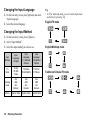
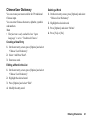
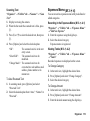
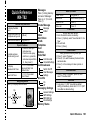
Changing the Input Language
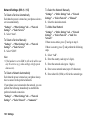
1. On the text entry screen, press [Options] and select
“Input Language”.
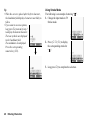
Tip
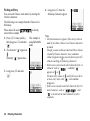
• In T9 or multi-tap mode, you can switch input mode
as follows by pressing P.
English/T9 mode
2. Select the desired language.
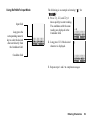
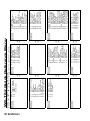
Changing the Input Method
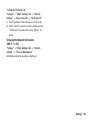
1. On the text entry screen, press [Options].
2. Select “Input Method”.
3. Select the input method you wish to use.
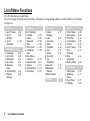
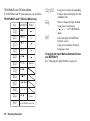
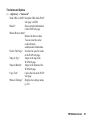
Input
Method
Input
Language
= English
Input
Language
= Traditional
Chinese
Input
Language
= Simplified
Chinese
T9
Mode
T9 Abc
T9 ABC
T9 abc
T9 Stroke
T9 BoPoMoFo
T9 PinYin
T9 Stroke
Multi-tap
mode
Abc
ABC
abc
Numeric
Abc
ABC
abc
Numeric
Abc
ABC
abc
Numeric
Others
Symbol Table
Symbol Table
Symbol Table
36
Entering Characters
English/Multi-tap mode
Traditional Chinese/T9 mode