1
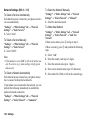
Network Settings (M 9-d-d-5)
To Select a Service Automatically
Each time the power is turned on, your phone selects a
service automatically.
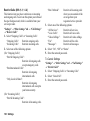
“Settings” → “Other Settings” tab → “Network
Settings” → “Select Service”
1. Select “Auto”.
To Select a Service Manually
“Settings” → “Other Settings” tab → “Network
Settings” → “Select Service”
1. Select “GSM”.
Note
• If the handset is set to GSM, it will not be able to use
any 3G services (e.g. video callings or high speed
data access).
To Select a Network Automatically
Each time the power is turned on, your phone always
tries to connect to the preferred network.
If your phone is not connected to the network, you can
perform the following immediately to establish the
preferred network connection.
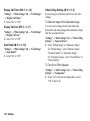
“Settings” → “Other Settings” tab → “Network
Settings” → “Select Network” → “Automatic”
138 Settings
To Select the Network Manually
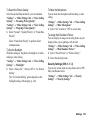
“Settings” → “Other Settings” tab → “Network
Settings” → “Select Network” → “Manual”
1. Select the desired network.
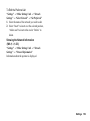
To Add a New Network
“Settings” → “Other Settings” tab → “Network
Settings” → “Select Network” → “Add New
Network”
If there are no entries, press B and go to step 2.
If there is an entry, press B and perform the following
steps.
1. Select “Add”.
2.
3.
4.
5.
Enter the country code (up to 3 digits).
Enter the network code (up to 3 digits).
Enter a new network name (up to 25 characters).
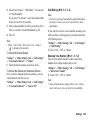
Enter either 2G (GSM) or 3G for the network type.