1
Administrator reference guide
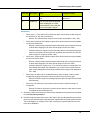
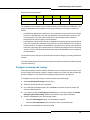
3. Check the Open? check box beside each day that your company is open for business.
Clear or leave the Open? check box blank for every day that your business is closed. The
Open? check box can be cleared without losing the business hours information.
4. Type the From and To hours of service for each day of the week.
Note: If you do not enter information for any of the business hours categories, Closed
is the default.The business hours categories take the following priority: Special, Lunch,
then Operating Hours. This means that if the configuration indicates that more than one
category applies at any particular time, the higher-priority category takes precedence.
•
Time is displayed using the 24-hour format. The time 24:00 (24 hours, 00 minutes)
refers to 23:59:59.
•
Hour: Hour of service fields should not exceed 24 hours or be less than 0 hours. Minute
fields should not exceed 60 minutes or be less than 0 minutes. The total time, hours +
minutes, should not exceed 24 hours or be less than 0 minutes. For example, if the
hour field = 24, then the minute field must = 0.
5. Select the Save button at the bottom of the page to save your changes, or select the Cancel
button to discard your changes.
Extension ranges
The phone system has three sets of extension ranges: one for users and locations, one for
auto attendants, and one for call groups.
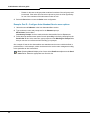
To view extension ranges, follow these steps:
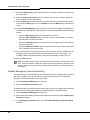
1. Select Business Details in the left menu.
2. Scroll down to the Extension Management section.
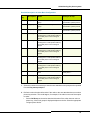
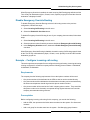
The following fields are displayed:
•
User/Location Min. Displays the first number for phone extensions.
•
User/Location Max. Displays the last number available for phone extensions.
•
Call Group Min. Displays the first number in the range available to use for Call Groups
•
Call Group Max. Displays the last number in the range available for Call Groups.
•
Auto Attendant Min. Displays the first number in the range to use for an Auto Attendant.
•
Auto Attendant Max Displays the last number available to use for an Auto Attendant.
Configure hold announcement
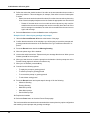
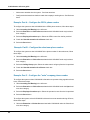
You can select the hold announcement used for callers to your business from a list of hold
announcements provided by your service provider. Hold announcements are used for external
calls only. Internal callers within a site will not hear the hold announcement.
66