1
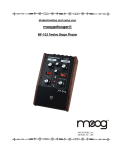
7. Now set the MF-102 panel controls as follows (See Figure 2):
AMOUNT
RATE
MIX
FREQUENCY
Left Switch
Right Switch
2
6.4
10
250
"Sine Wave"
HI
Figure 2 - Basic settings for becoming familiar with your MF-102.
Press the stomp switch. The BYPASS light will now turn green. Play your instrument. Your
instrument's signal is now going through the ring modulator. Listen to how the MF-102
affects the quality of your instrument's tone. You will hear a distinct vibrato. Note that the
AMOUNT knob affects the strength of the vibrato and the RATE knob affects the vibrato's
speed.
8. In the next section we'll explain exactly how a ring modulator works, what the carrier
oscillator and LFO do, and how the controls work. For now, get a feel for the controls by
experimenting with different settings.