1
ADDITIONAL SWITCHING SYSTEM® | 9
MONITOR ST & DAC-ST
Rear Panel Features & Benefits
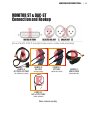
Next we’ll review how to hook these audio tools up to play nicely together.
1
2 3
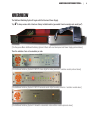
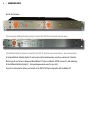
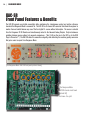
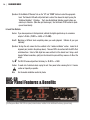
[The rear of the A.S.S.® DAC-ST stereo digital to analog converter / switcher module pictured on previous page]
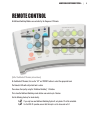
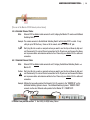
1. Digital In/Thru
Feature: The rear panel of DAC-ST sports a DB25 connector wired to the Tascam / Digidesign AES digital
standard. Remember, this connector can be wired for AES or S/PDIF or any combination of the
two. The pinout wiring diagram resides in the appendix of this manual.
Benefit: This is a 4 channel digital input and through. Now you can (A) switch between sources while
monitoring with the same converter and (B) pass the signal forward to it’s next destination.
“So What?” (A) Here’s why this is killer. Monitoring all your digital sources through the same
converter levels the playing field. In other words, conduct comparative listening through
the identical pristine audio converter.
Example: “What’s all that extra top end on the CD pressing?” Might just be “crunch” generated
from the CD player’s D/A converter. “Why can’t I pinpoint the ride cymbal?” Jitter
from that cheap CD player could be smearing the image.
Tip:
, Dangerous Music is so concerned about the inviolability of your audio, that the DAC-ST
will actually clean up jitter from squalid incoming sources and pass it through with
defined edges. The instantaneous lock range is 32 kHz to 192 kHz.
“So What?” (B) Passing the signal forward opens up a myriad of possibilities.
Example: •Monitor the main mix from Pro Tools. Pass this on to external hardware.