1
<P=002>
RADIO OPERATION
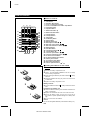
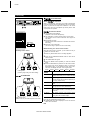
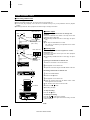
■ Tuning
1
2
3
4
DISC-1
1
DISC-2
2
DISC-3
3
TUNING
CURSOR
CD PLAY
ON/STAND-BY
CD
MD
VOLUME
3D SURROUND TUNER
MODE ON/OFF (BAND)
TRACK
NAME / TIMER /
TOC EDIT DELETE DISPLAY
START
1
4
6
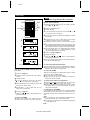
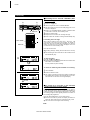
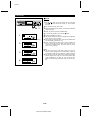
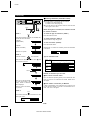
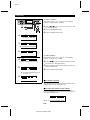
Press the TUNING (
station.
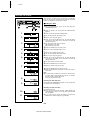
Manual tuning:
2
3
4
7
8
9
ST-MODE
TUNER
10
5
10/0
2,3
MD
Auto tuning:
BAND
PROGRAM CLEAR P-MODE
REC
REC
MODE
AUTO
MARK
1
2
3
1
2
3
ON/
STAND-BY
1
AUX
BASS/
TREBLE
X W
X W
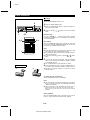
When the TUNING ( or ) button is pressed for more than
0.5 seconds, scanning will start automatically and the tuner will
stop at the first receivable broadcast station.
CD
SLEEP DISPLAY TIME
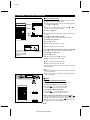
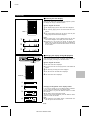
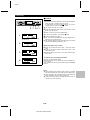
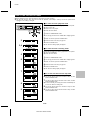
X or W) button to tune into the desired
Press the TUNING ( or ) button as many times as required
to adjust the frequency shown on the display to the frequency
of the desired station.
MD/CD/TUNER DIRECT KEY
5,6
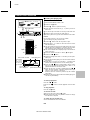
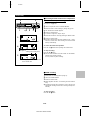
Press the TUNER (BAND) button to select the desired frequency band. (FM or AM)
ENTER
MD DIGITAL EDIT
2,3
1
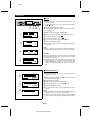
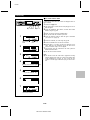
Press the TUNER (BAND) button.
REC
1 2 3
CD
Set the ON/STAND-BY switch to ON.
3D SURROUND
MODE
ON/OFF
Notes:
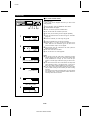
● When radio interference occurs during auto scan tuning, auto
scan tuning may stop automatically at that point.
● If a weak station signal is found during auto scan tuning, the
station will be skipped.
● To stop the auto tuning, press the TUNING ( or ) button
again.
VOLUME
X W
5
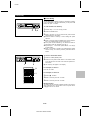
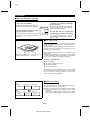
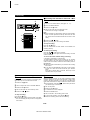
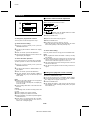
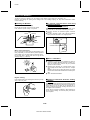
To receive an FM stereo transmission, press the ST-MODE
button on the remote control so that the "STEREO" indicator
on the display lights up.
● "ST" will appear when an FM broadcast is in stereo.
6
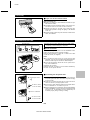
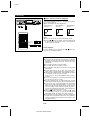
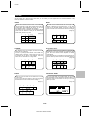
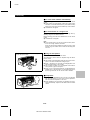
Aerial adjustment
AM
POWER
FM
POWER
CD
VOLUME
If the FM reception is weak, press the ST-MODE button on
the remote control so that the "STEREO" indicator goes out.
● Although the reception changes to monaural, the sound
becomes clearer.
CD
VOLUME
TUNING
CURSOR
TUNER
(BAND)
TUNER
(BAND)
TUNER
(BAND)
TRACK
TUNING
CURSOR
TUNER
(BAND)
MD
START
CD MD DIGITAL
EDIT
NAME / TIMER
TOC EDIT DELETE/
DISPLAY
REC
ENTER
TUNER
(BAND)
TUNER
(BAND)
TRACK
MD
START
CD MD DIGITAL
EDIT
NAME / TIMER
TOC EDIT DELETE/
DISPLAY
REC
ENTER
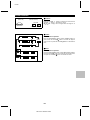
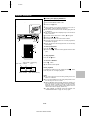
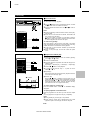
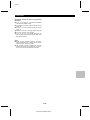
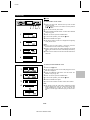
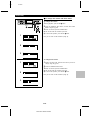
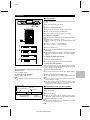
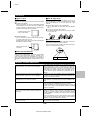
To switch the unit off after use:
Set the ON/STAND-BY switch to STAND-BY.
Notes:
● The tuners memory will store the last station you were listening to in each band, even when the ON/STAND-BY button is
switched to STAND-BY.
● If the unit receives a radio broadcast near a radio or a TV
set, the radio, the TV set or the unit may pick up noise.
Move the unit as far away from the TV set or radio as
possible.
Direct playback:
When the TUNER (BAND) button is pressed and the power is
turned on and the last received station will be selected.
E-12
MD-ZV30H TINSZ0217AWZZ