1
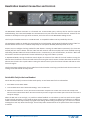
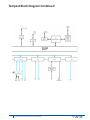
When an external 2-Wire hard wired intercom system IS present:
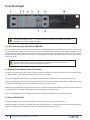
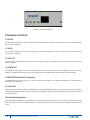
Set the 2-Wire Intercom Type Select Switch to the proper type and select 2-Wire mode. Connect the hard wired
intercom to the BaseStation. In this configuration, each connected Tempest BaseStation intercom channel will receive
power and termination from the wired intercom system. The Tempest BaseStation functions as an additional wired
BeltStation from the perspective of the connected 2-Wire system.
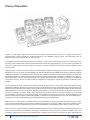
Connect either male or female (male and female connectors are electrically identical) 3 pin XLR from the 2-Wire
intercom channel to be shared, to the BaseStation that will use the intercom channel. Loop to other BaseStations
as needed. Repeat for all channels to be shared. See the Wired Intercom Interface section in this manual for more
information about connecting to external wired intercom systems.
When using an external 2-Wire hard wired connection, only channels that are
connected to a wired intercom will be able to share audio between BaseStations.
59
Tempest®900 4-Channel Wireless Intercom System