1
PROGRAMMING - OPERATOR LEVEL
PROGRAMMING FEATURES AND OPTIONS
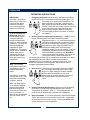
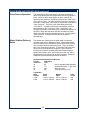
1. View Water Temperature in Tank: To view the water temperature on the screen, the brewer
brewer must be ON, and not brewing or in the filling mode. Press and hold the 4th key, and
depress the 6th key. The actual water temperature will be displayed for 3 seconds.
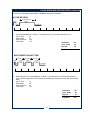
2. Daily Brew Count: The brewer maintains a count of the number of completed brews for a 7-day
period. To access the count, turn the brewer OFF by pressing the 3rd key. In the OFF mode,
press and hold the 2nd (CANCEL) key for 3 seconds. The current day and brew count will be
displayed. Depress the 3rd key repeatedly to view each preceding day. When all 7 days
have been displayed a 7-day total will be displayed. If you wish to exit the daily brew count
before viewing all of the days, press the 2nd key.
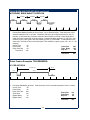
3. ON/OFF – Non Automatic Timer: To turn the brewer OFF, press the 3rd key (ON/OFF ):
2 beeps will be heard and the brewer will be turned OFF, indicated by all lights being off,
(including any warmer plates on decanter brewers). To turn the brewer ON, press the 3rd key:
2 beeps will sound, all lights will flash once, then the “Power” light will remain on, (the “Heat” light
may come on if water temperature is too low).
4. ON/OFF – Automatic Timer Feature: The factory programmed brewer has the automatic
timer turned off. To set the automatic timer, refer to page 13, “Time Functions” Menu. If the
Automatic Timer feature is programmed off, the brewer can be turned on and off by depressing
the 3rd (ON/OFF) key, as noted above.
* When the Automatic Timer feature is programmed ON, the brewer will turn on and off
automatically, at a programmed time, Monday to Friday; with a separate on and off
programmed time schedule for Saturday and Sunday.
* Temporarily Overriding the Automatic ON/OFF function. While in the automatic timed OFF
mode the brewer can be started by depressing the 3rd (ON/OFF) key. The brewer will
remain ON until the automatic programmed off time, when it will turn OFF and resume normal
automatic timed functioning. Similarly, if turned OFF during the automatic timed ON mode
the brewer will remain OFF until the next programmed on time, when it will turn on and
resume normal automatic timed functioning.
5. Automatic Start-Up in Previous Mode: If the brewer automatic timer is OFF (the factory
setting) and power is disconnected, the brewer will start up when power is restored, in the mode
it had been in prior to the power disconnection. If the brewer has the timer setting ON and
power is disconnected, the brewer will start up in the mode that it should be in at the time the
power is restored.
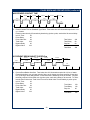
6. Viewing Programmed Brew Volume: (Airpot & Thermal Brewers Only) The brewer can have
up to 4 different brew volumes. When a volume other than the standard, or first brew volume, is
selected, the brewer will complete that volume and then automatically reset to the standard, or
first brew volume. With the brewer ON, press and hold the 2nd key. The 1st, or standard,
volume will be displayed for 3 seconds (i.e. Volume #1 64 oz)., followed by the day and time.
7. Changing Brew Volume: (Airpot & Thermal Brewers Only) As outlined above, display the
current brew volume and, before the display changes to day and time, depress the 2nd key
momentarily, (not for 3 seconds). The next programmed brew volume (e.g. Volume#2 32 oz.)
will be displayed for 3 seconds, after which the display will return to the day and time. Repeatedly
press the 2nd key while programmed volumes are shown to view all brew volumes. (If there is
only one brew volume programmed, only that volume will be displayed.) The last brew volume
displayed, before the LCD returns to the day and time, is the brew volume that the brewer will
brew the next time the BREW switch is depressed. When a brew volume other than the 1st brew
volume is selected, the brewer will complete the brew then return to the 1st or standard brew
volume automatically.
5