1
92
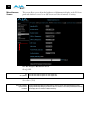
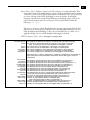
The trap message would be sent to server-based external network management
systems (NMS). These trap destinations must have a fixed IP address that you have
pre-defined (FS1 parameters 51.2 and 51.4 must be set to point to these, if used).
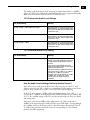
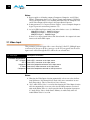
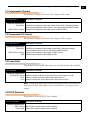
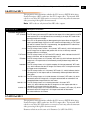
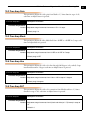
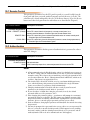
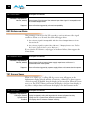
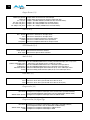
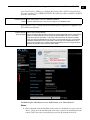
51.2 SNMP Trap Dest 1
Description of Choices
Parameter Adjustments:
variable
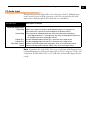
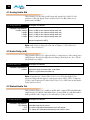
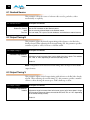
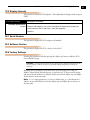
51.4 SNMP Trap Dest 2
Using the adjust buttons, enter the IP address of the destination where SNMP
command messages (called “traps”) will be sent. This is usually an SNMP client
(“NMS” or Network Management System) somewhere on your LAN.
Default: 192.168.0.3
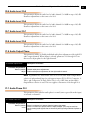
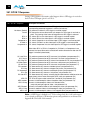
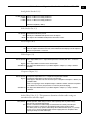
Description of Choices
Parameter Adjustments:
variable
Using the adjust buttons, enter the IP address of the destination where SNMP
command messages (called “traps”) will be sent. This is usually an SNMP client
(“NMS” or Network Management System) somewhere on your LAN.
Default: 192.168.0.3
For example, the FS1 could send a trap message if one of its redundant power
supplies becomes unplugged. A client software agent that communicates with the
NMS might then get a message telling the operator what has happened.
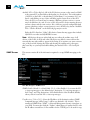
Parameter 51.3 and 51.5 determine the SNMP Port(s) used for sending the trap
messages. UDP port 162 is the default used for SNMP trap messages. However, if
this port is being used by another protocol or service, you can change the setting by
modifying these parameters.
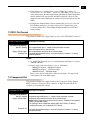
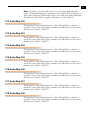
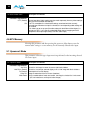
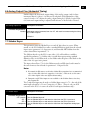
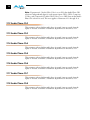
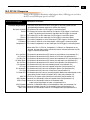
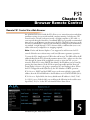
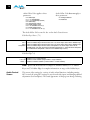
51.3 SNMP Trap Port 1
Parameter Adjustments:
variable
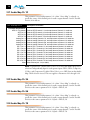
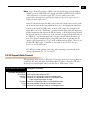
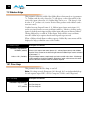
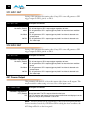
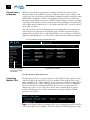
51.5 SNMP Trap Port 2
Parameter Adjustments:
variable
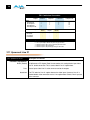
Description of Choices
Using the adjust buttons, select a UDP port for sending FS1 trap messages.
Default: 162
Description of Choices
Using the adjust buttons, select a UDP port for sending FS1 trap messages.
Default: 162