1
PROSTAR DCS COMPACT
TECHNICAL MANUAL
PROGRAMMING
PART 1 JUNE 2001
PART 1. INTRODUCTION TO PROGRAMMING
1.1 PROGRAMMING OVERVIEW
The DCS COMPACT system arrives from the factory with default data. Connect it to
trunks, stations and power, turn the system on and it is fully operational. The only thing
left to do is customize the data to fit the customer’s needs. This is called programming
the system.
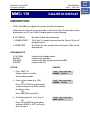
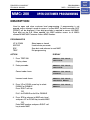
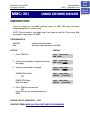
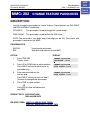
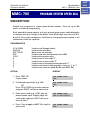
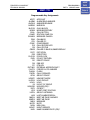
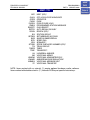
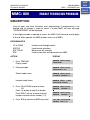
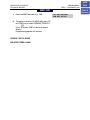
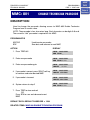
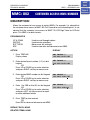
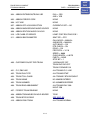
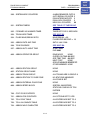
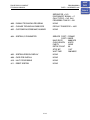
MMC stands for Man Machine Code and each program is assigned a different three
digit code. These MMC codes are used to view, create or change customer data.
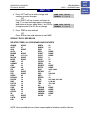
Programming is simply deciding what needs to be done and knowing which MMC is
used to do it. For example, use MMC 601 to create a station group. System speed dial
numbers are entered in MMC 705 and soft keys are assigned to individual keysets
using MMC 722.
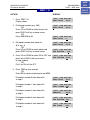
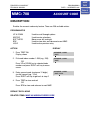
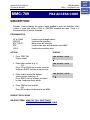
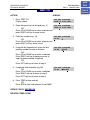
System programming may be done from any display keyset. The first thing you must
do is open system programming. As a security measure, a passcode must be known to
do this.
•
iDCS KEYSETS
This section provides more detailed programming procedures that can be used by
experienced display keyset users. These procedures will help explain some of the
displays observed as the simpler procedures detailed in the Keyset User Guide are
followed.
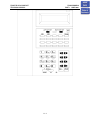
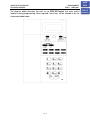
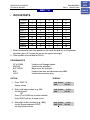
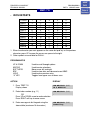
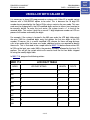
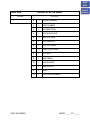
The diagram below illustrates the keys on an iDCS 28D and an iDCS 18D keyset that
have special functions during programming. When required, these keys will be referred
to by the names described below.
1.1.1
HOME
PAGE
Table of
Contents