1
ProScaler High Definition Video Processor
User’s Manual
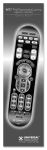
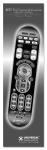
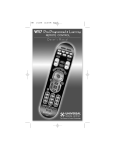
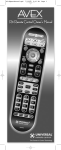
System Remote Control – Key ProScaler Functions
The following are the key PROSCALER functions, within the common remote control structure.
Note: SELECT THE SCALER BUTTON TO ENABLE THE PROCESSOR CONTROLS.
Also refer to the separate Wolf Cinema ProScaler User Guide for additional details.
Processor Power ON Button
Press to turn the Processor on
Processor Power OFF Button
Press to turn the processor off
Input Select Button
Press to select available
device inputs
Menu Button
Press to enable on-screen
display menus
OK Enter Button
Select items or make
adjustments from the menu
Exit Menu Button
Exits the on-screen display
Adjustment Navigation
(Up, Down, Left, Right)
Navigates through on-screen menus
Source Device Input Buttons
Press to directly select the
available components connected
to the ProScaler Processor
ProScaler Select Button
Press to change remote from
Projector controls to ProScaler
Processor functions
10
ProScaler Aspect Control
Buttons
Adjust image sizing via the
ProScaler software