1
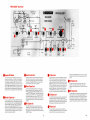
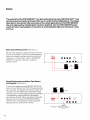
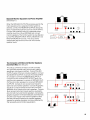
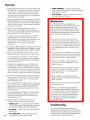
controls connectors Indicators (continued)
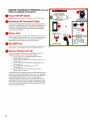
Power and Speaker Connections
Power ON-OFF Switch
Applies ac power to power supply (does not switch ac outlet).
.~nswitched
AC Grounded Outlet
Provides up to 100 watts of ac power to accessory equipment
(mixer, tape recorder, lamp, etc.).The outlet is not fused and not
switched; use the power switch on the accessory equipment.
The outlet is not intended for use with high-power equipment
such as power amplifiers.
@AC line Cord
Connect to ac power (120 Vac ? lo%, 50160 Hz). Use only 18
AWG (or larger), three-wire extension cords. Console may draw
up to 4 amperes (500 watts) from ac supply circuit. May be
operated from other voltages (see Service Manual).
.4A,
250V Fuse
Protects console power supply aqa~nstoverload. (Replace only
i type ' 4 k ,SLO-BLO, 250Y type 3AG.)
with ident~cas ~ zand
OSpeoker Outputs Jock (2)
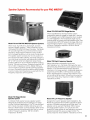
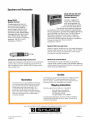
Connect to speaker systems such as the Shure 701 or 709.
Suggested speaker loads for the console include:
2-Shure Model 701 or 709 PRO MASTERTM
Speaker
Systems (8 ohms each), or
4-Shure Model 702 Stage Monitor Speaker Systems (16
ohms each), or
2-Shure Model 703 PRO MASTER'" Stage Monitors (8
ohms each), or
4-Shure Model SR103 Speaker Columns (16
ohms each), or
2-Shure Model SR112 or SR116 Compact Speaker
Systems (8 ohms each).
Connecting too many speakers to either or both output jacks may
result in a combined load below the 4-ohm minimum. Operation
with such a load may cause an excessively high internal temperature (TEMP WARNING LED turns on), or the PA (power
amplifier) OVERLOAD LED may turn on at lower than normal
levels (before the +6 dB LED). Note that no damage will result;
the console is protected against speaker overloads and shorts.
Also, the console may be operated without speakers (with headphones) for tape recording.