1
ZONES
([MENU] , [3])
Selecting a Zone
To enter the Zone number selection menu, press
[MENU] , [3]
To select a zone to modify use the [Ï] and [Ð] keys to scroll through
the available zones, and press the [ENTER] key to move to the next
configuration menu for the selected zone. You may also shortcut to a
particular zone configuration menu by pressing:
[MENU] , [3] , [ZONE NUMBER]
Where ZONE NUMBER is the number button corresponding to the
required zone.
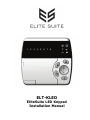
Once you have selected a zone, The Zone Type setup will be
displayed by the LED corresponding to the current Zone Type
being lit.
Zone Type
Once you have selected a Zone, you must select the Zone Type.
To select the Zone Type, use the [Ï] and [Ð] keys to scroll through
the available types, and press the [ENTER] key to move to the next
configuration menu for the selected zone.
You can also press the number button corresponding to the required
zone type to instantly select that zone type and move to the Zone
Options setup for this zone.
You must select a Zone Type from the following list:
Zone Types
1
Disabled
Zone is disabled, does not function in the system.
2
3
Delay
Follow
Zone will have an entry delay when a user enters.
Zone will not cause an alarm if the entry delay has
started otherwise the zone will be an instant zone.
ELT-KLED EliteSuite Installation Manual
24