1
INSTALLATION INSTRUCTIONS: Viewline 85 mm
Speedometer
TU00-0752-7407102
02/11
GB
1-11
6
19 Operation
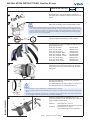
Basics:
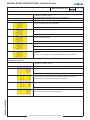
Press the key briefly (< 2sec.) to change the currently displayed value.
Press the key longer (> 2sec.) to change to the next value.
The display returns to normal operating mode if a key is not pressed for 30 seconds.
Any settings you have made are not saved.
Startup
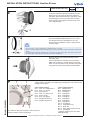
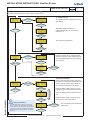
1. Setting the signal source and pulse count
The Viewline tachometer provides two facilities for setting the vehicle-specific pulse count, 1a. Pulse and 1b Autocal
function. Select the signal source with 1c. Input function.
1a.
PULSE function
Enter the pulse count here using the external button.
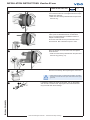
1b.
Autocal function
The pulse count is automatically determined by the monitor during a test drive. To accomplish that, you need to
drive exactly 1 km or 1 mile (depending on the unit's measuring scale) and, with the AutoCal function enabled, briefly press the external button at the start and end of the measuring section.
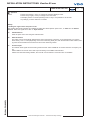
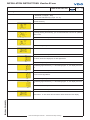
1c.
Function Input
This selects which signal the sensor being used transmits. Select "FREQUE" in sensors that have a frequency output.
Select "NMEA" for sensors with a data output according to the NMEA 0183 standard.
Please note that while setting "NMEA", the "PULSE" and "AUTOCAL" menu items are not available.
TU00-0752-7407102
Technische Änderungen vorbehalten - Technical details subject to change