1
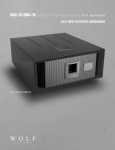
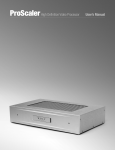
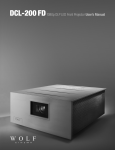
Introduction Wolf Cinema’s DCX line of projectors are designed to work in conjunction with the WC-Pro Scaler. The Scaler is calibrated at the factory
and is to be used to route the variety of inputs it supports; 6 HDMI, 1 Component, 1 Component/RGB, 1 S-Video and 1 Composite
Video.
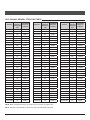
Each projector ships with 10 preset Channel Memories, which are programmed at the
factory. These Channel Memories represent 10 aspect ratios per each Scaler input, 5
of which can be assigned to control the optional VariScope 2.35 Lens System.
The Projector and Scaler can be remotely controlled separately by RS-232. Alternately,
the Scaler can be controlled by the GPIO (General Purpose Input/Output) connection
from the projector, which has the Scaler's 10 inputs programmed into every 10 of the
projector's 99 Channel Memories.
Connecting the Projector The following steps are to be done once the projector is installed, per the specifications of the sales order.
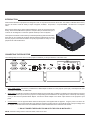
Iso - Front Right View
Side - Left View
1. DVI to HDMI adapter: Connect the provided DVI to HDMI adapter to INPUT 2 on the projector. (DVI input). This adapter will allow
connection to the Scaler via HDMI cable.
2. GPIO Output: This allows connection to the Scaler’s GPIO input via serial cable. In addition, the GPIO connection allows the projector
to switch the Scaler’s inputs when the projector's corresponding Channel Memories are changed. When a VariScope 2.35 is being
used you will need the provided GPIO adapter. Connect the GPIO Adapter to the GPIO output located on the projector's input
panel.
3. Connect Power: Use the approved North American-rated power cord supplied with the projector. Plug the power cord to the AC
receptacle located on the right hand side of the projector and the 3-pronged end into a grounded AC outlet. The input voltage must
be capable of 100-240 VAC for the DCX-500/DCX-1000 models and 200-240 VAC for the DCX-1500 models.
*** DO NOT POWER THE PROJECTOR ON UNTIL THE LENS IS INSTALLED ***
NOTE: If RS-232 is being used to control the Scaler, GPIO is not used.
1
Wolf Cinema Quick Setup Guide