1
Advanced Operation
Features
Using the AGC DSBL Feature
Inputs
This switch is a means to disable the wild swings of the Auto Gain
• Two transformer balanced XLR connectors
Control in the camera. It activates an inaudible tone of 20 kHz
• One unbalanced mini-jack
to the left channel (when set to STEREO operation) that prevents
Outputs
the Auto Gain Control from increasing the gain to its maximum
• Unbalanced stereo mini-jack for connection to the camera
level. This reduces the hiss that normally occurs when the camera
is recording audio during quiet moments. The tone is recorded
by the camera but can be easily filtered out if necessary. You can
still use the left channel for recording normal audio at the same
time as the AGC DSBL feature is active.
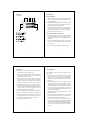
When this feature is active, you will see 2 or 3 bars indicate on
Headphone Monitor
• Built-in headphone amplifier with volume control
• 3.5 mm phone jack
Auto Gain Control Disable
• Controls wild swings of the AGC in the camera to reduce hiss
the level meter for the left channel (when the M/S switch is set
Level Meters
to S for stereo) which verifies that the tone is being sent to the
• Stereo LCD Meter to show input signal strength
camera.
Trim Controls
You may also want to record audio only on the right channel and
leave the left channel unused for the AGC control signal if this
tone presents a problem down the line. In this case, you should
set the M/S switch to S for stereo to keep the AGC signal separated
• Adjusts signal level on each channel from unity to no output
MIC/LINE Switches
• Allows connections of microphones or mixers for versatility
Balancing Transformers
from the recorded signal.
Again, it is important that you do a test recording and play back
the audio to see if it is acceptable.
The AGC DSBL feature will lower the gain on the camera, which
will require a sensitive microphone for best results.
• Premium wide-bandwidth transformers for superb audio
• Shielded in a custom deep drawn mu-metal cover for very
quiet operation
Power
• Easily replaceable 9 volt battery
• Low battery indicator
Case
• High impact-resistant polycarbonate
10
Specifications
Input Level
11
Warranty Information
MIC setting: -36 dBu ideal
Limited Two Year Warranty
LINE setting: -10 to +4 dBu ideal
This warranty covers any defects or malfunction in your new
BeachTek adapter for two years from date of purchase.
Output Level
Nominal MIC levels
BeachTek will replace or repair any defective or malfunctioning
adapter, within the warranty period, at no charge. The warranty
Frequency
Response
20 Hz to 20 kHz (+/- 3dB)
does not cover damage resulting from accident, alteration, misuse
or abuse. The device must be sent to our service center at your
Level Meter
Calibrated from -54 dBu to -33 dBu
Battery Type
One 9 volt alkaline battery
Dimensions
6" x 3" x 1.7" (L x W x H)
expense.
Should you require service please contact us first before returning
the unit to us. Return instructions can be found on our website
at www.beachtek.com under the Support option.
(152 mm x 75 mm x 43 mm)
Weight
11.3 oz (0.32 kg)
12
Upon receiving the returned adapter it will be inspected and
replaced or repaired if found defective. The unit will be shipped
back to you within five business days at our expense.
13