1
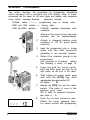
NOTE: The same password code is
used for all groups in the radio. New
radios are shipped from the factory
with the password code 000000
assigned.
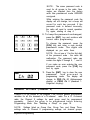
While entering the password code the
display will not change, but a beep will
sound for each key pressed. If the
password code is entered incorrectly,
the radio will reset to normal operation.
Try again, starting at step 4.
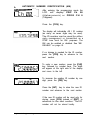
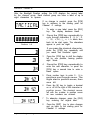
9. To keep the password unchanged,
press the [ENT] key and continue with
normal radio programming.
To change the password, press the
[FCN] key and enter a new six-digit
password code. The digits are
displayed as you enter them.
NOTE: Do not use a 1 for the first digit
of the password code - the radio will
malfunction. The password code can
contain the digits 0 through 9, *, and #.
If you make an error entering the new
password code, press the [CLR] key
and try again.
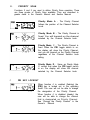
10. Press the [ENT] key to store the new
password
and proceed to
programming mode. The display will
change to PRG Ch 00 (Alphanumeric
display) or PROG Ch 0 (standard 7Segment display).
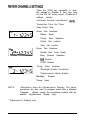
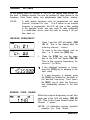
GENERAL SETTINGS (CHANNEL 0)
Channel 0 is the portion of the program t hat controls general performance
variables for all the channels in a 14-channel radio. For a 21 O-channel
radio, the Channel 0 settings for each group must be programmed
separately.
Select the group to be programmed before entering
Programming Mode. See “Selecting a Group” on page 19.
NOTE: Settings listed as Group One, Group Two, and Group Three
settings refer to Channel 0 programming settings, not channel groups.
Keyboard Programming
3