1
Getting Started
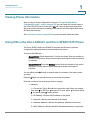
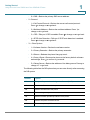
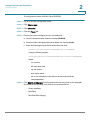
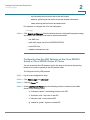
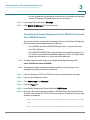
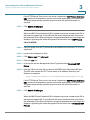
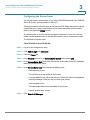
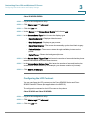
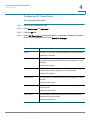
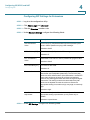
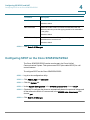
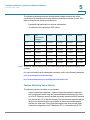
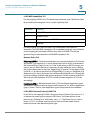
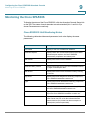
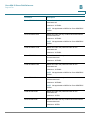
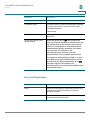
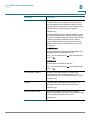
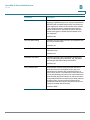
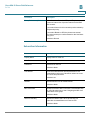
Using IVR on the Cisco SPA301 and Cisco SPA501G IP Phone
1
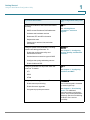
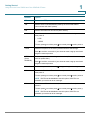
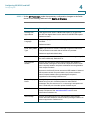
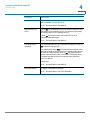
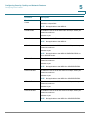
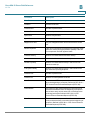
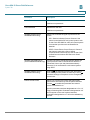
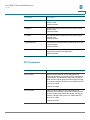
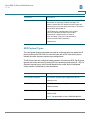
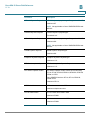
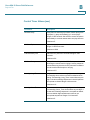
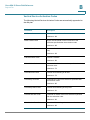
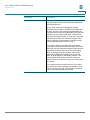
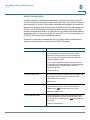
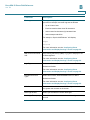
Number
Option
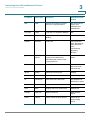
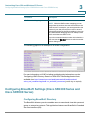
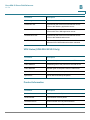
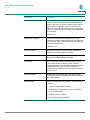
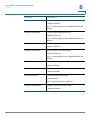
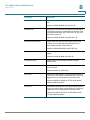
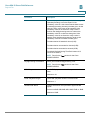
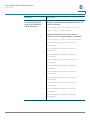
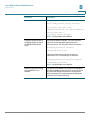
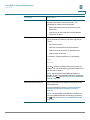
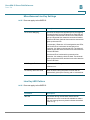
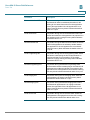
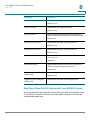
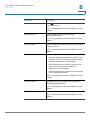
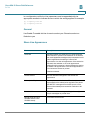
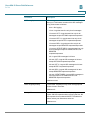
131
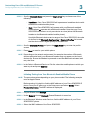
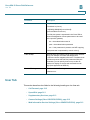
Set a gateway. Enter the address (use * to enter the “.” value), then
press #.
To save, press 1; to review, press 2; to re-enter, press 3; to exit, press *.
NOTE DHCP must be disabled to use this option; if DHCP is not
disabled, you receive an error message.
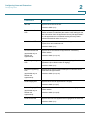
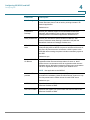
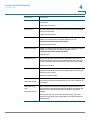
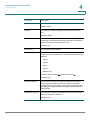
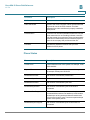
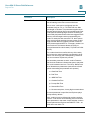
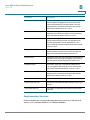
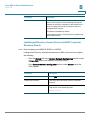
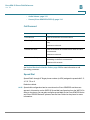
161
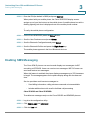
Set the address of the primary Domain Name Server (DNS). Enter the
address (use * to enter the “.” value), then press #.
To save, press 1; to review, press 2; to re-enter, press 3; to exit, press *.
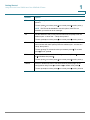
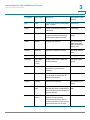
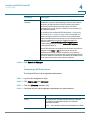
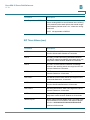
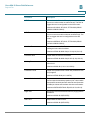
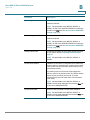
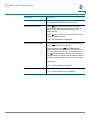
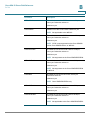
181
Set the IP multicast address (used by the Cisco SPA 9000 to
communicate with the IP phone). Enter the address (use * to enter the “.”
value), then press #.
To save, press 1. To review the value you entered, press 2. To re-enter,
press 3. To exit, press *.
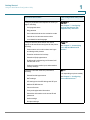
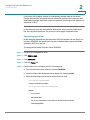
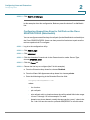
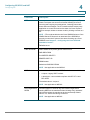
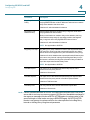
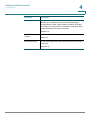
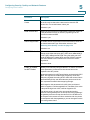
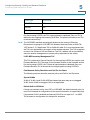
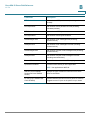
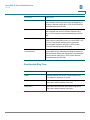
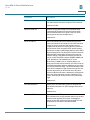
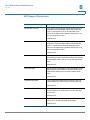
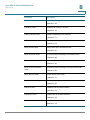
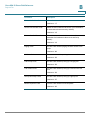
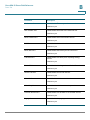
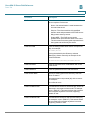
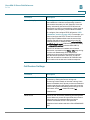
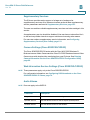
7932
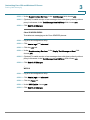
Enable or disable the web-based configuration utility. Press 1 to enable
or 0 to disable, then press #.
To save, press 1; to review, press 2; to re-enter, press 3; to exit, press *.
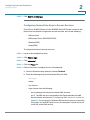
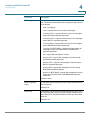
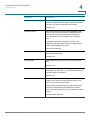
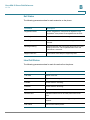
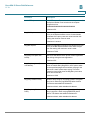
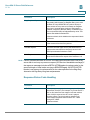
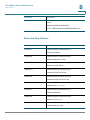
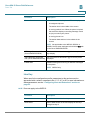
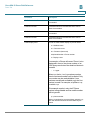
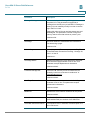
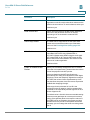
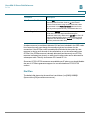
723646
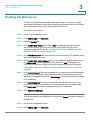
Enable or disables access to the administrative (admin) login on the
configuration utility. Press 1 to enable or 0 to disable, then press #.
To save, press 1; to review, press 2; to re-enter, press 3; to exit, press *.
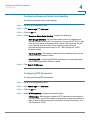
Cisco Small Business SPA300 Series, SPA500 Series, and WIP310 IP Phone Administration Guide
32