1
4
Introduction ~ Unpacking
Unpacking
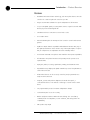
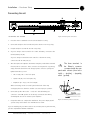
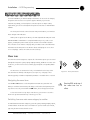
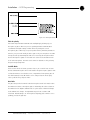
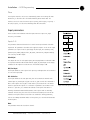
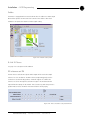
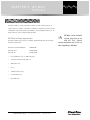
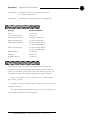
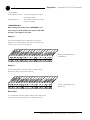
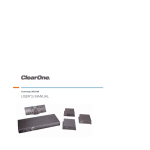
Ensure that the equipment shown below was received with your shipment.
!
ClearOne is not responsible
for
product
damage
incurred during shipment.
You must make claims directly with
the carrier. Inspect your shipment
carefully for obvious signs of
damage. If the shipment appears to
be damaged, retain the original
boxes and packing material for
inspection by the carrier. Contact
your carrier immediately.
Audio Products
www.gentner.com
AP400 Audio Conferencing System
Installation & Operation Manual
Gentner Corporation ~ 1825 Research Way, Salt Lake City, UT 84119 ~ tel 1-800-945-7730 ~ fax 1-800-933-5107
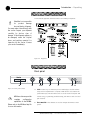
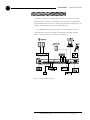
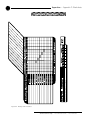
Figure 1.1. Equipment
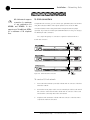
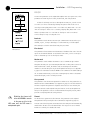
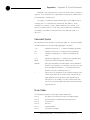
Controls and Connections
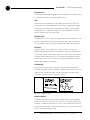
Front panel
A
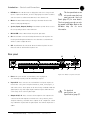
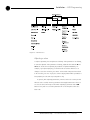
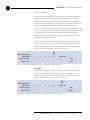
Figure 1.2. Front panel controls
B
C D
E
F
G H
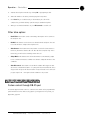
A. LCD. The two-line, 16-character-per-line LCD display is used for AP400
setup and level adjustments in conjunction with the four associated frontpanel buttons [B]. Functions that can be accessed via the front-panel LCD
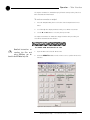
✍
AP-Ware software provides
complete
configuration
capabilities for the AP400.
Please refer to the AP-Ware help file
for more information.
include setup, programming, troubleshooting, and numeric audio level and
gain readouts.
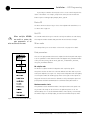
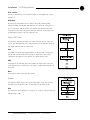
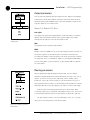
B. Enter/▲▼/ESC. These buttons are used to navigate the AP400’s menu
system.
Technical Services Group ~ 1-800-283-5936 (USA) ~ 1-801-974-3760